
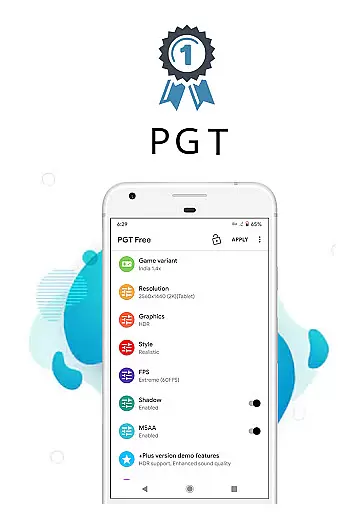
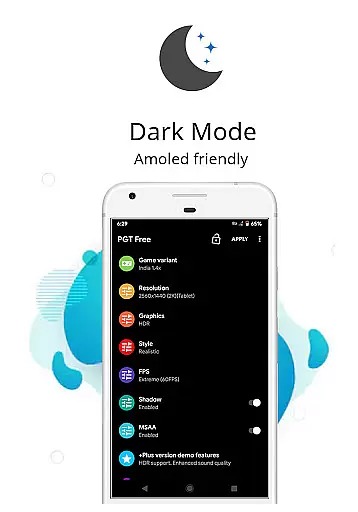
PGT is a powerful launcher utility designed to enhance mobile gaming performance through advanced graphics optimization. The app allows users to customize various graphics settings, including resolution, HDR, and UHD options, even on low-end devices. With support for all major Android OS versions (4.3 to 13+), it ensures broad compatibility while delivering an improved gaming experience.
One of the standout features of PGT is its ability to unlock FPS levels up to 90 FPS, providing smoother gameplay. It also offers unique tools like Potato Graphics and Simple Shaders, which help optimize device performance based on individual preferences. Whether you're looking to enable anti-aliasing, adjust shadow settings, or set ultra audio quality, PGT provides the tools necessary to fully tailor your gaming experience.
This app is particularly useful for gamers who want to maximize their device's potential without needing high-end hardware. By offering extensive customization options and experimental features, PGT empowers users to achieve both visually stunning graphics and optimal performance.
PGT stands out with its comprehensive suite of features tailored for gamers seeking enhanced performance. The app supports all major Android OS versions, ensuring that a wide range of devices can benefit from its capabilities. Users can change resolution settings, apply HDR and UHD graphics, and unlock FPS levels up to 90 FPS, making it ideal for competitive gaming.
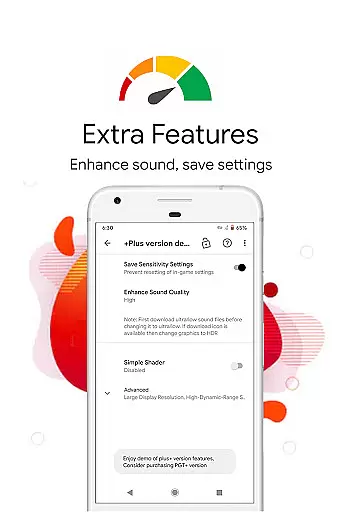
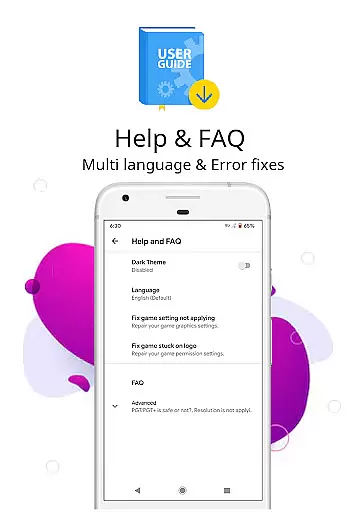
In addition to basic graphic adjustments, PGT offers advanced customization options such as shadow customization, anti-aliasing, and ultra audio quality settings. These features allow users to fine-tune every aspect of their gaming experience. The app also includes helpful resources like FAQs and tips to guide users through optimizing their settings effectively.
Another notable feature is the app's ability to boost memory by killing background apps, further enhancing device performance during gaming sessions. With permissions for storage, internet access, and background app management, PGT ensures seamless functionality while maintaining user privacy and security. This combination of powerful tools makes PGT an essential utility for mobile gamers.
PGT offers a comprehensive suite of tools designed to enhance gaming performance on Android devices. This launcher utility supports all major Android OS versions from 4.3 to 13+, ensuring broad compatibility.
The app allows users to change resolution, apply HDR and UHD graphics even on low-end devices, and unlock FPS levels up to 90 FPS. These features demonstrate the application's extensive functionality coverage across different device capabilities.
Additional functions include customizing shadows, enabling anti-aliasing, setting ultra audio quality, and providing help resources. The inclusion of unique features like Potato Graphics and Simple Shaders further expands its functional scope.
This complete feature set enables gamers to fully customize their game graphics, achieving both beautiful visuals and smooth gameplay across all supported versions including Global, CN, LITE, KR, VN, TW, and BETA variants.
PGT demonstrates excellent usability through its intuitive interface that allows users to customize basic, miscellaneous, advanced, and experimental graphics settings with ease. The straightforward categorization of these settings enhances operational smoothness.
The application requires only essential permissions for proper functioning - storage access for applying and backing up graphics settings, internet connection for loading settings from their server, and background app termination for memory boosting.
Operational efficiency is further supported by clear documentation including Privacy Policy and Terms of Service readily available on the developer's website. Users can quickly understand how to use each feature effectively.
All functions operate seamlessly without requiring technical expertise, making advanced graphics customization accessible even to casual users while maintaining professional-grade capabilities for experienced gamers.
Wide OS support
High FPS unlocking
Advanced customization
User-friendly interface
Comprehensive FAQ
Requires storage permission
Internet access needed
May drain battery
Complex for beginners
Potential overheating

Wireless reverse charging using phone now is possible
 4.30
4.30
A great tool help you to format Micro SD memory Card
3.10
Easily evaluate the performance of Scandit's barcode and ID scanning SDK
4.10
Zlink Carplay Android a mirror link app with a Carplay interface style
4.3
Demo version of the mcpro24fps manual video camera. Try and buy a full version!
4.00
Mirror Link Car Display to share your screen with car dashboard wirelessly
4.0
Looking to connect your phone to your car screen? Mirror Link is the solution.
3.20
MirrorLink for connecting your Android phone to your car’s infotainment screen.
4.50
Endoscope camera an app to connect with endoscope cam or any device
3.30
Block and secure the microphone and protect from secret listening and recording.
4.50
Game Booster GFX for smoother gaming experience. Enjoy 120 FPS and 4x Game Space
4.20
Do you want to drive easy ? do you wanna full mirror link Mobile with your car
4.10
Connect and find your Smarttag devices through our app.
4.00
Ps2 plugins for 64 bit artitechture
3.70
Connect and find your Smart Tag 2 devices through our app.
3.60
Mirror phone to TV effortlessly! Stream, share & connect with Airplay ease.
3.60
Mobs maker Minecraft help MCPE creators make their own mob by using Blockbench
3.50
Simulator of real black light
3.50
Collection of high-quality, trendy skins and outfits!
4.4


User Reviews