
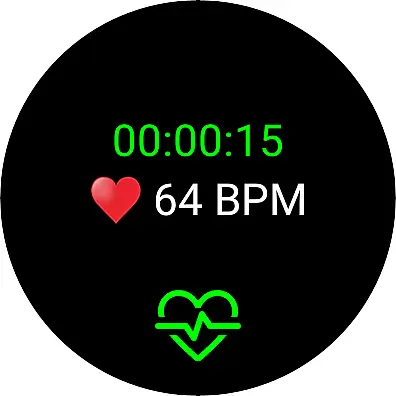
Live Heart Rate Pro is a sophisticated heart rate monitoring application designed for fitness enthusiasts and athletes who want to optimize their workouts. The app connects seamlessly with Wear OS devices or Bluetooth (BLE) heart rate transmitters, providing real-time tracking of heart rate and calorie burn. Whether your goal is weight loss or peak performance, Live Heart Rate Pro offers tailored features to meet your needs.
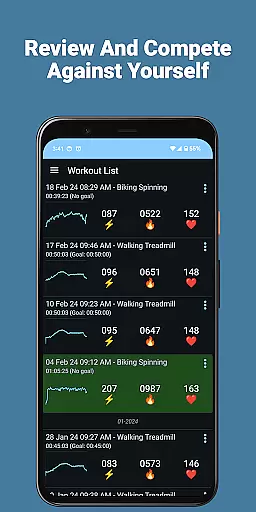
One standout feature is the Goal setting, which allows users to define specific workout durations and calorie targets. The app also includes a Compete mode, enabling users to challenge their previous workouts and improve over time. With advanced analytics like heart rate zone distribution and TRIMP scores, users can gain deep insights into their training intensity and effectiveness. These metrics help users train smarter, not harder, while avoiding overtraining.
Live Heart Rate Pro is ideal for anyone serious about fitness. By offering detailed post-workout analysis and cloud-based competition features, it transforms routine exercise into an engaging and results-driven experience. Its comprehensive suite of tools ensures users stay motivated and informed, making it the ultimate companion for achieving fitness goals efficiently and effectively.
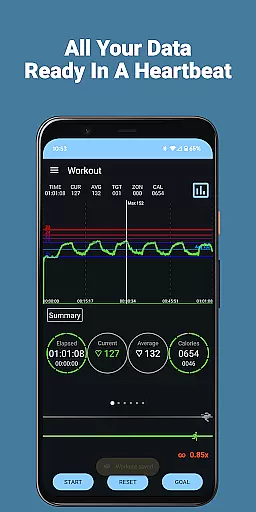
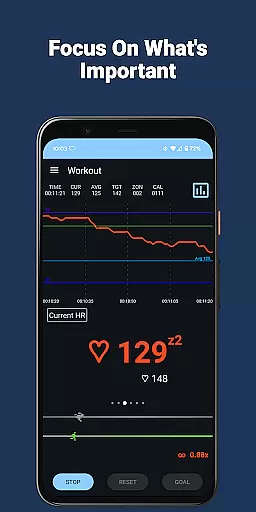
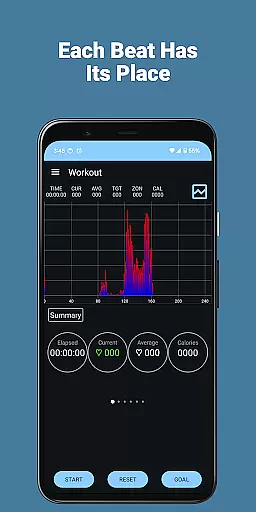
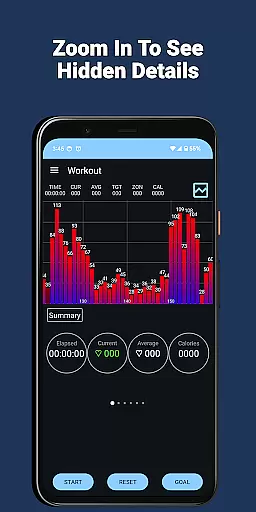
Live Heart Rate Pro stands out with its extensive range of innovative features that cater to both casual exercisers and professional athletes. One of its core functionalities is the real-time heart rate graph, which visually displays heart rate trends throughout a workout session. This is complemented by the Zoom Follow feature, allowing users to zoom in on their current heart rate for a more detailed view, ensuring precision during intense training sessions.
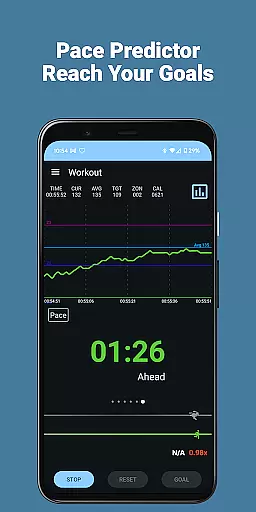
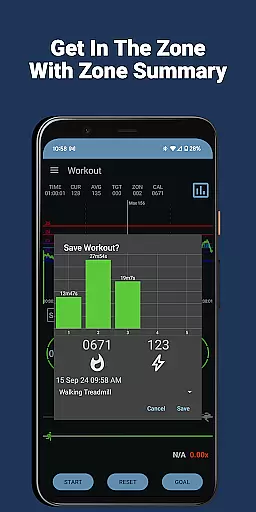
The app also provides advanced analytical tools such as the heart rate distribution chart and zone display, which break down how much time is spent in each heart rate zone. These insights are invaluable for users aiming to optimize their training intensity. Additionally, features like the Pace Indicator and Predictor offer real-time feedback on whether users are on track to meet their goals, enhancing motivation and focus. For those interested in long-term progress, the app calculates TRIMP scores and allows exporting data to CSV files for further analysis.
Other notable features include hydration reminders, heart rate alarms, and cloud-based competition modes. These ensure users remain safe, hydrated, and engaged while working out. By combining cutting-edge technology with user-friendly design, Live Heart Rate Pro delivers an unparalleled fitness tracking experience that adapts to individual needs and goals.
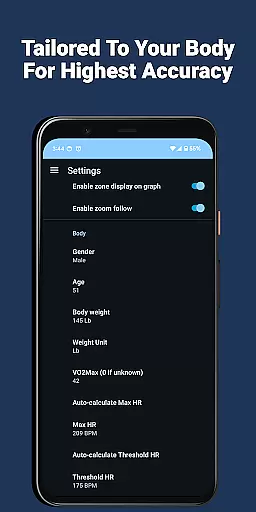
Personalized planning in Live Heart Rate Pro refers to the app's ability to tailor heart rate monitoring and workout goals specifically to the user's needs. This feature is crucial for anyone looking to optimize their exercise routine effectively.
The app achieves personalized planning through its Goal feature, which allows users to set desired workout times and calorie-burning targets. By analyzing heart rate data alongside other metrics, it helps maintain the right workout intensity to meet these goals efficiently.
Users benefit from this feature by receiving real-time feedback on whether they are on track to meet their goals. The Compete feature further enhances personalization by letting users challenge their past performances, ensuring continuous improvement and motivation.
This level of customization ensures that each workout is not only aligned with personal fitness objectives but also adapts as those goals evolve, providing a dynamic and effective fitness tool.
Progress visualization in Live Heart Rate Pro involves displaying the user's heart rate data and workout metrics in an easily understandable graphical format. This feature is essential for users who want clear insights into their fitness progress over time.
The app provides several tools for progress visualization, including a large heart rate graph that shows real-time heart rate changes throughout the workout. Additionally, the Heart Rate Distribution Chart and Zone Display offer detailed views of how much time is spent at various heart rates and in different zones.
These visual aids help users understand their performance trends, such as improvements in stamina or endurance, by presenting complex data in a digestible manner. The ability to save and export workout files adds another layer of utility, allowing for long-term tracking and analysis.
By offering comprehensive and accessible progress visualization, Live Heart Rate Pro empowers users to make informed decisions about their fitness routines, ultimately leading to better health outcomes.
Real-time heart rate tracking
Advanced goal-setting options
Comprehensive post-workout analysis
Cloud-based competition feature
Compatibility with multiple devices
Requires external device connection
Premium features may require payment
Complex for beginners
Limited offline functionality
High battery consumption

Relax to calm sounds, white noise, music, guided meditation and bedtime stories
 4.40
4.40
App to stop smoking slowly or now with a motivational badges and helpful tips
4.80
Pack of 66 calming lullabies for smooth fall asleep and relaxation
4.10
Mind on steroids - relaxation, productivity, meditation and sleep!
4.60
Eat smarter with Eato, your personal calorie counter and nutrition tracker!
4.40
Download MadMuscles to start your positive body transformation!
4.30
Walk, track, and burn calories with step counter & GPS walking tracker
4.20
FitCloudPro takes care of your health every minute.
3.70
Easy to use step counter, calorie counter helps lose weight, count steps offline
4.80
Medbridge GO gets you moving - get back to doing what you love, faster!
4.90
A brain game that moves you
4.70
a fun app full of surprises :)
4.70
Get lasting results with Chair Yoga, Wall Pilates, and Walking workouts!
4.60
The Crunch Mobile app - Find a gym, manage favorites, reserve & cancel classes.
4.60
The Sleep Miracle Sound Machine: Soothes baby to sleep with a gentle "Shhh"
3.00
Transform your body and soul with DBFFitness, with a 40-day fitness journey.
4.4
Insanity blocks of intense physical activity, short breaks of 30 seconds.
4.1
Using Recognise™ has been shown to reduce pain and improve performance.
4.4
A simple way to calculate peptide doses and also to convert different units.
4.4


User Reviews