

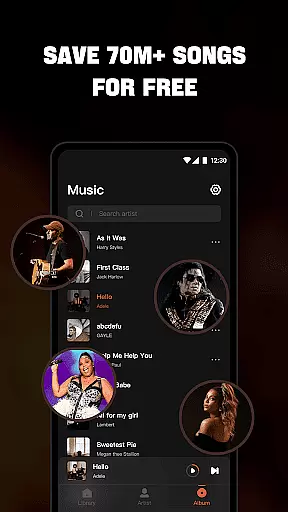
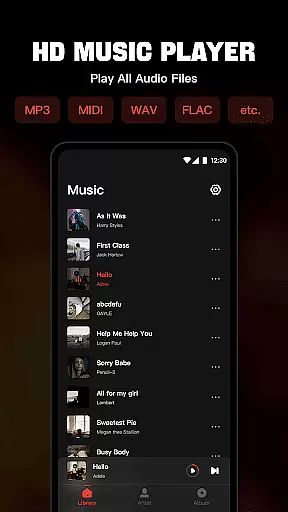
Mixtube is a versatile offline music player designed for audiophiles who value uninterrupted playback and high-quality sound. This application supports all major audio formats including MP3, MIDI, WAV, FLAC, AAC, and APE, ensuring that users can enjoy their entire music library without compatibility issues.
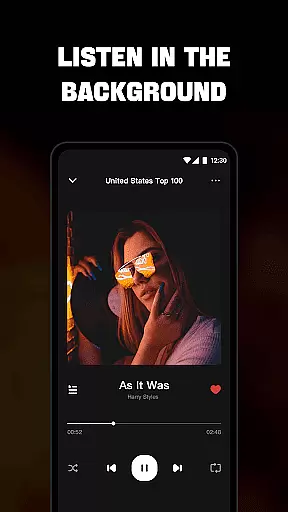
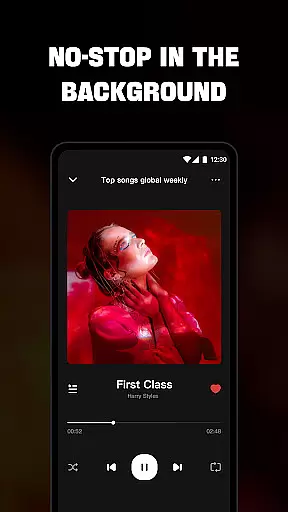
One of the standout features of Mixtube is its ability to play music in the background, allowing users to multitask while enjoying their favorite tunes. Whether you're working, studying, or doing household chores, Mixtube keeps your music playing seamlessly. Additionally, the built-in equalizer enhances the listening experience by providing top-notch sound quality tailored to individual preferences.
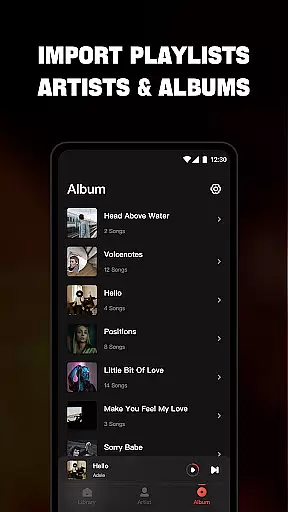
The app offers an intuitive interface with multiple viewing options such as songs, artists, albums, folders, and playlists. Users can easily customize their playlists, control playback from the lock screen, and even use widgets for quick access. With its premium version, Mixtube provides an ad-free experience, making it an ideal choice for those seeking a distraction-free music experience.
Mixtube stands out with its comprehensive support for various audio formats, making it a universal solution for all your music playback needs. The app's advanced equalizer allows users to fine-tune their audio experience, offering presets and custom settings that cater to different genres and personal tastes.
Another notable feature is the ability to run in the background, which ensures continuous playback even when using other apps or performing different tasks on your device. This functionality is particularly useful for users who need music to accompany their daily activities without interruption.
Additionally, Mixtube offers a range of user-friendly features such as lock screen controls, customizable playlists, and widget support. These elements enhance the overall usability of the app, providing a seamless and enjoyable experience. The premium version further elevates this experience by removing ads, thus allowing users to immerse themselves fully in their music without any distractions.
Offline Music Player offers an extensive music library that allows users to import and manage all their audio files seamlessly. The app supports a wide range of formats including MP3, MIDI, WAV, FLAC, AAC, and APE, ensuring high-quality playback for every track.
One of the standout features is its ability to function as a fully-fledged offline music player. This means you can enjoy your favorite songs without an internet connection, making it perfect for travel or areas with limited connectivity. The app meticulously organizes your music by songs, artists, albums, folders, and playlists, enhancing accessibility and ease of use.
Regarding copyright authenticity, Mixtube emphasizes user-owned content. It doesn't support online song downloads or music streaming, ensuring that users play only legally acquired tracks. This respects both the legal rights of artists and the privacy of users, providing peace of mind while enjoying a personalized music experience.
Mixtube stands out in the realm of audio players due to its superior equalizer settings that elevate the listening experience. As an MP3 player, it incorporates a top-quality equalizer allowing users to customize sound profiles according to their preferences, ensuring each track sounds as vibrant and clear as possible.
The app also supports high-quality audio formats such as FLAC and APE, which are known for preserving the integrity of sound better than compressed formats. This ensures that audiophiles can indulge in a rich auditory experience, capturing every nuance of their favorite tracks.
Additionally, Mixtube provides lock screen controls and notification bar playback, offering convenience without compromising on quality. Users can easily manage their music playback even when the app is not actively open, maintaining a seamless blend of functionality and high-fidelity audio performance.
User-friendly interface
High-quality sound
Background playback
Customizable playlists
Ad-free premium option
No online streaming
Limited free trial
Subscription fees
Occasional bugs
Heavy on storage

Pay Once, no monthly payment
 4.60
4.60
10-Band Audio Equalizer, Sound / Bass Booster for Spotify Users & Music Players
4.40
DJ Music Mixer - DJ Remix: remix songs, make beat music & record mix of DJ.
4.40
The only true audiophile music player with Hi-Fi audio rendering and DSP engine
3.90
The alternative folder based music player.
4.20
Play your hearts out on TouchTunes jukeboxes & connect with fellow music lovers.
4.80
Powerful 10-Band equalizer pro with sound booster improves Android audio quality
4.30
Manage your Sonos system directly from your home-screen!
4.40
Master Salsa Rhythm quickly and with a lot of fun!
4.30
JBL PartyBox APP works with 110/310/710/120/320/520/Encore/Encore 2/Encore Ess 2
4.80
Your song collections with lyrics and chords on Android smartphones and tablets.
4.80
Over 100 million tracks available for high quality streaming and download
4.60
Bass Booster & Volume Equalizer Pro improves your music and video sound quality
4.60
Reverse your voice & songs instantly! Fun singing challenge with cool effects.
4.60
Enhance the sound quality of your devices, listen to what you want
4.50
Help you quickly get started with Shokz headphones
4.40
Smart piano keyboard, Classical to Pop, Real-time multiplayer connection!
4.20
Versatile MP3 recorder with auto-backup to Dropbox and Google Drive
4.10
Turn your Android phone into a professional audio analyser with up to 120 bands.
4.00


User Reviews