
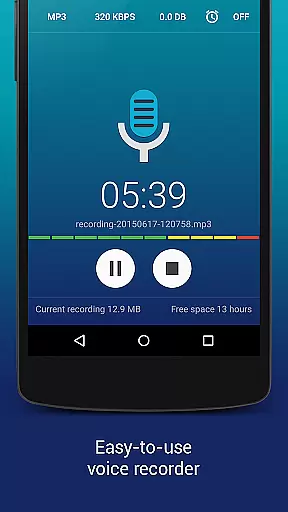
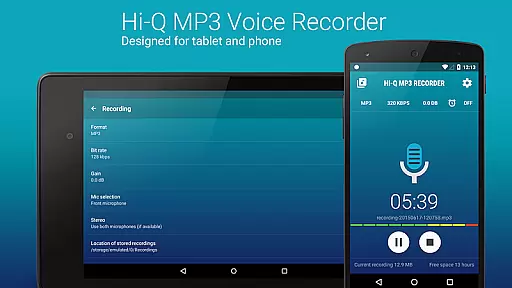
Hi-Q MP3 Voice Recorder (Pro) is a premier mobile application designed for high-quality audio recording. This app stands out with its ability to record in stunning 44 kHz fidelity, making it ideal for capturing everything from personal voice notes to live concerts. The app offers an intuitive interface that allows users to start recording with just a tap of the red button.
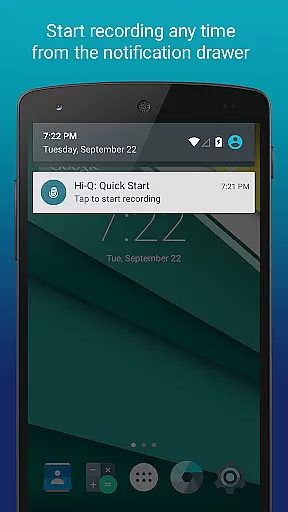
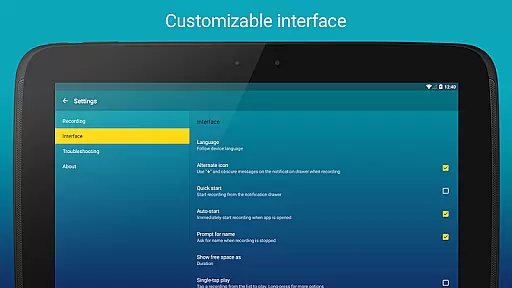
With advanced features like customizable notification drawer controls and home screen widgets, Hi-Q MP3 Voice Recorder ensures quick access and ease of use. Whether you're recording a lecture or a band practice, this app provides the tools necessary to capture every detail with precision.
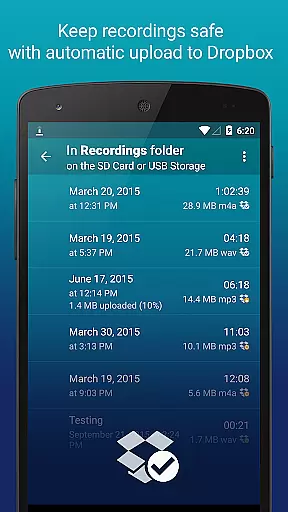
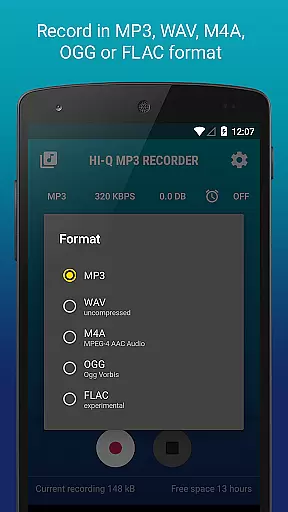
The app's versatility extends to its support for multiple formats including MP3, WAV, OGG, M4A, and FLAC. Additionally, automatic uploads to cloud services like Google Drive and Dropbox ensure your recordings are safely stored and easily accessible across devices.
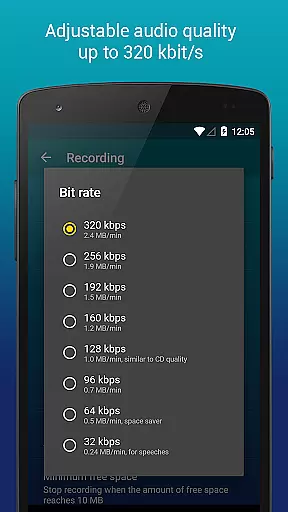
Hi-Q MP3 Voice Recorder (Pro) boasts a comprehensive set of features tailored for both casual and professional users. One standout feature is the Discretion Mode, which allows users to discreetly start recordings without drawing attention. This is complemented by the ability to record in 320 kbps quality, ensuring crystal-clear audio capture.
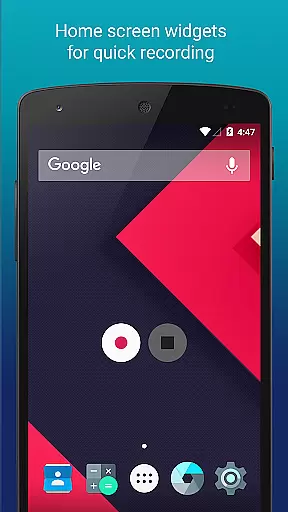
The app also includes Home Screen Widgets for instant access to recording functions, as well as automatic upload capabilities to cloud storage services such as Google Drive and Dropbox. These features help streamline the recording process and ensure data safety.
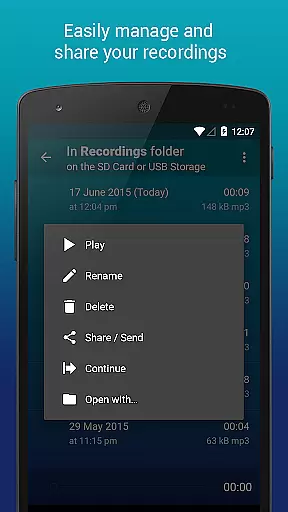
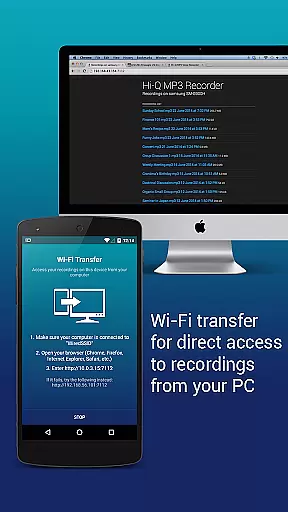
Additional functionalities include clip management for organizing recordings, Wi-Fi transfer for wireless file sharing, and gain control for adjusting input levels. These robust features make Hi-Q MP3 Voice Recorder (Pro) a versatile tool for anyone needing reliable and high-quality audio recording capabilities.
Hi-Q MP3 Voice Recorder (Pro) offers an extensive range of recording capabilities that contribute to a vast personal music and audio library. The app supports multiple formats including MP3, WAV, OGG, M4A, and FLAC, ensuring that users can create a diverse collection of audio files. This versatility in format support allows for high-quality recordings that can be used across different platforms and devices.
The app's ability to record in 320 kbps ensures that the audio library maintains a high standard of quality. This bit rate is considered optimal for MP3 files, striking a balance between file size and sound quality. Users can be confident that their recordings will be clear and true to the original sound, making it suitable for anything from personal voice notes to band practice sessions.
Regarding copyright authenticity, Hi-Q MP3 Voice Recorder respects user-generated content and does not impose restrictions or claim ownership over the recordings made using the app. This means that users retain full rights over their creations, whether they are for personal use or for sharing with a wider audience. It provides peace of mind for creators who wish to use their recordings for professional purposes.
Furthermore, the app facilitates the organization and management of the audio library through features like automatic upload to cloud services such as Google Drive or Dropbox. This not only keeps the recordings safe but also makes them easily accessible from anywhere, thus enhancing the user's ability to manage their growing collection of audio files efficiently.
With Hi-Q MP3 Voice Recorder (Pro), users have access to a plethora of audio quality options that cater to both casual recorders and audio professionals. The app provides customizable settings that allow users to adjust the bit rate up to 320 kbps, catering to those who prioritize sound fidelity in their recordings. This flexibility ensures that whether you're capturing a quick memo or producing a high-quality demo, the app can accommodate your needs.
In addition to bit rate customization, the app supports various audio formats such as MP3, WAV, OGG, M4A, and FLAC. This enables users to choose the best format based on their specific requirements for file size, compatibility, and audio quality. For instance, WAV files offer uncompressed audio at the cost of larger file sizes, while MP3 files provide a good compromise between quality and storage efficiency.
The input selection feature further enhances audio quality by allowing users to pick between the front and back microphones, depending on which one offers better clarity or sensitivity for the given situation. This level of control is crucial when recording in environments with varying noise levels or when aiming to capture nuances in musical performances.
Moreover, the gain control setting empowers users to specify input gain levels in real-time, optimizing recordings for clarity regardless of the ambient noise conditions. This attention to detail in capturing pristine audio makes Hi-Q MP3 Voice Recorder (Pro) stand out as a top choice for anyone looking to achieve professional-grade recordings on a mobile device.
User-friendly interface
High-fidelity recording
Cloud integration
Multiple format support
Discretion mode
No phone call recording
SD card widget limitation
Premium price tag
Complex settings for beginners
Limited customer support

Make music anywhere. Turn your device into an instrument.
 4.2
4.2
Pay Once, no monthly payment
4.60
More downloads than any other metronome. Includes drum machine & tempo trainer.
4.80
Super Sound Editor, Song Maker & Mixer, Vocal Remover, Voice Recorder & Changer!
4.60
A sleek, no-frills player designed for true music lovers.
4.20
Play your hearts out on TouchTunes jukeboxes & connect with fellow music lovers.
4.80
Play KORG’s revolutionary touch-based instrument on a variety of devices.
4.40
Master Salsa Rhythm quickly and with a lot of fun!
4.30
Offline Tunes, Unlimited Vibes
3.90
Full-featured, High-Quality Groovebox Workstation, perfect for Live Performance!
4.80
Your song collections with lyrics and chords on Android smartphones and tablets.
4.80
Music, News & Sports Radio Tuner App. Tune in Live FM & AM Radio Stations.
4.80
Offline Music Player&MP3 Player with themes, equalizer, lyrics, music play mode
4.60
Save hundreds of dollars for a physical strobe tuner and instead use this app.
4.50
Smart piano keyboard, Classical to Pop, Real-time multiplayer connection!
4.20
Offline and always ad-free - stream in the highest quality available.
4.10
The ultimate media player for Android devices
3.90
USB audio recording and playback finally possible on Android 3.1 or higher!
3.90
Background pads for your band
3.80


User Reviews