
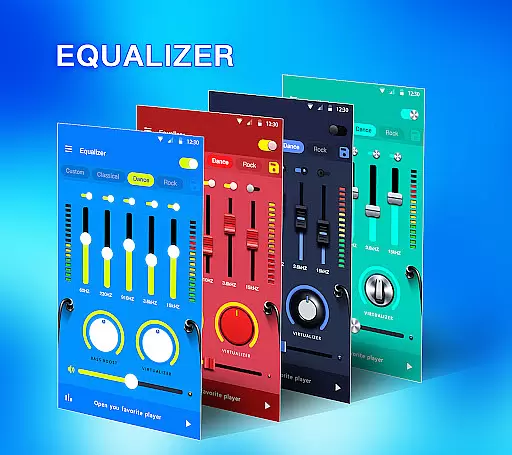
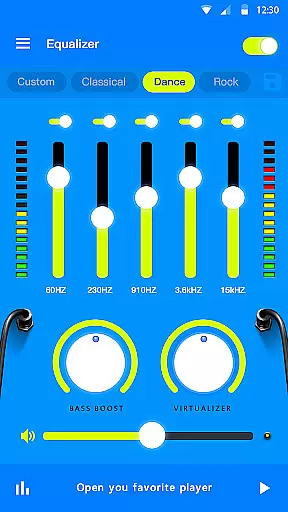
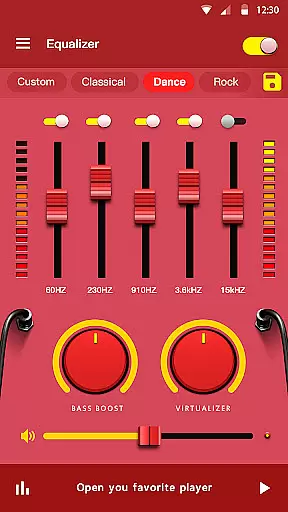
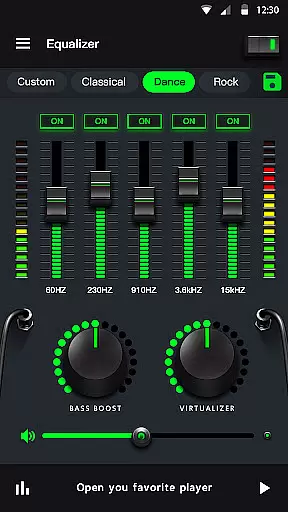
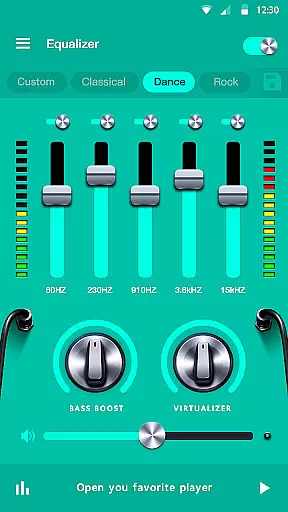
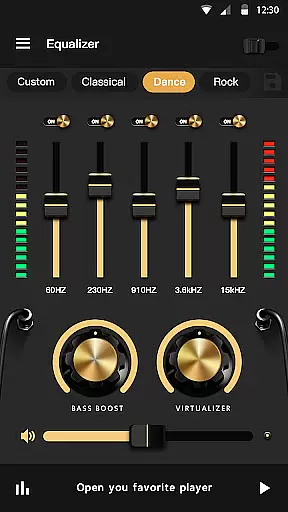
Music Equalizer Pro is a powerful audio enhancement application designed for music enthusiasts who seek to optimize their listening experience. This app provides an array of professional-grade tools including a 10-band equalizer, bass booster, and volume maximizer, enabling users to fine-tune audio output to their exact preferences.
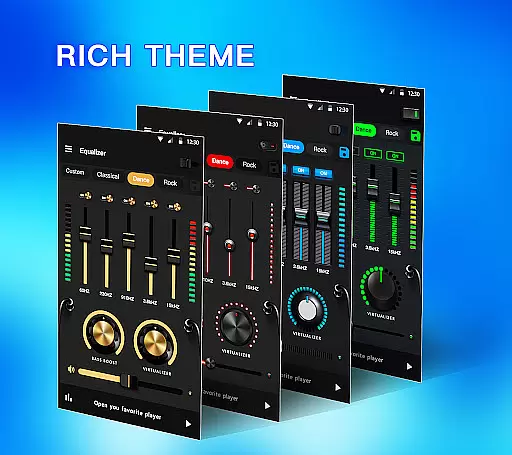
In addition to its core equalization capabilities, the app features 3D virtualizer effects, stereo surround sound, and 18 customizable themes. Whether you're using headphones or external speakers, Music Equalizer Pro ensures unparalleled sound clarity and depth. Perfect for audiophiles and casual listeners alike, this app transforms your device into a high-quality audio studio.
The app's intuitive interface allows seamless control over various audio parameters while offering 10 preset equalizations such as Pop, Rock, and Jazz. With additional functionalities like edge lighting and visualizers, Music Equalizer Pro not only enhances sound but also adds a visual element to your music sessions, making it ideal for immersive listening experiences.
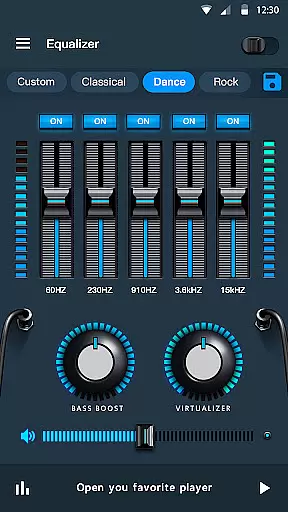
Music Equalizer Pro stands out with its comprehensive suite of audio-enhancing features tailored to meet diverse user needs. The app includes a 10-band equalizer compatible with Android 10.x, allowing precise adjustments across different frequency ranges. Users can enable or disable individual bands, ensuring complete control over their audio settings.
One of the standout features is the bass booster, which amplifies low-frequency sounds for richer, deeper audio. Alongside this, the volume booster function increases overall loudness without distortion, making it perfect for devices with limited output capacity. The inclusion of stereo surround sound and a 3D virtualizer further elevates the auditory experience by creating an immersive environment.
For added convenience, the app offers 18 colorful themes and a notification bar widget for quick access to frequently used controls. With functionalities like music playback control and edge lighting, Music Equalizer Pro combines practicality with aesthetics, delivering both superior sound quality and user-friendly design.
Music Equalizer Pro offers an extensive range of sound adjustments that cater to a vast music library, ensuring every track sounds its best. The app supports both 5 bands and 10 bands equalizers, which allows for detailed customization across different genres and audio types.
In terms of copyright authenticity, the app provides 10 presets equalizations including Normal, Classic, Dance, Flat, Folk, Heavy Metal, Hip Hop, Jazz, Pop, and Rock. These presets are crafted by audio experts, ensuring that each setting optimally enhances the listening experience while respecting the integrity of the original music production.
Users benefit from the app's ability to improve the sound quality of their entire music collection. Whether you're adjusting bass levels or applying stereo surround effects, Music Equalizer Pro ensures that all modifications are made with respect to the artist's intended sound profile.
The inclusion of features like volume booster and bass booster for headphones not only expands the dynamic range of your music but also guarantees that these enhancements are achieved without infringing on any copyright laws, offering peace of mind alongside superior audio performance.
Music Equalizer Pro stands out in its ability to deliver top-notch audio quality through various adjustable options. With key features such as Bass boost effect, Media volume control, and Stereo surround sound effect, users can fine-tune their listening experience to match their personal preferences and audio equipment capabilities.
The app includes a 3D Virtualizer effect and a Volume booster, which collectively contribute to creating an immersive and powerful sound environment. These functionalities allow users to push the limits of their deviceu2019s audio output, providing clear, rich, and dynamic soundscapes that significantly enhance music playback quality.
For audiophiles who demand precision, the availability of both 5 bands and 10 bands Equalizers offers granular control over audio frequencies. This means users can adjust specific frequency bands to eliminate distortion or emphasize certain musical elements, resulting in a highly personalized and optimized listening session.
Furthermore, the app's 18 colorful themes and visualizer feature not only add aesthetic value but also serve as practical tools for monitoring audio levels and effects in real-time. By enabling the Equalizer in the notification bar or widget, users maintain constant access to these audio quality options, ensuring their music always sounds exceptional.
Advanced equalizer settings
Intuitive user interface
Wide range of presets
Bass and volume boosters
Customizable themes
Limited free version
High system requirements
Occasional bugs
No cloud sync
Ads in free version

Turn your phone into a musical instrument from the future!
 3.90
3.90
Make music anywhere. Turn your device into an instrument.
4.1
Offline and always ad-free - stream in the highest quality available.
4.10
DJ Music Mixer Pro is a real DJ controllers and DJ Music Studio to remix DJ.
4.40
Bass Booster Pro takes auto-equalizing to the next level!
4.30
USB audio recording and playback finally possible on Android 3.1 or higher!
3.90
24,000 free audio books and no ads!
4.90
Customize Your Favorite Songs and Videos with booster.
4.70
Play your music offline without limits
4.80
Listen to live FM radio stations, sports, music and news on global radios online
4.70
SqueezePlayer turns your Android phone or tablet into a SqueezeBox on its own!
4.60
Over 100 million tracks available for high quality streaming and download
4.60
Help you quickly get started with Shokz headphones
4.40
Ringtone Maker is free app create ringtone from music files or your recording.
4.40
Your HD audio recorder on the go for music, meetings, ambience, animal sounds…
4.30
Equalizer, Bass Booster and Volume Booster (Eq & Bass) improve sound quality
4.30
Network/Cloud Streaming, Visualization, Graphic Equalizer and Sound Effects.
4.20
The original SP-1200 experience on your iPad
4.20
Sing, record, and create music together — enhanced by smart voice tools.
4.00


User Reviews