
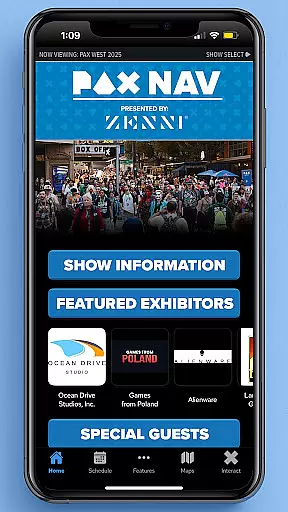
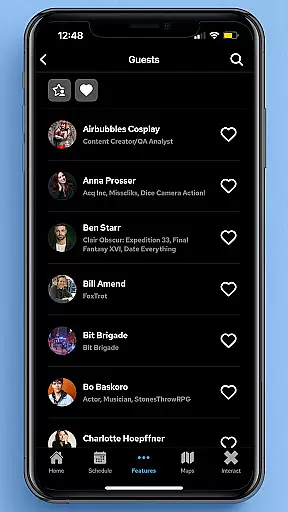
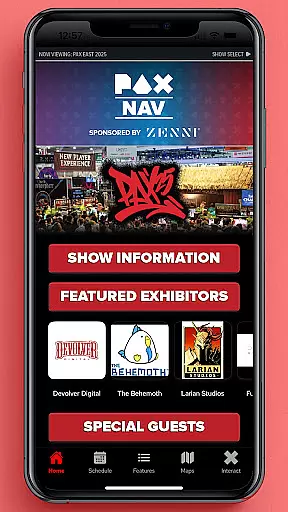
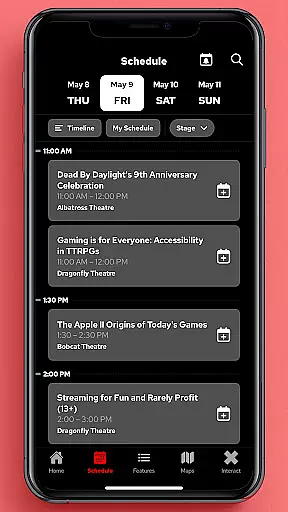
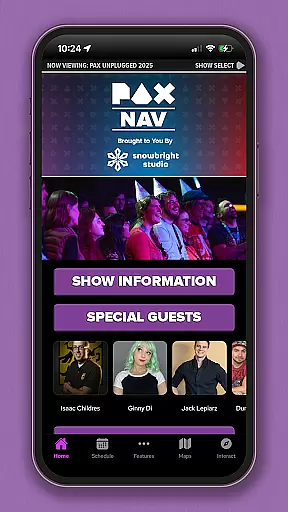
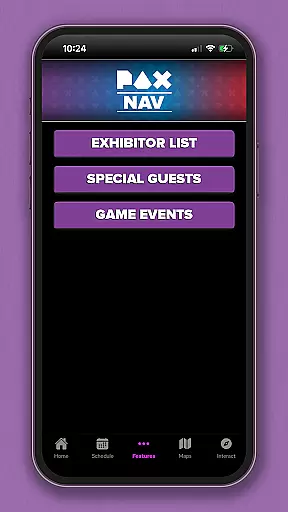
PAX Nav is the official app for PAX West, PAX East, and PAX Unplugged events. It provides users with comprehensive access to event schedules, exhibitor lists, interactive maps, exclusive show specials, and entry into the PAX XP program.
Designed for both casual attendees and dedicated gamers, this app ensures you never miss an important panel or your favorite exhibitors. The intuitive interface allows for easy navigation through various features, making it simple to plan your day and maximize your event experience.
The app offers a complete suite of features tailored for PAX event attendees. Users can browse the full schedule of panels and events, create personalized itineraries, and receive real-time updates on any changes.
In addition to scheduling tools, PAX Nav includes detailed exhibitor information and interactive floor maps. These maps help users navigate large convention centers effortlessly. The app also integrates with PAX XP, allowing users to earn rewards and track their event achievements.
Task creation and detail customization are essential features for event management applications like PAX Nav. This functionality allows users to create personalized schedules by selecting specific panels, workshops, or exhibitors they want to see. The app enables attendees to tailor their experience by marking events as favorites, setting reminders, and organizing their itinerary according to personal interests.
PAX Nav implements this feature by providing a comprehensive schedule that includes all the happenings at PAX events. Users can browse through various activities and select those that align with their interests. Once selected, these tasks appear in a personalized agenda, ensuring that attendees do not miss out on what matters most to them.
The benefits of task creation within PAX Nav extend beyond mere organization. Attendees gain the ability to optimize their time at these large-scale events, ensuring they attend all the sessions important to them. Additionally, detailed customization options allow users to add notes or set alerts for when an event is about to start, enhancing the overall event experience.
Reminder settings in event apps such as PAX Nav play a crucial role in enhancing attendee engagement and ensuring they make the most of their visit. These settings allow users to configure notifications for upcoming events, ensuring timely attendance and reducing the chances of missing out on key activities.
In PAX Nav, reminder settings are designed to be intuitive and flexible. Users can set up alerts for different sessions or activities based on personal preferences. Whether it's a panel discussion, gaming tournament, or exclusive exhibitor showcase, attendees have full control over which events trigger reminders.
This feature significantly improves the user experience by keeping attendees informed and prepared. By receiving timely notifications, users can navigate the vast offerings of PAX events more efficiently. Moreover, customizable reminder intervals cater to individual preferences, making sure each attendee enjoys a personalized and stress-free event experience.
User-friendly interface
Comprehensive event coverage
Real-time updates
Interactive maps
PAX XP integration
Limited to PAX events
Occasional bugs
Heavy on battery
Requires constant updates
Some features are PAX-specific

Manages display and transfer of tickets from the Mundo Tickets platform
 3.80
3.80
Purchase line-skip passes, drinks, cover, and more at bars and clubs
3.50
TV.Garden is a video player to play your own TV streams from around the world!
3.40
For weddings, parties & events
4.60
Beautiful invitation cards + easy RSVP tracking for any event. Design Invites.
4.80
Microsoft Ignite is an event that showcases latest advancements in technology
4.00
Fast Scans. Happy Fans. For Every Hometown!
4.60
Find Live Event Ticket Deals to Sports, Concerts, Festivals, & Comedy For Less!
4.80
Buy and sell tickets to sports, concerts, theater, festivals, and comedy events
4.10
Design Invitations & Cards for Any Occasion
4.80
Birthday Greetings provides Birthday Card, Frames, Gifs & Father's day Wishes
4.80
Create Wedding Invitation and Wedding Anniversary Cards using our app
4.60
Events, Meetings, Photo Shoots
4.50
Connect with an ecosystem of 5M+ eventgoers and organizers.
4.50
Freebie Games for Epic Games, Steam, Amazon, Rockstar etc.
4.40
Manage all your events, leads, ticketing, payments and check-ins.
4.30
Get live football here
4.30
TV Garden - World Live TV : Play & cast your videos seamlessly!
3.20
The Official App
4.5


User Reviews