
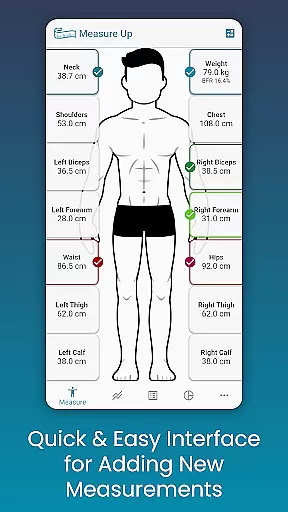
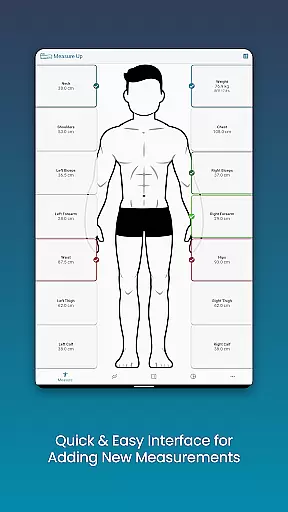
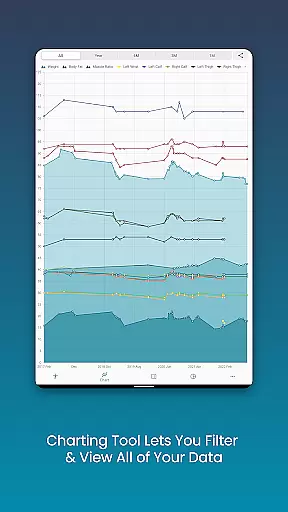
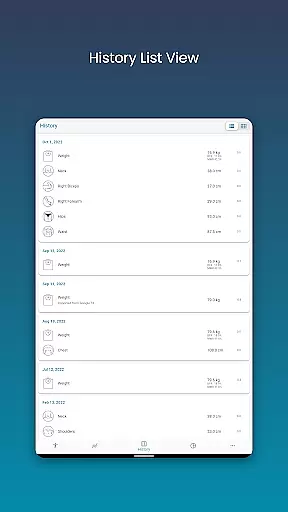
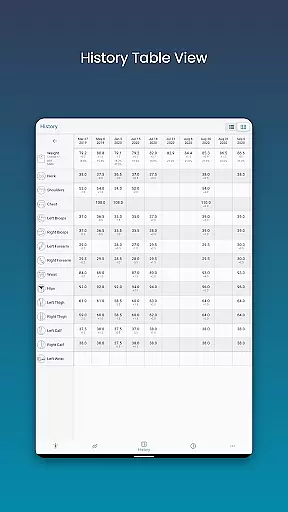
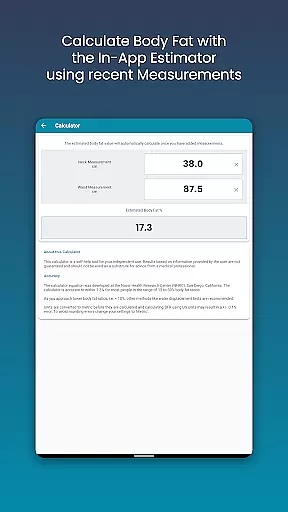
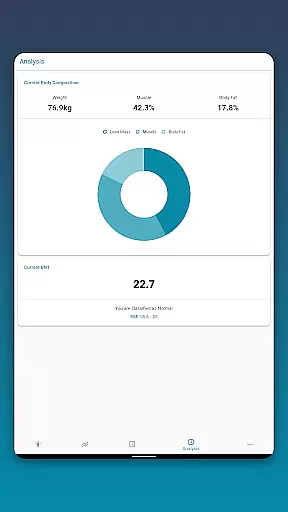
Body Measurement Tracker is a specialized Health & Fitness application designed to simplify the process of monitoring weight loss or muscle gain progress. The app's intuitive interface allows users to quickly record body measurements, track their history, and visualize progress through charts and tables.
A standout feature is its seamless integration with Google Fit, enabling users to sync data across multiple health platforms. Whether you're tracking specific body parts, calculating body fat percentage, or analyzing BMI trends, this app provides a comprehensive solution for managing personal fitness goals.
The application is particularly useful for individuals who need a structured way to monitor their physical transformation over time. By offering multiple data visualization formats and customizable measurement options, it caters to both casual fitness enthusiasts and serious athletes.
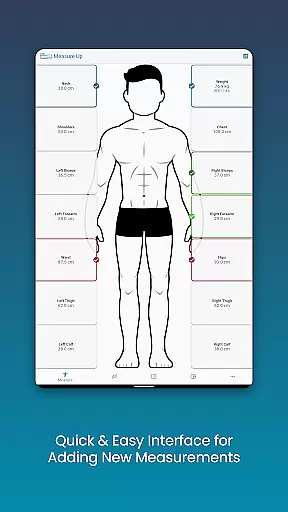
The Body Measurement Tracker stands out with its robust set of features tailored for fitness tracking. Its measurement recording system is exceptionally user-friendly, allowing for quick input of current and past measurements through an adjustable date interface.
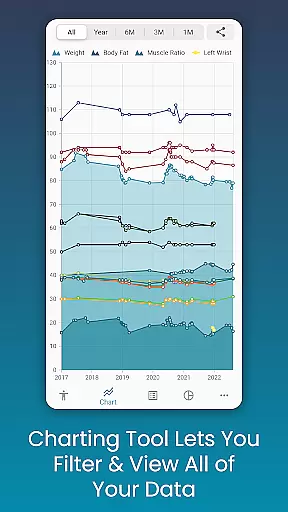
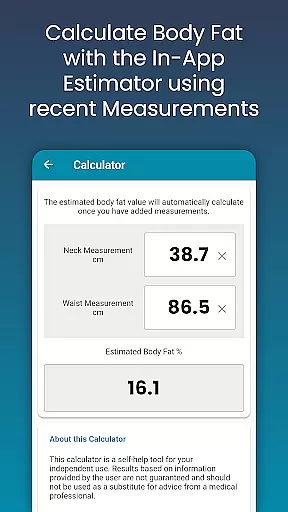
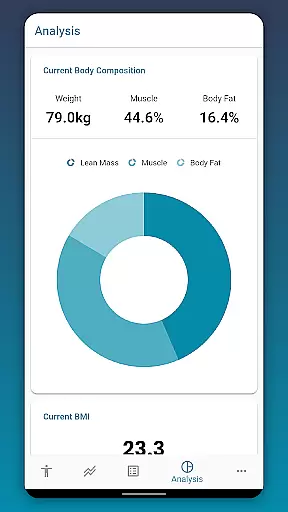
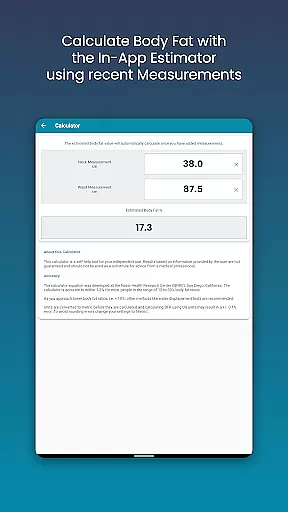
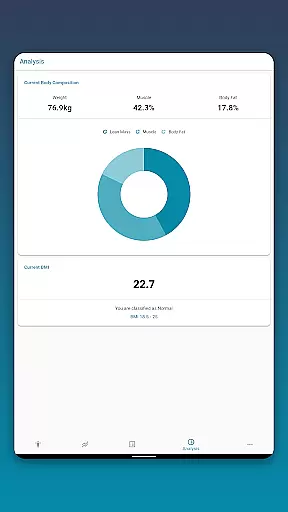
Users can benefit from advanced analytical tools including BMI calculation, body fat estimation, and composition analysis. The charting functionality is especially powerful, enabling users to toggle between different measurement types and visualize their progress through stackable data sets.
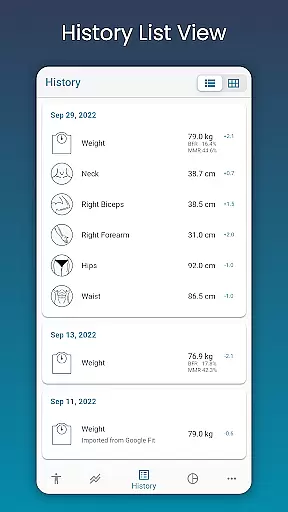
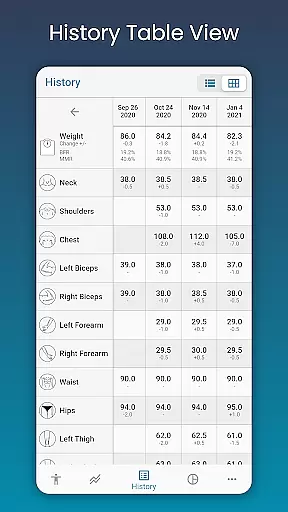
Additional notable features include customizable measurement units and color schemes, multiple data viewing formats (chart, table, list), and secure cloud backup options. These features collectively create a comprehensive fitness tracking solution that adapts to various user preferences and needs.
Personalized planning in Body Measurement Tracker offers users a tailored approach to tracking their fitness journey. This feature allows individuals to set specific goals, whether it is weight loss or muscle gain, and track their progress with precision.
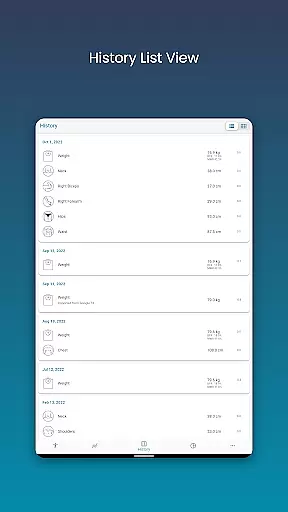
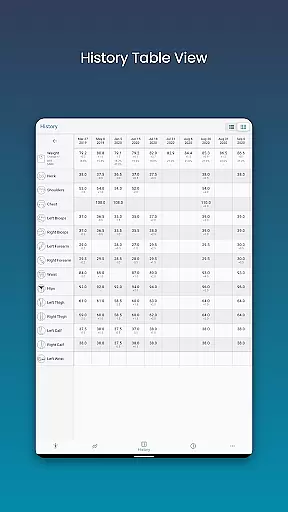
The app provides an intuitive interface that simplifies the process of recording daily measurements. Users can easily log their body metrics and receive visual feedback on their progress through charts and tables, making it easier to understand trends and make necessary adjustments.
With the ability to add custom measurements and past data, users can create a truly personalized experience. The inclusion of a body fat calculator further enhances this personalization by allowing for quick estimations of body composition.
This level of customization ensures that users stay motivated and engaged as they work towards their personal health objectives, providing them with clear insights into their physical transformation over time.
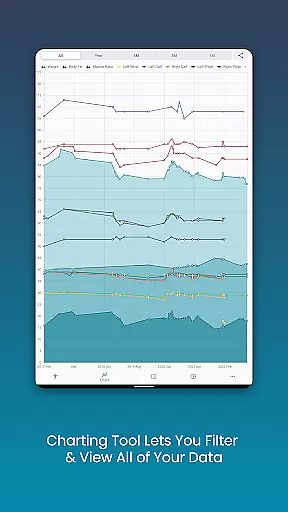
Progress visualization in Body Measurement Tracker transforms raw data into understandable visuals, empowering users to see their fitness journey unfold. With multiple viewing options such as Chart, Table, and List formats, users can choose how they prefer to monitor their advancement.
The unique chart feature allows users to toggle different measurements on and off, offering a dynamic way to view various aspects of their progress simultaneously. This helps in identifying patterns and understanding how different parts of the body are responding to workouts and diet changes.
Users can also export these visual representations as PNG images, facilitating easy sharing and discussion with trainers or friends. This not only serves as a motivational tool but also as a means to receive feedback and support from others.
By integrating with Google Fit, the app extends its visualization capabilities, syncing data across platforms and ensuring that users have a comprehensive view of their health metrics in one accessible location.
User-friendly interface
Comprehensive tracking options
Google Fit integration
Customizable measurements
Data backup capability
Limited social features
No wearable integration
Premium feature costs
Occasional syncing issues
Learning curve for charts

Insanity blocks of intense physical activity, short breaks of 30 seconds.
 4.3
4.3
HRV4Training helps you optimize goals and improve performance. No sensors needed
3.30
Using Recognise™ has been shown to reduce pain, and improve performance.
4.0
Measure real-time wrist & ambient temperature with your Galaxy Watch (Wear OS)
3.20
Medbridge GO gets you moving - get back to doing what you love, faster!
4.90
Blood Pressure Log, HRV & Heartbeat Tracker. Pulse Checker.
4.40
Your personal BP tracking companion, focus on helping you achieve wellness goal.
4.10
The most accurate heart rate app to monitor and track your heart rate & pulse.
4.40
Track sleep cycle, relax with white noise, sleep sounds & smart alarm clock
3.80
You deserve easy access to important insurance information. Download for FREE.
4.70
Easy access to health benefits
4.70
Memory, mind & logic exercises. Puzzle games, IQ & brain test for kids & adults
4.50
Personal step counter for you, private and accurate
4.50
Point, scan, and unlock truth in every bite.
4.50
Histamine intolerance, low FODMAP diet and irritable bowel syndrome (IBS)
4.00
Find Paid Clinical Trials In Your Area
3.70
Dexcom G7 Continuous Glucose Monitoring
3.70
Use your watch as a bike computer, heart rate monitor and cycling power meter
2.50
The Wear OS BeechBand app is designed to alleviate anxiety and other conditions
4.4


User Reviews