
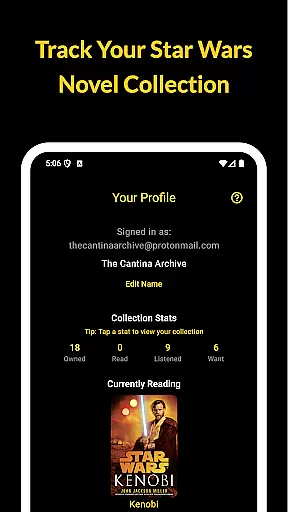
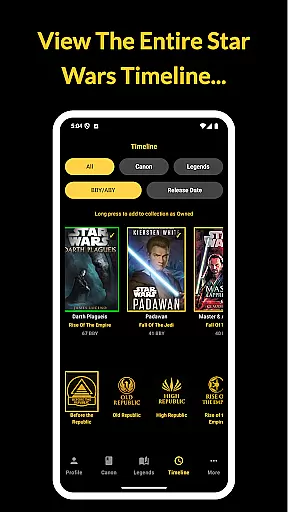
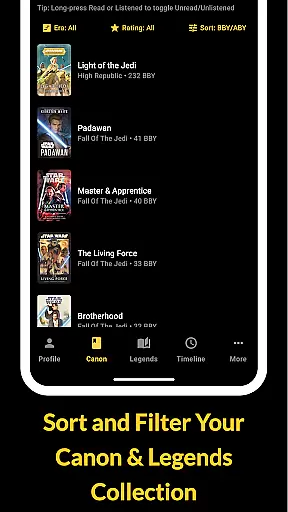
The Cantina Archive is a comprehensive tool for Star Wars book enthusiasts who want to organize and explore their collections. This fan-built app allows users to track books across Canon and Legends timelines, offering multiple ways to browse and manage their reading journey.
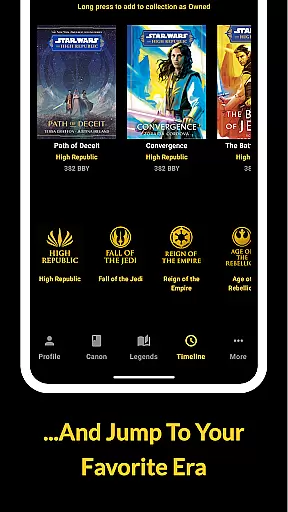
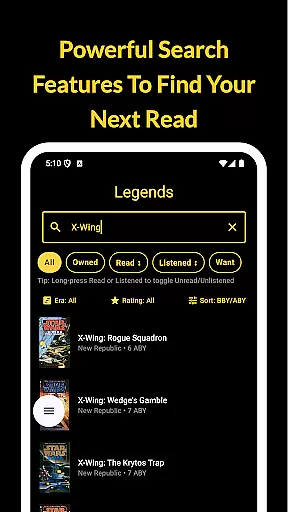
Key features include a timeline view that organizes books chronologically (BBY/ABY) or by release date, advanced search functionality, and collection tracking with various status options. Whether you're a seasoned collector or new to Star Wars literature, this app provides valuable tools to maintain an organized library while respecting user privacy with no ads or personal tracking.
The Cantina Archive offers several distinctive features that enhance the Star Wars reading experience. The timeline view lets readers explore books in both chronological and publication order, providing valuable context for their collections.
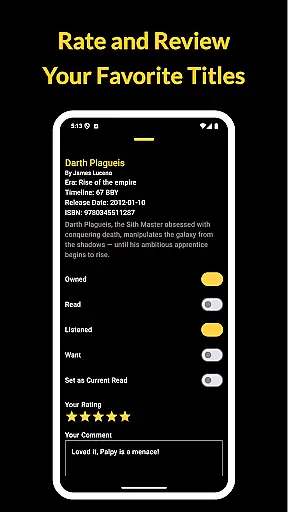
Advanced browsing capabilities allow users to search by title, author, or ISBN, while the collection tracker enables marking books as Owned, Read, Listened, or Want to Read. The Currently Reading feature helps users stay organized, and the New Releases section keeps collectors informed about upcoming titles. All data is securely synced across devices using Firebase, ensuring reliable access without compromising user privacy.
The Cantina Archive offers an extensive collection of Star Wars books, allowing fans to track their reading journey through the Canon timeline, Legends Expanded Universe, and more. This fan-built app hosts a vast array of titles, ensuring that users can explore every era of the Star Wars saga in detail.
Each book is meticulously cataloged with accurate metadata including title, author, and ISBN, guaranteeing copyright authenticity. The app's dedication to organizing content by era, timeline (BBY/ABY), or release date ensures that readers have access to legitimate and well-organized information about each book.
By enabling users to toggle titles as Owned, Read, Listened, or Want to Read, The Cantina Archive not only helps manage collections but also respects intellectual property rights. This feature empowers users to maintain a personal library that is both comprehensive and authentic.
Overall, the app provides a trustworthy platform for Star Wars literature enthusiasts, ensuring they can confidently build and explore their collections without concerns over copyright infringement.
The Cantina Archive excels in format compatibility, supporting various ways to engage with your Star Wars book collection. Whether you prefer physical copies, e-books, or audiobooks, this app accommodates all formats seamlessly within its system.
Users can search and manage their collections by title, author, or ISBN, making it easy to integrate different formats into a single, cohesive library. This flexibility allows readers to switch between formats based on their preferences or needs without losing track of their progress or collection status.
Additionally, the Currently Reading feature highlights one title at a time in your profile, letting you track reading progress regardless of format. Whether you're listening to an audiobook or flipping through pages, the app keeps your place and updates your status accordingly.
With Sync with Firebase functionality, users can securely back up and access their multi-format collection across devices, ensuring that whether they are at home or on the go, their entire library is always within reach.
User-friendly interface
Comprehensive timeline view
Advanced search options
Collection tracking tools
Privacy-focused design
Limited to Star Wars books
No audiobook support
Requires manual entry
Few social features
Occasional sync issues

CleverBook Pro makes the popular guide for the game even better!
 4.00
4.00
University of North Carolina Herbarium presents the flora of TN, AL, & MS.
4.3
Offline translator from english to spanish, and from spanish to english.
4.50
Scan. Price. Grade.
4.60
F9 Cookbook Mobile App
4.60
All in one Calibre libraries on your phones and tablets.
3.80
Full text, sheet music, and recordings of the print edition
4.60
Fast loot guide for ARC Raiders. Simple tips, stats, maps, and item details.
4.0
A Comprehensive Restoration of Sacred Scripture
4.50
Flora of Virginia Project (www.floraofvirginia.org)
5.00
What’s that bird? Just answer 5 questions, snap a photo, or record its song!
4.90
The favorite Christmas story comes to life!
4.80
Read the KJV Bible with Strong’s offline: reading plans, audio Bibles, and more.
4.70
8 Dr. Seuss short stories in 1 app!
4.70
Daily Devotional Widgets & Hourly Verses. Listen to Bible & Watch Holy Stories
4.70
Powerful Bible study tools linked to every verse in an easy-to-use Bible reader!
4.60
Master AKC Rally signs with in-depth hints, diagrams, and expert guidance.
4.50
Manage collectibles, survey and treasure maps in Elder Scrolls Online.
4.40
Improve your vocabulary and grammar with the 15 biggest Oxford Dictionaries.
4.30


User Reviews