
Transparent Clock & Weather Pro is a comprehensive weather application designed to provide users with accurate and timely weather information for both local and global locations. The app offers detailed hourly, daily, and 15-day forecasts, ensuring you are always prepared for the weather ahead. With features like severe weather alerts, radar maps, and customizable widgets, it serves as an all-in-one solution for staying informed about changing weather conditions.
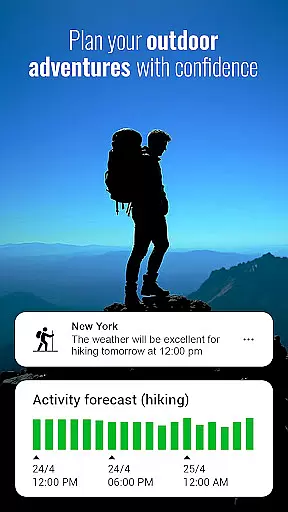
The app stands out with its unique Activities feature, which provides suitability forecasts for various outdoor activities such as hiking, running, and fishing. Additionally, users can track sunrise and sunset times, monitor air quality, and receive notifications about temperature changes and wind alerts. Transparent Clock & Weather Pro combines functionality with aesthetics, offering beautifully designed widgets that enhance your device's home screen while delivering essential weather updates.
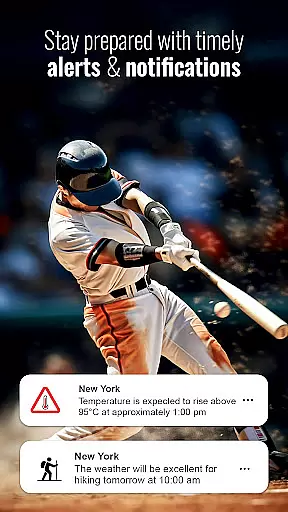
One of the standout features of Transparent Clock & Weather Pro is its robust alert system. Users receive instant notifications about severe weather conditions, including high winds, extreme temperatures, and storm warnings. This ensures that you are always prepared for unexpected weather changes, no matter where you are located.
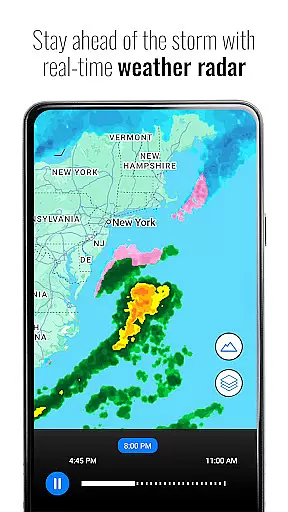
The app also includes advanced radar maps that allow users to track real-time weather patterns. You can switch between different map layers, such as precipitation, temperature, and wind, providing a comprehensive view of current and upcoming weather conditions. Furthermore, the Sun & Moon Tracker feature offers dynamic displays of sunrise and sunset times, helping users stay in sync with natural cycles.
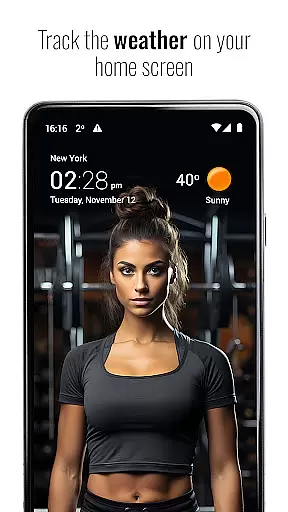
For those seeking a personalized experience, the app offers customizable widgets in various styles and sizes. These widgets not only display essential weather information but also serve as beautiful clock interfaces, enhancing both functionality and visual appeal. With premium features like animated doppler radar and hurricane tracking, Transparent Clock & Weather Pro caters to weather enthusiasts who demand detailed insights.
Forecast accuracy and data credibility are crucial for any weather application, ensuring users receive reliable information to plan their daily activities. Transparent Clock Weather Pro excels in this area by providing precise local and worldwide weather forecasts with live updates.
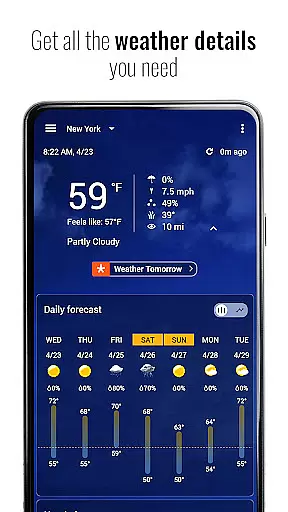
The app offers detailed hourly forecasts up to 15 days ahead, giving users comprehensive insights into upcoming weather patterns. This level of detail helps individuals prepare for various conditions, whether it's scheduling outdoor adventures or planning travel.
Severe weather alerts further enhance the app's reliability. Users receive instant notifications about potential hazards such as high winds, extreme temperatures, and other critical conditions. These timely alerts empower users to take necessary precautions and stay safe.
Additionally, the inclusion of radar maps allows for real-time tracking of hazardous weather conditions. By switching between different map layers like rainfall, temperature, and satellite imagery, users can monitor developing situations closely. This feature ensures that the data presented is not only accurate but also actionable, enhancing overall user confidence in the app's forecasting capabilities.
Temporal and spatial forecast range refers to the ability of a weather app to provide accurate predictions across both time and geographical dimensions. Transparent Clock Weather Pro stands out by delivering extensive coverage for global locations with detailed 7 to 15-day weather forecasts.
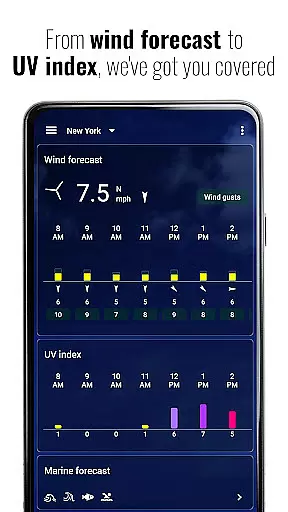
Users benefit from insights on rain and snow forecasts, 'feels like' temperatures, air quality index (AQI), UV index, humidity, visibility, wind direction, wind speed, and pressure changes. Such comprehensive data enables better preparation for diverse environmental conditions, no matter where one might be located.
The app's unique Activities feature enhances its temporal utility by offering an hourly activity forecast for the next 48 hours. Whether planning hiking, running, camping, kayaking, fishing, or hunting trips, users gain valuable insights into weather suitability for these pursuits. This granular approach ensures optimal timing for outdoor activities based on current and anticipated weather trends.
Customizable notifications add another layer of convenience, alerting users to significant weather events such as high or low temperatures, strong winds, and specific conditions favorable for favorite activities. With Transparent Clock Weather Pro, users enjoy peace of mind knowing they have access to wide-ranging and dependable forecasts tailored to their needs.
Accurate forecasts
Severe weather alerts
Customizable widgets
Global coverage
User-friendly interface
Premium subscription required
Occasional bugs reported
Limited free features
High data usage
Complex settings for beginners

Live local weather updates: various widgets & radar maps & hourly forecast.
 4.70
4.70
Hourly and daily weather forecast, current condition, temperature, UV and more!
4.70
My Aurora Forecast is the app for Northern Lights and Aurora Borealis alerts.
4.60
Road weather, live radar, wind, snow, and conditions along your driving route.
4.70
Global weather forecast, powered by layered radar & hourly weather updates
4.10
Local Weather provides accurate and current hourly and daily forecasts.
4.80
72-hour weather & daily forecasts with extreme weather alerts
4.60
Powerful US and worldwide earthquake feed with earthquake alerts and maps.
4.70
The weather channel, tiempo weather forecast, weather radar & weather map
4.70
Weather - Local weather forecast, weather daily & hourly, weather radar
4.80
weather forecast, weather radar, weather widget in one local weather app
4.70
My Aurora Forecast Pro is the app for the Northern Lights and Aurora Borealis.
4.70
Room Temperature Thermometer meter shows indoor, outdoor temperature, humidity.
4.40
Live NOAA weather app to track storm, rain, wind, lightning & real local updates
4.20
Weather watch face for Wear OS 5+
4.10
Your Reliable Weather Companion
4.10
Stay Ahead Of Changing Weather Conditions
4.00
Your local weather app with storm radar, rain tracker, weather maps & AQI.
4.5
Detailed weather info and moon phase, subtle animation, customizable
4.2


User Reviews