
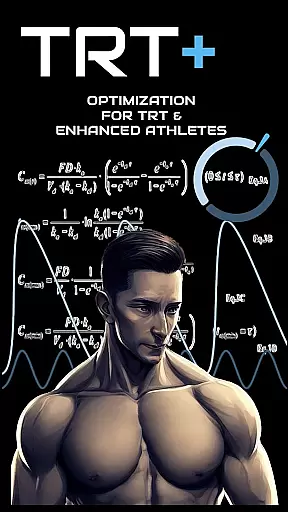
TRT Plus is a comprehensive health and fitness application designed specifically for individuals undergoing Testosterone Replacement Therapy (TRT) and those pursuing peak physical conditioning. The app offers an all-in-one solution to manage every aspect of your TRT journey, from tracking protocols and analyzing bloodwork to optimizing medication schedules.
With advanced features like pharmacokinetic modeling, compound half-life charting, and dynamic inventory tracking, TRT Plus ensures you stay organized and informed throughout your treatment. Whether you're managing ancillary medications or preparing for a competition, this app provides the tools necessary to maintain optimal health and performance.
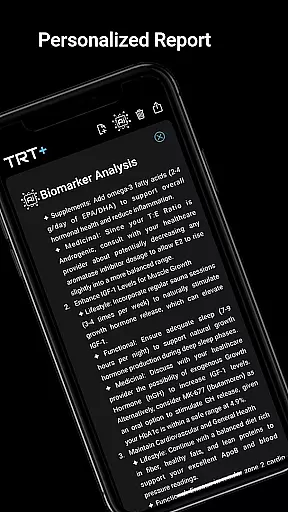
TRT Plus stands out by offering tailored insights into your biomarkers, helping you understand how different compounds affect your body over time. This empowers users to make data-driven decisions about their TRT protocols, ultimately leading to better outcomes and enhanced well-being.
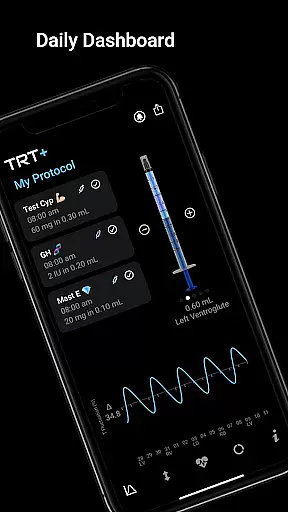
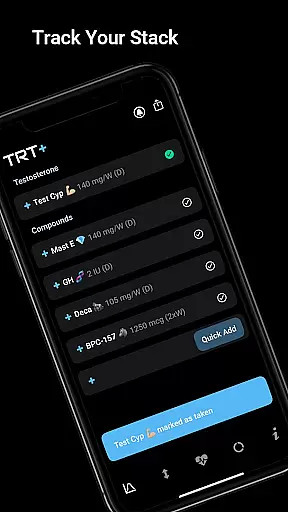
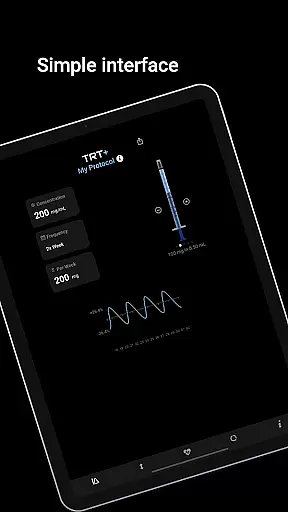
TRT Plus boasts a wide array of features that cater to the unique needs of TRT and enhanced athletes. One of its standout capabilities is the protocol tracker, which includes a daily dashboard and visual syringe feature, allowing users to easily monitor and manage their injection schedules. The app also offers an extensive compound library with over 80 pre-configured options, making it simple to add new substances to your regimen with just one tap.
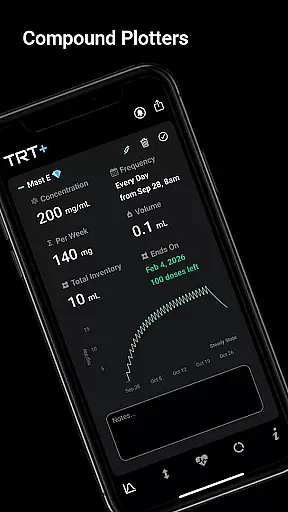
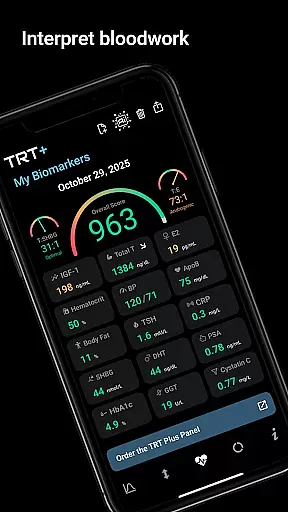
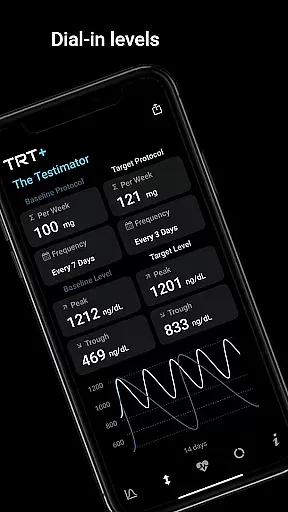
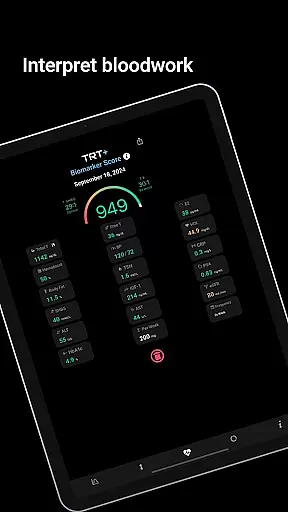
Beyond basic tracking, TRT Plus provides sophisticated analysis tools such as steroid plotter charts and advanced T fluctuation pharmacokinetics. These features enable users to visualize compound behavior over time and fine-tune their protocols based on precise data. Additionally, the app integrates with pathology partners to offer enhanced bloodwork analysis, delivering clear insights through red, amber, and green indicators.
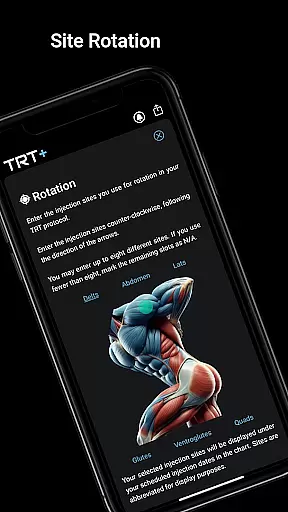
Other notable features include automated medication reminders, injection rotation planning, and dynamic inventory management. Users can also access detailed reports on muscle building potential, hormonal balance, and responder type, all supported by clinical citations from peer-reviewed studies. With these robust functionalities, TRT Plus ensures users have everything they need to optimize their TRT experience.
Personalized planning in TRT Plus is a cornerstone feature designed to optimize the user's testosterone replacement therapy and overall fitness journey. This functionality leverages advanced algorithms to create tailored protocols based on individual biomarkers, ensuring that each plan aligns with the user's specific health goals.
The app offers an extensive compound library with over 80 pre-configured options, allowing users to incorporate a wide range of substances into their personalized plans with ease. Each selected compound is integrated into the user's protocol with detailed pharmacokinetic modeling, illustrating how it will behave over time within the body.
Users benefit from clear visualizations such as syringe preparations for daily injections and half-life charting which forecasts peak levels and clearance patterns. These tools empower athletes to make informed decisions about dosing schedules and ancillary medications, leading to improved adherence and outcomes.
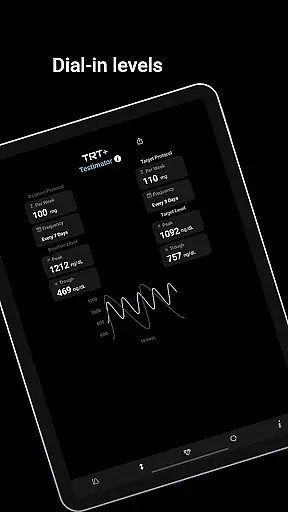
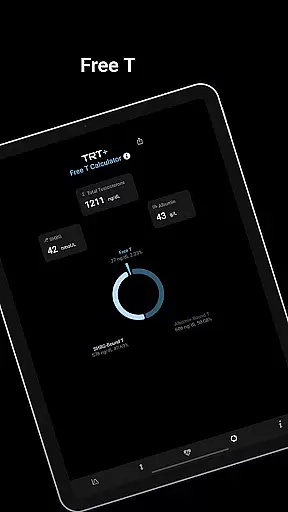
By providing dynamic insights through features like The Testimatoru2122 and My Free T calculator, TRT Plus ensures that personalized planning remains at the forefront of cutting-edge hormone optimization strategies. This results in a comprehensive approach that adapts to changing physiological responses, promoting long-term success in managing oneu2019s health effectively.
Progress visualization in TRT Plus transforms complex data into intuitive graphical representations, enabling users to easily track their advancement through various stages of testosterone replacement therapy (TRT) and fitness optimization. This feature is crucial for maintaining motivation and making necessary adjustments to achieve peak conditioning.
With the My Protocol dashboard, users can view a daily schedule complete with checkboxes for tracking completion status. Visual aids such as syringe illustrations provide quick insights into injection stacking and rotation planning, ensuring even distribution across sites while preventing tissue damage or discomfort.
The app's bloodwork analysis tools offer enhanced reference ranges tailored specifically for optimized performance rather than general averages. Users receive clear red, amber, green breakdowns of key biomarkers along with detailed reports that highlight areas requiring attentionu2014facilitating proactive management of oneu2019s health metrics.
Additionally, progress visualization extends beyond physical attributes; it encompasses hormonal balance assessments and responder type classifications which help gauge individual reactions to testosterone therapies accurately. By integrating these elements seamlessly within its interface, TRT Plus empowers users not only to monitor but also celebrate incremental victories towards achieving optimal well-being consistently over time.
User-friendly interface
Comprehensive tracking tools
Advanced analytics
Customizable protocols
Integrated knowledge base
Requires bloodwork
Premium pricing
Complex setup
Limited free features
Region-specific integrations

Weight loss app: home workout for women to lose weight & burn calories.
 4.80
4.80
Build Healthy Habits!
4.60
Easy reconstitution calc for mixing peptides and creating protocols
4.70
Load the bar with this barbell & plate calculator. It's leg day, not brain day!
4.70
Measure your Pupil Distance for Eyeglasses and VR headsets in 3 quick steps.
4.70
Eat smarter with Eato, your personal calorie counter and nutrition tracker!
4.40
Medbridge GO gets you moving - get back to doing what you love, faster!
4.90
Memory, mind & logic exercises. Puzzle games, IQ & brain test for kids & adults
4.50
Monitor, analyze, track, and convert blood sugar & help you control diabetes.
4.10
Power-lifting, weightlifting and Wendler 531 app to track your workout program.
4.90
App to stop smoking slowly or now with a motivational badges and helpful tips
4.80
a fun app full of surprises :)
4.70
Looking to take control of your health? Our psychology-based programs can help.
4.10
Create powerful subliminal audio with custom affirmations and background music.
4.00
Turn your steps into cash, gift cards & rewards with our step counting pedometer
3.80
Pupillary distance PD with camera quick and easy, checking glasses frames on you
3.70
Live Heart Rate Pro - Real Time Heart & Workout Data For Wear OS & Bluetooth BLE
3.20
Sync your activities of the most popular sports tracking services
2.70
Transform your body and soul with DBFFitness, with a 40-day fitness journey.
4.3


User Reviews