
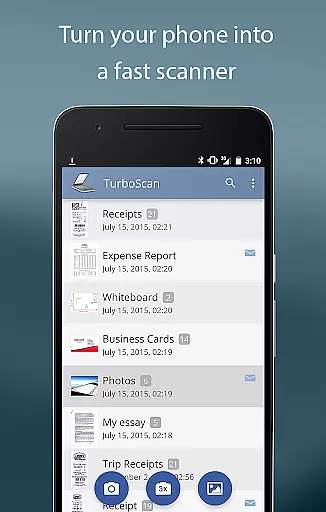
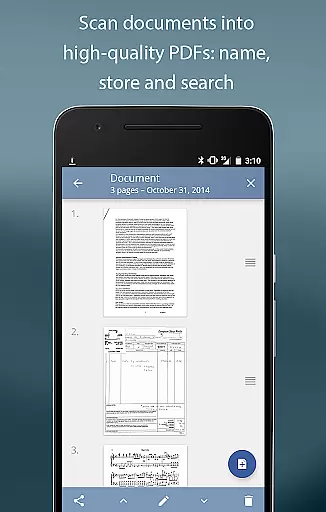
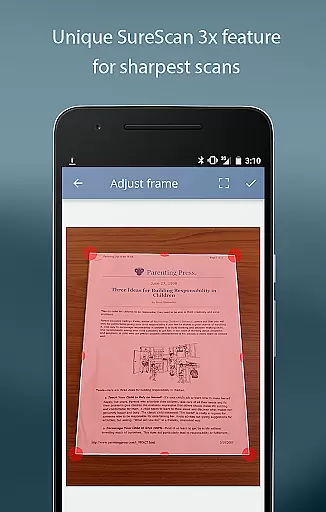
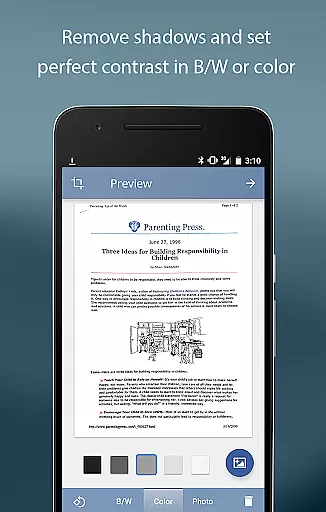
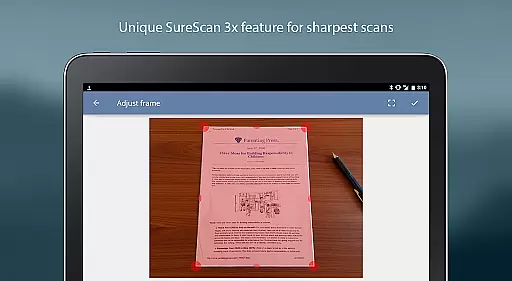
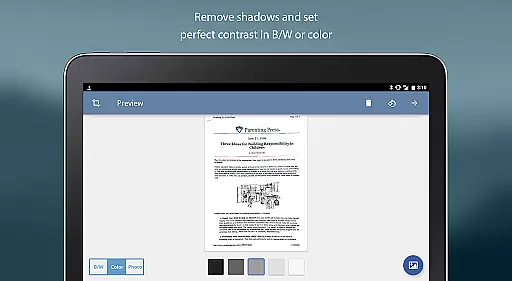
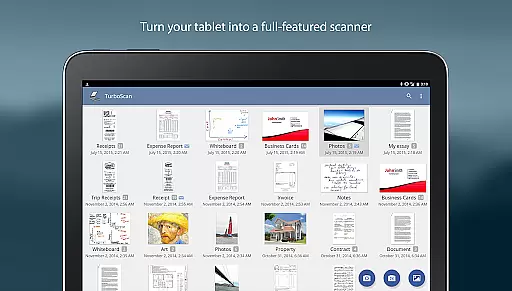
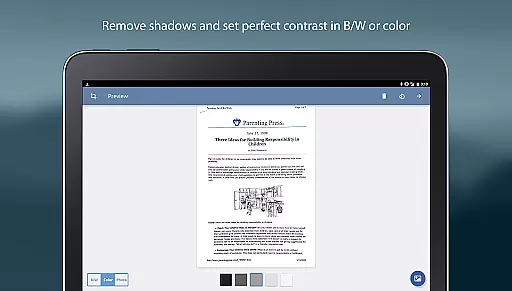
TurboScan Pro is a premier mobile scanning solution that transforms your smartphone into a versatile document scanner. Designed for business professionals and individuals alike, this app allows you to scan documents, receipts, notes, and more with exceptional clarity. Utilizing advanced algorithms, TurboScan ensures every scan is optimized with features like edge detection, perspective correction, and shadow elimination.
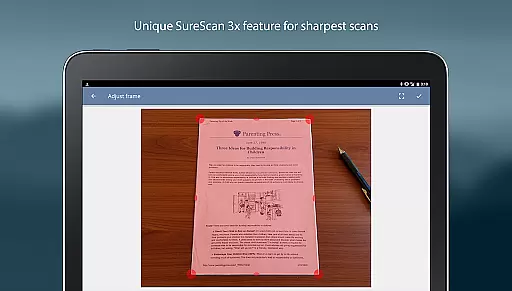
What sets TurboScan apart is its SureScan mode, which captures sharper images even in low-light conditions by taking three consecutive shots of the same document. With multipage support, users can compile, reorder, and manage PDF or JPEG files effortlessly. The app also integrates seamlessly with cloud services such as Evernote and Google Drive, making document storage and sharing both efficient and secure.
TurboScan Pro offers an array of powerful features designed to enhance productivity. Its automatic edge detection and perspective correction tools ensure every scanned document looks professional. The proprietary SureScan technology provides unparalleled sharpness, especially useful when scanning under challenging lighting conditions.
The app supports ultra-fast processing, handling each page in under three seconds. Users can organize scans with ease, thanks to robust document naming, search functionality, and multipage editing options. Additionally, TurboScan includes instant one-tap controls for brightness, rotation, and color adjustments, all accessible from a single intuitive interface. This makes it simple to create compact, high-quality attachments for emails or cloud storage.
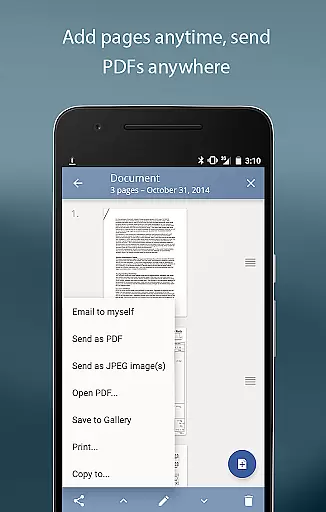
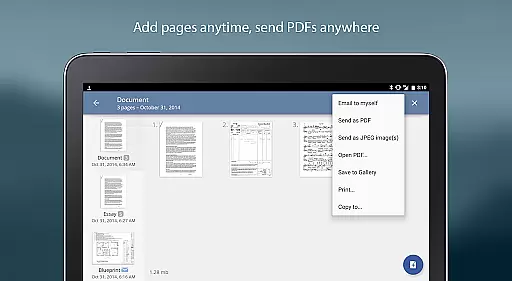
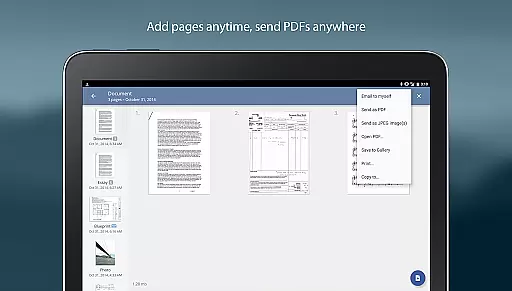
In the realm of collaborative work, TurboScan Pro stands out by offering indispensable tools for modern professionals. The app allows users to scan documents and instantly share them as multipage PDF or JPEG files, making it an ideal solution for teams that need to exchange information quickly and efficiently.
TurboScan Pro enhances team productivity with its 'Email to myself' feature, which simplifies the process of sending documents to a predefined address or uploading them directly to cloud storage services like Evernote with just one tap. This seamless integration ensures that all team members have access to important documents whenever they need them.
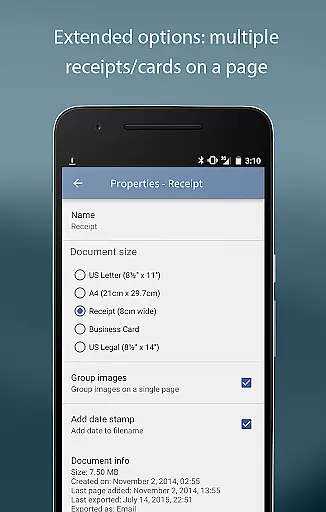
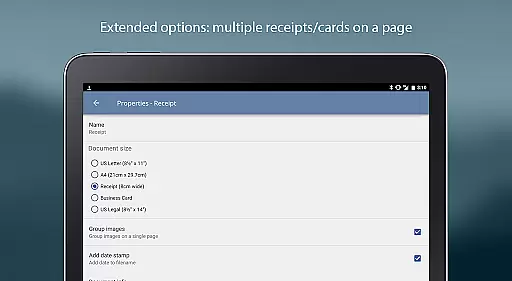
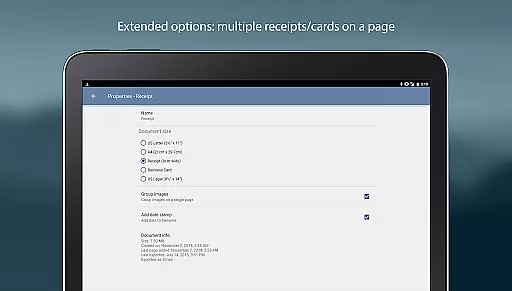
Moreover, the app's ability to arrange multiple receipts or business cards on a single PDF page is particularly useful for businesses that require organized records of expenses or contacts. By enabling users to open PDFs or JPEGs in other apps such as Dropbox, Google Drive, or OneDrive, TurboScan Pro facilitates effortless collaboration across different platforms.
All these features are encapsulated within a user-friendly interface that provides instant one-tap brightness, rotation, and color controls, ensuring that every document shared among collaborators is clear and professional-looking.
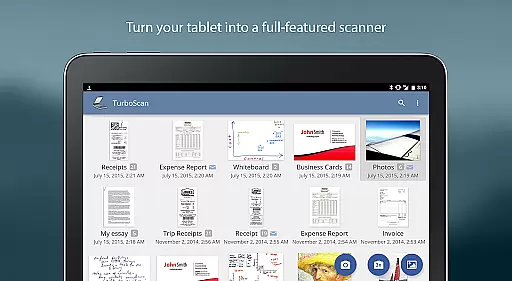
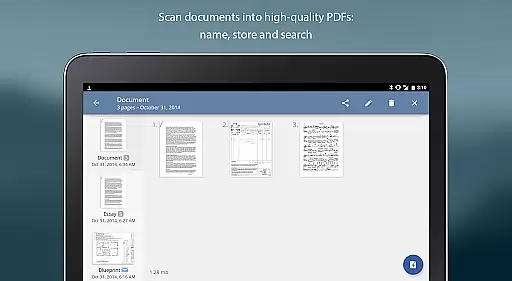
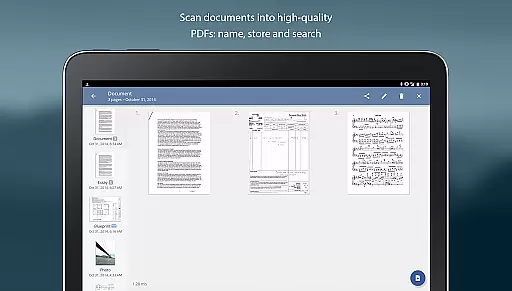
TurboScan Pro excels in task management by providing users with robust tools to handle their document-related tasks efficiently. With the ability to name, store, and search documents directly within the app, users can easily organize and retrieve their scans, streamlining their workflow significantly.
The app's multipage editing capabilities allow users to add, reorder, and delete pages, giving them complete control over their document collections. Additionally, the option to copy pages between stored scans enables users to manage complex projects that involve multiple related documents without hassle.
For those who need to send documents regularly, TurboScan Pro offers adjustable attachment sizes, ensuring that emails remain compact and easy to send. This feature is especially beneficial for individuals who deal with large volumes of documents and need to maintain an organized digital workspace.
Furthermore, TurboScan Pro's ultra-fast processing speed of under three seconds per page means that users can complete their tasks swiftly, allowing them to focus on more critical aspects of their work. All these functionalities underscore TurboScan Pro's commitment to enhancing productivity through effective task management.
Advanced scanning algorithms
Fast processing speed
Easy-to-use interface
Secure offline processing
Multipage document support
Premium version costs
Occasional glitches
Limited free features
Requires good lighting
Learning curve for settings

The revolutionary flexible staffing platform
 4.40
4.40
BuildCalc - the easiest AND the most advanced construction calculator app.
4.80
Employee Management Made Easy
4.80
Get instant construction estimates: accurate home repair & material calculator.
4.70
Delivery Track App - Tracking with Fedex, USPS, UPS, DHL. Monitor your Orders.
3.20
Find part-time earning opportunities near you that pay within days.
3.20
Access to Paylocity, empowering employees with information they need 24/7.
4.70
Collaborate seamlessly with Google Chat, part of Google Workspace
4.50
Say hello to the mobile work experience built to help you thrive at work.
4.30
Create curriculum vitae, a professional cover letter creator and resume designer
4.80 4.70
4.70
Amazon A to Z is the place to manage your work-life at Amazon.
4.50
From Gone to Back Again — In Just a Few Taps
4.50
The app that lets you deliver with Amazon.
4.50
Measure distances, surfaces and draw plans in seconds with CamToPlan!
4.40
Build a store in minutes with our full suite of AI tools. Start for free!
4.20
Shop, deliver, and earn with the Spark Driver™ App
4.10
Access All PDF Files
3.40
Convert Your Lovable.dev Website into a Mobile App Instantly!
4.1


User Reviews