
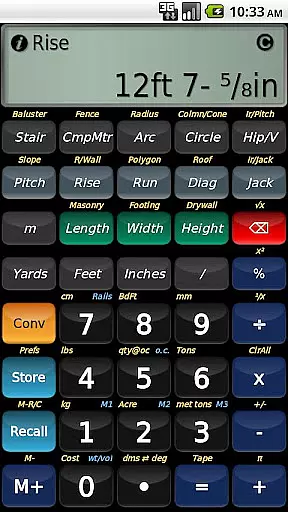
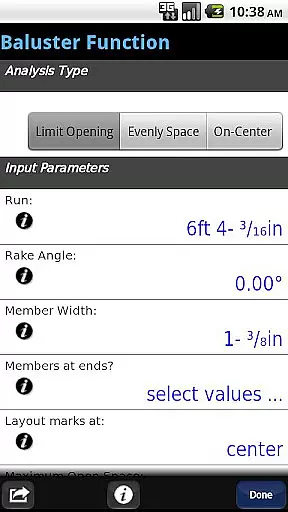
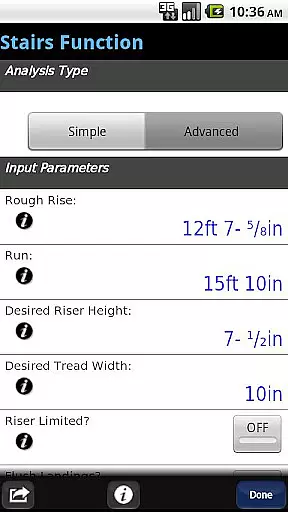
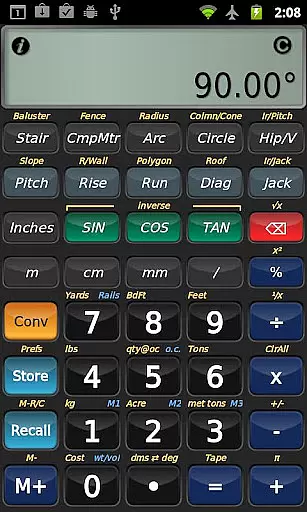
BuildCalc is a comprehensive construction calculator app designed to simplify complex calculations for professionals in the construction industry. With advanced features such as the Baluster Function, Stair function, and Fence Function, it offers precise layouts and detailed drawings for custom jobs. The app also supports interactive functions that allow users to modify input values dynamically, ensuring accurate results without the need for repetitive key presses.
This app stands out by providing more functionality with less complexity. It includes capabilities like Full Daylight Visibility Mode, multiple size options for masonry and drywall calculations, and automatic switching between Miter Saw and Protractor results. BuildCalc is suitable for both Android devices, making it versatile for on-site use. Its user-friendly interface and robust feature set make it an invaluable tool for construction professionals seeking efficiency and precision.
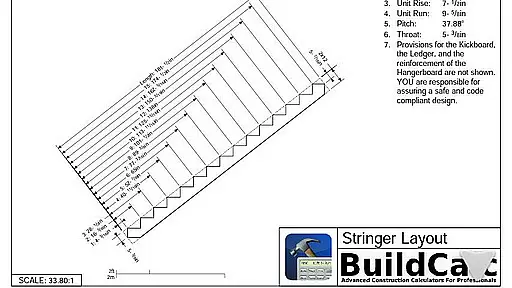
BuildCalc boasts a range of powerful features tailored for construction professionals. One standout feature is the Advanced Stair function, which provides dimensioned drawings of Stringers and Finished Staircases, allowing users to email PDFs of these plans directly from the app. Additionally, the Advanced Baluster Function simplifies railing and staircase baluster layouts, reducing guesswork while offering flexibility for custom projects.
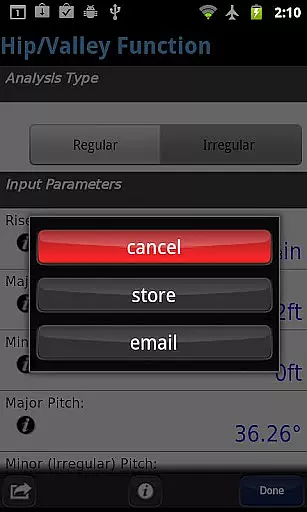
The app also includes interactive functions such as Compound Miter, Diagonal, and Hip/Valley calculations, enabling dynamic updates to input values without manual recalculations. Users benefit from innovative tools like Sheathing Angles, Purlin Angles, and Backing Angles not found in other calculators. Furthermore, BuildCalc's emulation of Construction Master® Pro ensures familiarity for those accustomed to traditional devices but desire the convenience of a mobile application.
Collaborative work features are essential for any business application aiming to enhance team productivity and streamline project workflows. BuildCalc excels in this area by offering interactive functions that allow multiple users to engage efficiently.
The app provides advanced functionalities such as the Stair, Baluster, Compound Miter, Diagonal, and Hip/Valley functions, all of which are fully interactive. This means that changes to input values or configurations can be made on-the-fly, with results updating automatically without the need for manual recalculations.
Users benefit from the ability to save their results, ensuring that all team members have access to the latest data and calculations. This feature eliminates the hassle of manually recording and sharing results, thus reducing errors and miscommunications within the team.
By integrating these collaborative tools, BuildCalc not only simplifies complex construction calculations but also fosters a more cohesive working environment where teams can focus on achieving professional results with minimal confusion.
Effective task management is crucial for ensuring that projects are completed on time and to the desired quality standards. BuildCalc addresses this need by providing a comprehensive suite of tools designed to manage and track various construction-related tasks efficiently.
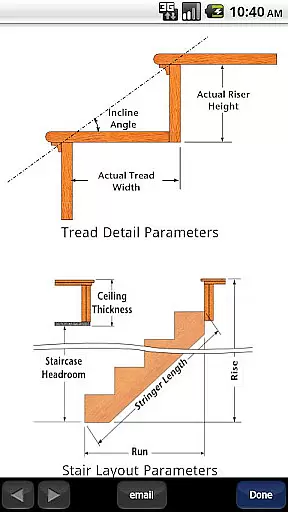
One standout feature is the Advanced Stair function, which allows users to create detailed layouts for staircases, complete with dimensioned drawings of the Stringer, Stringer Installation, and Finished Staircase. These drawings can be emailed as PDFs directly from the app, making it easy to share plans and updates with team members and clients.
In addition to this, BuildCalc offers an Advanced Baluster Function that simplifies the layout process for railings and staircase balusters. By reducing guesswork and offering flexible customization options, the app ensures that every job is tailored to specific requirements, enhancing overall task accuracy and efficiency.
With these robust task management capabilities, BuildCalc empowers users to handle complex construction projects with greater ease and precision, ultimately leading to improved productivity and client satisfaction.
User-friendly interface
Advanced calculation tools
Interactive input modification
Comprehensive drawing capabilities
Full-day visibility mode
May have a learning curve
Requires internet for some features
Premium cost for full access
Limited offline functionality
Occasional bugs reported

Scan Business Cards & Conference Badges - Capture Leads at Events & Tradeshows
 4.20
4.20
FaxCover - Create fax cover pages. Works with any app or fax machine.
4.90
Manage Your Shop
4.70
viewing and sharing PDFs and other files—anytime, anywhere!
4.1
Amazon A to Z is the place to manage your work-life at Amazon.
4.50
One marketplace. Hundreds of services. Unlimited possibilities. All on Fiverr.
4.40
Collaborate seamlessly with Google Chat, part of Google Workspace
4.50
Roadie connects people with stuff to send with drivers already going that way.
3.50
No more passwords, easier sign-in, and greater protection for your accounts.
4.60
Create curriculum vitae, a professional cover letter creator and resume designer
4.80
Get instant construction estimates: accurate home repair & material calculator.
4.70
Recover what matters — quickly and easily.
4.70
Access to Paylocity, empowering employees with information they need 24/7.
4.70
Finance, Investing, Stocks, Trading and Stock news
4.60
Drive and earn extra money
4.50
Earn crypto with secure cloud mining. Monitor, track & withdraw easily
4.40
FX Plus adds media, networking, and cloud capabilities to FX File Explorer.
4.10
Shop, deliver, and earn with the Spark Driver™ App
4.10
Zoom built for Chrome OS
3.90


User Reviews