
PDF Reader is a versatile business application designed to streamline document management for professionals on the go. This app allows users to view, manage, and share PDF files with ease, making it an essential tool for anyone dealing with digital documents.
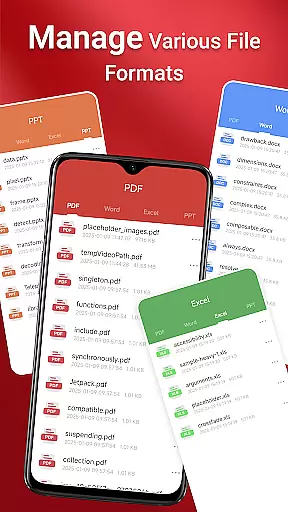
The app features a sleek and intuitive interface that simplifies navigation and ensures quick access to needed PDFs. With support for various document types including Doc, PDF, PPT, and Excel, users can handle multiple file formats within a single platform. Whether you're reviewing reports or sharing important documents, PDF Reader provides a seamless experience across devices.
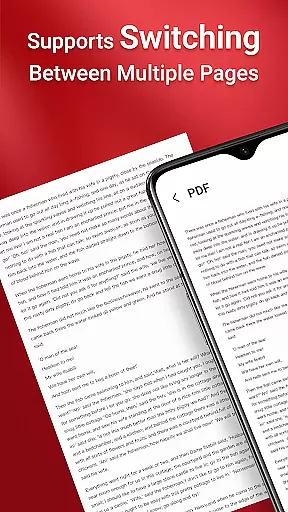
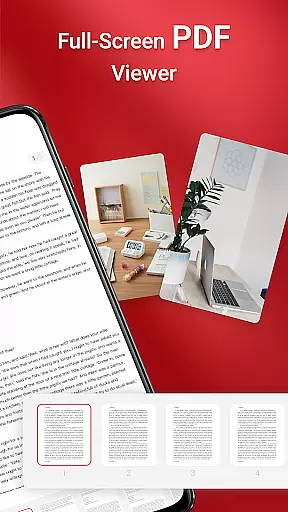
One of the standout features is its ability to provide one-click PDF reading and quick page navigation, which enhances productivity by allowing users to focus on content rather than functionality. The app's integrated sharing capabilities make collaboration straightforward, ensuring that teams can work together efficiently regardless of location.
PDF Reader stands out with its comprehensive feature set tailored for business professionals. The app offers one-click PDF reading, enabling users to open and review documents instantly without complicated setup processes.
A key strength is its ability to access all PDF files stored on your device, providing centralized management for your documents. The integrated support for various document types like Doc, PDF, PPT, and Excel makes this app a universal solution for document handling. Users can navigate through pages quickly, ensuring efficient reading sessions.
Security and accessibility are prioritized through Android's MANAGE_EXTERNAL_STORAGE permission, which allows reliable offline access and background operations. This ensures that crucial features such as file preview and multi-file merging function seamlessly, even when working with files stored in non-standard locations or SD cards.
In today's interconnected work environment, collaborative work features are essential for seamless teamwork. PDF Reader offers robust capabilities that allow teams to access, review, and share PDF documents effortlessly. This ensures that all team members can stay on the same page, regardless of their physical location.
The app supports integrated document management, enabling users to handle various file types such as Doc, PDF, PPT, and Excel within a unified platform. This versatility simplifies collaboration by centralizing document access and reducing the need for multiple applications. Team members can quickly navigate through pages and locate specific sections, enhancing overall productivity.
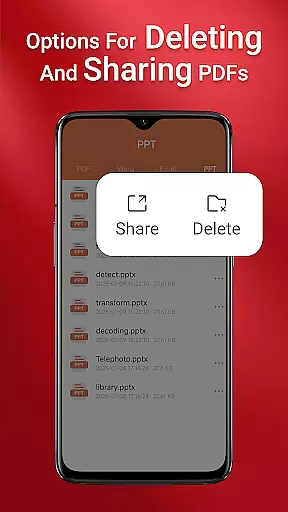
Moreover, the ability to share PDFs directly from the app fosters efficient communication. Whether you're sending a report to a colleague or distributing meeting notes, PDF Reader ensures that your documents are shared securely and promptly. This feature is particularly beneficial for remote teams who rely on digital tools to maintain workflow continuity.
By incorporating these collaborative work features, PDF Reader not only streamlines document management but also strengthens team dynamics. Users can focus on their core tasks without worrying about compatibility issues or access restrictions, making it an invaluable tool for modern businesses.
Effective task management is crucial for maintaining productivity and meeting deadlines. PDF Reader enhances task management by providing tools that help users organize and prioritize their documents efficiently. With quick page navigation and easy access to all PDF files on your device, staying on top of your tasks has never been easier.
The appu2019s intuitive interface allows users to manage multiple document types, including Doc, PDF, PPT, and Excel, in one place. This consolidation simplifies task tracking and ensures that important information is always at your fingertips. The ability to swiftly move between different sections of a document enables users to focus on critical content without wasting time on navigation.
Additionally, PDF Reader supports seamless sharing, which is vital for task delegation and progress monitoring. By allowing users to send documents directly from the app, it facilitates clear communication and timely updates among team members. This functionality is especially useful for projects requiring frequent document exchanges and revisions.
Overall, PDF Reader empowers users to take control of their task management processes. Its comprehensive features ensure that documents are organized, accessible, and easy to share, ultimately contributing to more efficient workflows and successful project outcomes.
User-friendly interface
Multi-format support
Quick navigation tools
Seamless sharing options
Reliable offline access
Requires special permissions
Limited free features
Occasional performance issues
No cloud integration
Heavy on storage

GoTo Mobile is a simple & secure calling, messaging & meetings solution
 4.80
4.80
Find jobs and make money fast with JobStack.
4.60
Find flexible, hourly jobs hiring near you in restaurant, retail & hospitality!
4.00
The revolutionary flexible staffing platform
4.40
TurboScan turns your phone into a full-featured PDF document scanner.
4.80
Your employer must have UKG Ready software configured for Mobile.
4.60
Simple, Fast & Lightweight
3.90
Find jobs near you and temp work in minutes, from your phone.
4.50
Job search app that finds jobs for you! Takes the work out of looking for a job!
4.90
Permission Guard is a security app that helps you manage app permissions.
4.80
USPS Mobile®Access USPS.com’s most popular tools on-the-go.
4.70
Chat, meet, and collaborate to achieve more together, all in one place on Teams
4.60
A secure, all-in-one team collaboration app
4.30
All-in-one Mobile solutions for employees & managers to succeed at work
4.30
Formerly Facebook Ads Manager. Manage and create ads on the go.
4.20
The Penny Puss app with DG penny finder
4.10
On the go? Take FedEx with you.
4.00
All document reader, pdf viewer app, read docs & excel files
3.80
Delivery Track App - Tracking with Fedex, USPS, UPS, DHL. Monitor your Orders.
3.20


User Reviews