
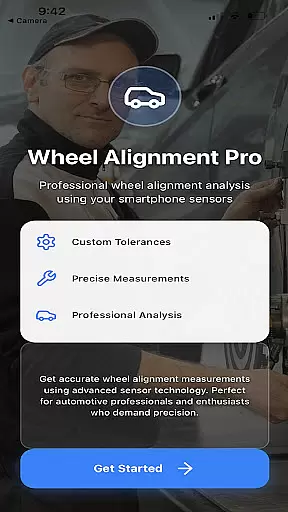
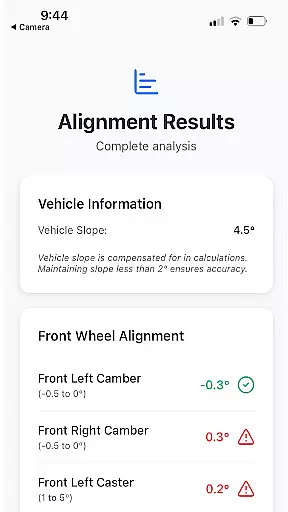
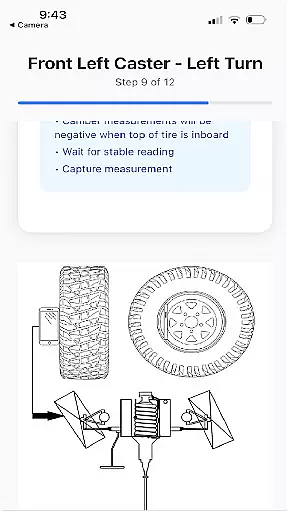
Alignment Pro is an advanced wheel alignment solution that utilizes your phone's internal sensors and a simple tape measurement to collect precise alignment data. Designed for both professional mechanics and car enthusiasts, the app provides on-screen instructions that make the process straightforward and efficient.
The app allows users to either follow industry-standard specifications or input custom alignment values specific to their vehicle, which can be easily sourced online. Key features include vehicle slope compensation to adjust for uneven surfaces, ensuring accurate readings even on inclined driveways. Additionally, it offers a detailed alignment summary that highlights potential issues arising from out-of-tolerance conditions, helping users understand the implications of misalignment.
Whether you're performing routine maintenance or addressing specific alignment problems, Alignment Pro serves as a valuable tool in assessing and correcting wheel alignment issues, ultimately improving vehicle performance and safety.
Alignment Pro stands out with its innovative use of smartphone technology combined with traditional measurement tools to deliver accurate wheel alignment assessments. The app incorporates your phone's internal sensors, such as the accelerometer and gyroscope, to measure critical alignment angles like camber, caster, and toe.
A standout feature is the vehicle slope compensation mechanism, which adjusts measurements to account for uneven surfaces, ensuring reliable results regardless of the environment. The app also provides a comprehensive alignment summary report, detailing any deviations from optimal specifications and explaining the potential consequences of these discrepancies. This helps users not only identify issues but also communicate them effectively to customers or understand them better themselves.
Furthermore, Alignment Pro supports both standard industry specifications and custom vehicle settings, making it adaptable to a wide range of vehicles. Its intuitive interface and easy-to-follow on-screen instructions ensure that users of all skill levels can achieve professional-grade alignment results without the need for expensive equipment.
Alignment Pro provides comprehensive details about your vehicle's alignment specifications, ensuring you have all the necessary data at your fingertips. The app utilizes industry standards to guide you through the process while allowing manual updates for specific vehicle requirements.
By leveraging your phone's internal sensors and a simple tape measurement, the app collects precise wheel alignment data. This innovative approach makes it easy for users to understand their vehicle's current alignment status without needing professional equipment.
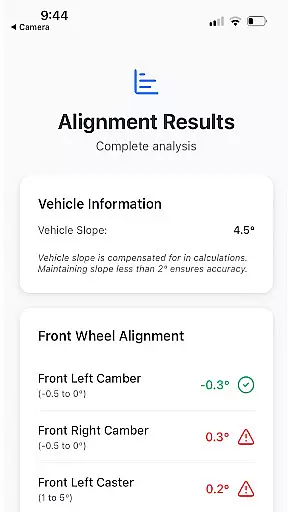
The detailed alignment summary highlights any issues arising from out-of-tolerance conditions. This feature not only informs users about potential problems but also helps in explaining these implications to customers, thereby enhancing transparency and trust.
One of the standout features of Alignment Pro is its cost-effective approach to vehicle maintenance. The app is designed to save users money by eliminating the need for expensive professional alignment services. With clear instructions and easy-to-follow steps, users can perform alignments themselves.
Alignment Pro offers a one-time purchase with no hidden fees or subscription costs. This transparent pricing model ensures that users are fully aware of the costs involved right from the start, making it an affordable solution for maintaining vehicle health.
Additionally, the app provides access to vehicle-specific alignment specifications easily found online. This empowers users to make informed decisions about their vehicle maintenance without worrying about unexpected expenses, thus promoting a more budget-friendly approach to car care.
User-friendly interface
Accurate sensor integration
Customizable alignment specs
Detailed alignment reports
Slope compensation feature
Requires manual measurements
Limited to phone sensor accuracy
Premium features may cost extra
Dependent on proper calibration
Industry-specific knowledge needed

Take Control of Your Car
 4.80
4.80
OBD2 car scanner and diagnostics: read Check Engine, DTC, economy....
4.30
Theme for Car Launcher
4.0
Get your personalized financing options and shop for used cars today!
4.20
BlueDriver® is a Premium Diagnostic OBD2 Scan Tool. www.BlueDriver.com
3.90
AI Powered - Automotive Mechanic Assistant
4.30
Car Values, Research and More
4.80
By enthusiasts, for enthusiasts
4.00
Instant diesel savings. No credit checks or fees. Nationwide growing network.
4.40
Lexus app currently supports 2010 or newer vehicles (2018 or newer for Hawaii).
4.80
Get more out of your AAWireless adapter with this companion app | aawireless.io
4.80
OBDII - ELM327 Terminal tool for 96-00 Volvos
4.50
Autolist - The Largest Selection of Local Used Cars and Trucks
4.50
On the CarShield app, you can view contracts, make payments, & request roadside.
4.40
OBD diagnostics, Live Data, DPF regeneration for BMW
4.00
Take state-specific DMV permit tests and ace the exam.
3.90
Blink Charging Mobile app makes finding an EV charger an intuitive experience.
3.80
Club Car Wash Mobile App—the fast lane to managing your wash membership.
3.30
Monitor specific TOYOTA parameters by adding this plugin to Torque Pro.
2.00


User Reviews