

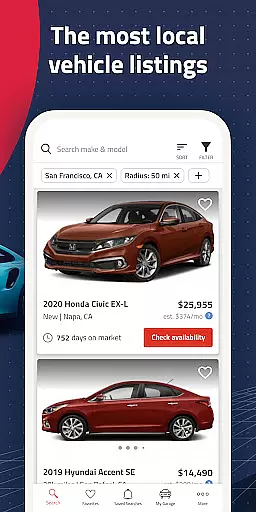
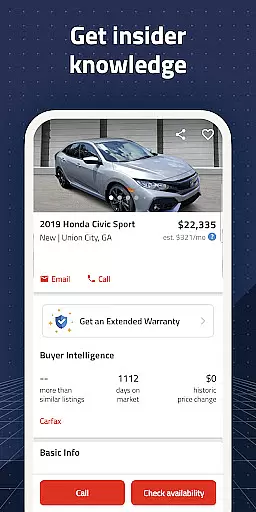
Autolist is a premier automotive marketplace application designed to simplify the car-buying process. It aggregates millions of used car listings from thousands of sources across the web, presenting them in one comprehensive platform. Whether you're searching for cars locally or nationwide, Autolist offers an extensive inventory that includes every make, model, and year.
The app stands out with its powerful search tools and filters, allowing users to refine their searches by price, year, color, and features. Additionally, Autolist provides valuable insights through its price history and Listimate value estimates, empowering buyers to make informed decisions. With instant notifications for new listings and price drops, Autolist ensures you never miss an opportunity to find your perfect vehicle at the best possible price.
Autolist boasts an array of sophisticated features tailored to enhance the car shopping experience. The app's search functionality is robust, enabling users to filter results based on specific criteria such as price range, vehicle age, exterior and interior colors, and installed features. This level of customization ensures that users can quickly narrow down their options to find cars that meet their exact needs.
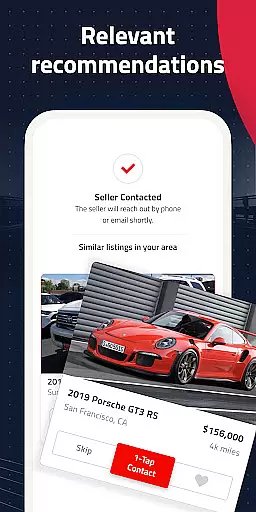
Beyond its search capabilities, Autolist offers unique tools like price history tracking and Listimate values for each listing. These features provide transparency into market trends and help users negotiate fair prices. Furthermore, the app facilitates direct communication with dealers and private sellers via call, text, or email directly from the interface, streamlining the process of checking availability and requesting quotes. Saved searches and favorites ensure users stay updated on relevant inventory changes, making Autolist an indispensable tool for anyone in the market for a used car.
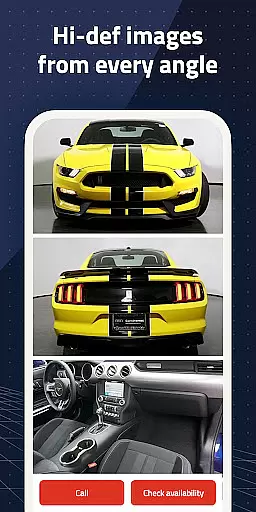
When searching for a used car, having access to comprehensive vehicle details is crucial for making an informed decision. Autolist provides extensive data on each listing, including specifications such as make, model, year, mileage, and installed features.
The app aggregates listings from thousands of sources nationwide, ensuring that users have the most up-to-date and detailed information available. This includes not only basic vehicle stats but also specifics like interior and exterior color options, engine type, and additional customizations.
Autolist's detailed vehicle pages allow buyers to review maintenance history and any reported accidents, giving peace of mind when considering a purchase. With this level of transparency, users can accurately assess the condition and value of each vehicle.
By presenting all necessary information in one place, Autolist saves users time and effort, enabling them to compare vehicles efficiently and choose the best option that fits their needs and budget.
Price transparency is essential in the car-buying process, and Autolist excels in providing clear pricing information. The app offers complete price histories for each vehicle listed, allowing users to understand market trends and fluctuations over time.
In addition to historical data, Autolist features Listimate values, which are estimates designed to help buyers determine a fair price. These tools empower users to negotiate confidently with dealers or private sellers.
Users can filter search results by price range, ensuring they only see cars within their budget. This feature streamlines the shopping experience and helps prevent overspending.
With Autolist's transparent pricing tools, buyers can enter negotiations well-prepared, knowing they have accurate and reliable information at their fingertips.
User-friendly interface
Comprehensive car listings
Powerful search filters
Price history insights
Direct seller communication
Limited new car options
Occasional listing inaccuracies
Ads can be intrusive
Requires constant updates
Some features are subscription-based

The Smarter Way Forward
 3.30
3.30
Theme for Car Launcher
4.5
DIY Vehicle Wheel Alignment
4.2
App Mirroring for Tesla Car's Browser
2.80
* This app needs an adapter cable and a certain OBD2 adapter to work *
4.20
Discover new and used cars in Syria easily! Browse ads and connect with sellers.
3.70
Digital Car Key/Launcher, Screen Mirror, Android Dashboard, Remote Wireless Link
4.40
The ExtraMile App allows you to pay for fuel from the comfort of your car!
4.70
View your car’s service records and find out when maintenance is due.
4.70
Practice the drills within MotoJitsu Master Riding Program Volume 1 & 2!
4.80
Trip computer+car diagnostic tool with widest variety of features and dashboard!
4.70
Browse millions of cars, track vehicle listings or sell your car today
4.70
Instant diesel savings. No credit checks or fees. Nationwide growing network.
4.40
Taximeter; the professional's choice
4.30
AI Powered - Automotive Mechanic Assistant
4.30
Your car is talking. Start listening.
4.30
Realtime Charts is a plugin for the Torque Pro App (OBD 2 & Car)
4.20
Read and delete OBD codes with any ELM327 OBD scanner. Coding functions included
3.40
Monitor specific TOYOTA parameters by adding this plugin to Torque Pro.
2.00


User Reviews