
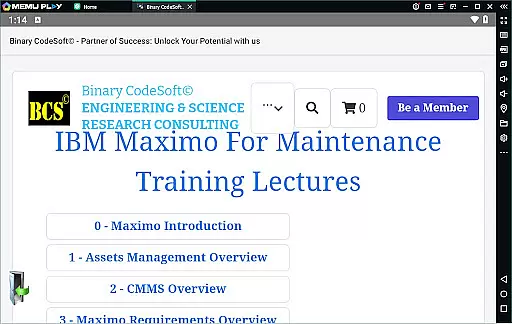
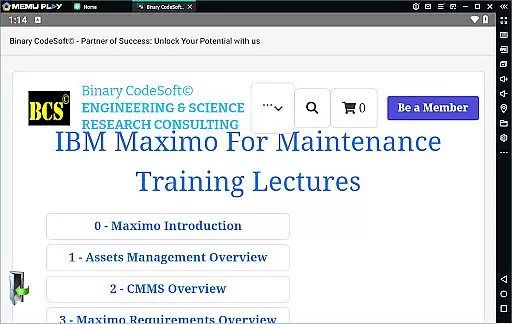

BCS©-Maximo Maintenance course is a comprehensive business application designed to educate users on maintenance operations and strategies using IBM Maximo. The app covers essential topics such as maintenance planning, scheduling, costs, and the significance of effective work management. It also provides an in-depth introduction to Maximo, highlighting asset management, CMMS, and new features through IBM Maximo implementation.
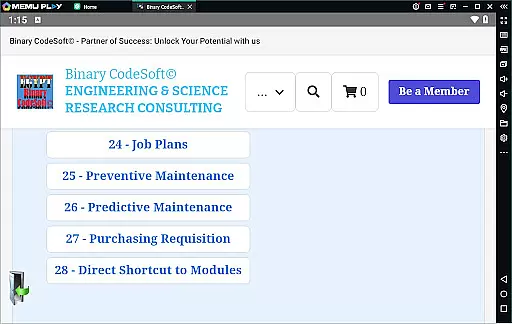
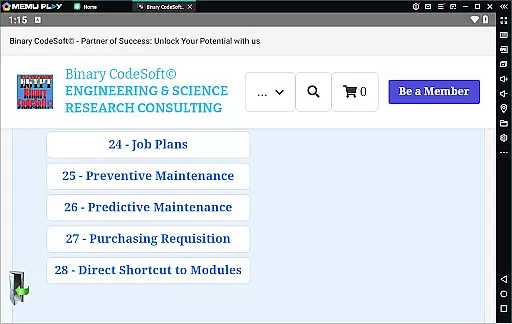
In addition, the app delves into practical applications including work orders, job plans, preventive and predictive maintenance, dynamic job plans, and modifications. Users can learn about shutdown planning, 7-day and monthly plans, child work orders, and data export capabilities to MS Excel or MS Project files. With modules on purchasing, direct shortcuts, query management, multitasking, and advanced planning techniques, this app equips users with the knowledge to optimize maintenance processes and enhance productivity within their organizations.
The BCS©-Maximo Maintenance course offers a rich set of features tailored for professionals seeking to master IBM Maximo. One standout feature is its detailed exploration of maintenance strategies, helping users understand different types of maintenance and their impact on operational efficiency. The app provides insights into the cost implications of poor maintenance and underscores the benefits of implementing IBM Maximo for streamlined asset management.
Another key aspect is the app's focus on hands-on functionalities such as creating and managing work orders, developing job plans, and executing preventive and predictive maintenance. It also supports dynamic job plan creation and modifications, ensuring flexibility and adaptability in maintenance operations. Furthermore, the inclusion of planning tools like 7-day and monthly plans, along with exporting options to MS Excel and MS Project, enhances the user's ability to organize and execute maintenance tasks effectively. These features collectively empower users to stay ahead in planning and efficiently manage critical items using reports and follow-up mechanisms.
In the realm of business applications, collaborative work features are essential for streamlining operations and enhancing team productivity. The BCSu00a9-Maximo Maintenance course offers comprehensive insights into how IBM Maximo facilitates collaboration among maintenance teams. Through its robust platform, users can manage assets, create work orders, and develop job plans that are accessible to all relevant stakeholders.
This application allows multiple users to interact with the same data set, ensuring everyone is on the same page. Whether it's through executing tasks on multi records or planning one step ahead, teams can ensure they're not duplicating efforts and are fully aware of ongoing activities. This level of transparency and cooperation is crucial in reducing downtime and improving overall efficiency.
Moreover, the ability to export data to MS Excel or MS Projects files adds another layer of collaborative functionality. Teams can leverage external tools for further analysis or integration with other systems, thus broadening their operational capabilities. With direct shortcuts to modules and features like keeping queries always on top, this app ensures that every team member has quick access to critical information.
Effective task management is pivotal for any business looking to optimize its maintenance operations. The BCSu00a9-Maximo Maintenance course provides detailed training on using IBM Maximo for superior task management. From creating and modifying job plans to setting up preventive and predictive maintenance schedules, this app equips users with the skills needed to maintain high standards of operational efficiency.
One significant advantage is the ability to generate child work orders from parent tasks, allowing for complex projects to be broken down into manageable parts. Additionally, dynamic job plans enable teams to adapt quickly to changing circumstances without losing sight of the overall objectives. These features collectively contribute to a more organized and efficient workflow.
The course also highlights methods for following up on important items using reports and lists of PMs that have not generated work orders. Such oversight ensures no critical task falls through the cracks. By providing planners with the tools to stay ahead, such as listing pending PRs, IBM Maximo empowers businesses to proactively address potential issues before they escalate, thereby maintaining smooth and uninterrupted operations.
User-friendly interface
Comprehensive content coverage
Practical application scenarios
Advanced planning tools
Integration with MS Excel
Limited interactive features
Requires prior knowledge
No offline access
Occasional updates needed
Premium content locked

Find flexible, hourly jobs hiring near you in restaurant, retail & hospitality!
 4.00
4.00
Create curriculum vitae, a professional cover letter creator and resume designer
4.80
viewing and sharing PDFs and other files—anytime, anywhere!
4.1
view, manage, and share every PDF file you have
3.60
Find jobs near you and temp work in minutes, from your phone.
4.50
Access to Paylocity, empowering employees with information they need 24/7.
4.70
Access All PDF Files
3.40
Make invoices, bills, receipts & estimates on the go with Invoice Generator.
4.70
Collaborate seamlessly with Google Chat, part of Google Workspace
4.50
BuildCalc - the easiest AND the most advanced construction calculator app.
4.80 4.70
4.70
The MyWalmart App is available for all associates in stores.
4.70
Find the right fit, faster.
4.70
Find jobs and make money fast with JobStack.
4.60
Your employer must have UKG Ready software configured for Mobile.
4.60
From Gone to Back Again — In Just a Few Taps
4.50
The revolutionary flexible staffing platform
4.40
Make money as a delivery driver with DoorDash and work when you want as a Dasher
4.30
enjoy effortless PDF reading anytime, anywhere
3.90


User Reviews