
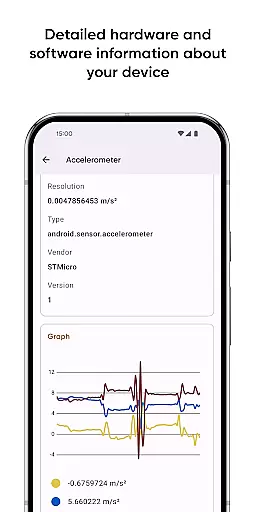
Castro Premium is a comprehensive device monitoring tool that provides real-time performance tracking and detailed system information. The app offers an extensive collection of data points, including processor statistics, battery monitoring, memory usage, network activity, and sensor readings.
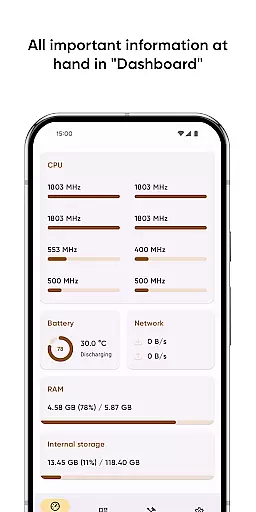
In addition to its robust monitoring capabilities, Castro features a user-friendly Dashboard that consolidates key metrics such as CPU usage, battery status, and network consumption. Power users can take advantage of advanced tools like screen testing, noise checking, and customizable widgets through the Premium subscription, making it an indispensable utility for both casual users and tech enthusiasts.
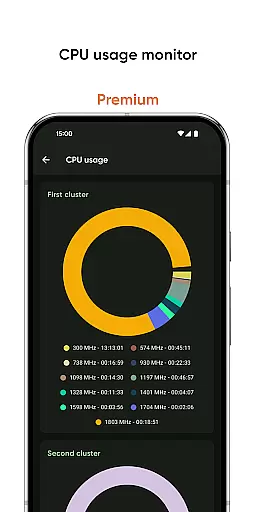
Castro Premium stands out with its wide array of monitoring features and customization options. The app provides detailed insights into CPU and GPU performance, battery health, memory consumption, and network usage through intuitive graphs and charts.
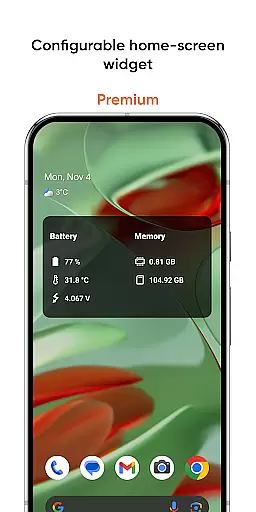
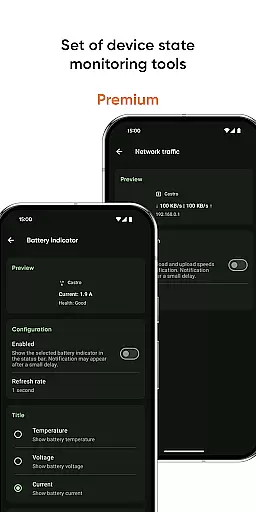
Premium subscribers gain access to enhanced functionalities including deep interface customization, configurable home-screen widgets, and specialized monitoring tools for battery properties and network traffic speed. These features ensure users can tailor their experience while maintaining optimal device performance.
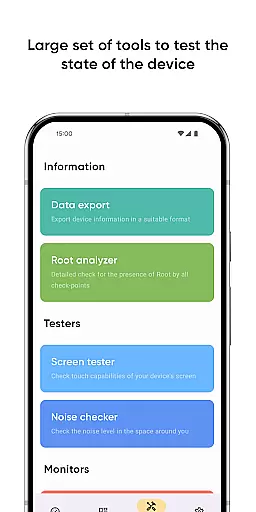
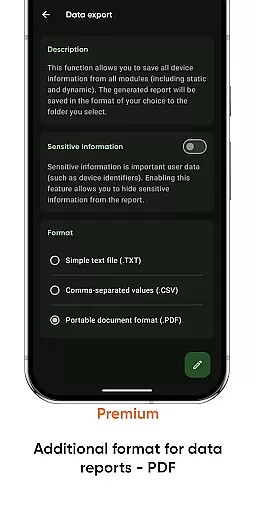
The app's ability to export device information in various formats, coupled with additional tools like screen testers and noise checkers, makes Castro a versatile solution for anyone seeking complete control over their device's operational status.
Castro Premium stands out in the Tools category by offering highly accurate and effective core functions that cater to users who need detailed insights into their device's performance. The app provides real-time monitoring of critical components such as CPU, GPU, battery, memory consumption, and network usage. This ensures that users can rely on the data provided to make informed decisions about their device usage and optimization.
The app processes a vast amount of information, presenting it through useful graphs and statistics. For instance, users can access detailed processor statistics, real-time sensor data, and camera specifications. These features are crucial for tech enthusiasts and professionals who require precise data for diagnostics or performance tuning. The accuracy of Castro's monitoring tools allows users to detect issues early and take necessary actions to maintain their device's health.
Moreover, Castro Premium enhances its functionality with specialized tools like the Screen Tester and Noise Checker. These tools add an extra layer of control and convenience, allowing users to test their display state and measure ambient noise levels. Such features not only improve user experience but also contribute to the overall effectiveness of the app in managing and monitoring device performance.
A key feature of Castro Premium is its commitment to providing a simple and intuitive interface despite the complexity of the data it handles. The Dashboard window exemplifies this by consolidating the most important informationu2014CPU usage, battery status, network usage, and memory loadu2014into an easily digestible format. This approach ensures that even users who are not interested in detailed technical information can still monitor their device's essential metrics without feeling overwhelmed.
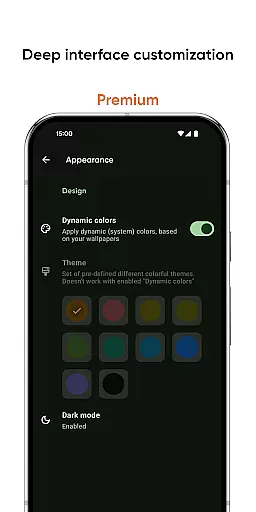
The app offers deep interface customization options for Premium users, including various colors and themes. This personalization allows users to tailor the app's appearance to their preferences, enhancing usability and ensuring a pleasant interaction every time they use the app. By focusing on user-centric design, Castro makes sophisticated tools accessible to a broader audience.
Additionally, practical features like configurable home-screen widgets and network traffic speed monitors further demonstrate the app's dedication to simplifying complex tasks. Users can track battery properties, memory usage, and connection speeds directly from their home screen, making device management seamless and efficient. This blend of powerful functionality with an intuitive interface underscores Castro Premium's value in the Tools category.
Comprehensive monitoring
User-friendly dashboard
Advanced customization
Real-time performance tracking
Export functionality
Premium features locked
Complex for beginners
Battery usage concerns
Occasional UI glitches
Limited free version

Quickly switch to an encrypted DNS server on Android TV
 4.50
4.50
A convenient photo, video, and file recovery tool.
4.00
A recovery soft,it features photo recovery, video recovery, file recovery.
3.40
Safely recover deleted photos, videos, and files with a single easy tap.
3.70
card-reader app
2.20
An easy-to-use calculator designed to save time calculating and bending conduit
4.30
Undelete and recover your lost or deleted files with DiskDigger!
3.40
Fun lie-detection pranks for friends and parties.
3.80
Mobile Security with Scam Protection | Malware & Virus Cleaner | Safe Browser
4.70
Support Fossify apps with a warm thank you!
5.00
Best leveling tool for your Android device. Hang paintings like a pro.
4.90
Easily install aab(Android App Bundle) files on your Android device with our app
4.80
ADB support Android 4.X-Android 13(Support wireless pair mode).No root required!
4.70
Protect your device with antivirus, storage cleanup, and system monitoring
4.70
Fluid navigation gestures for all of us!
4.30
Remote for Roku, Fire TV, Samsung TV, LG TV, Android TV, Chromecast and VIZIO TV
4.20
An open-source APK explorer for Android!
4.10
This app unlocks the Pro features of the Central for DayZ app
3.60
Clean the junk files on your device
3.40


User Reviews