
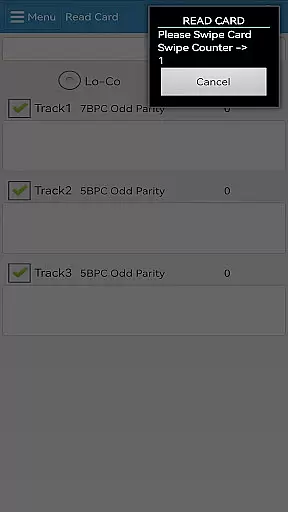
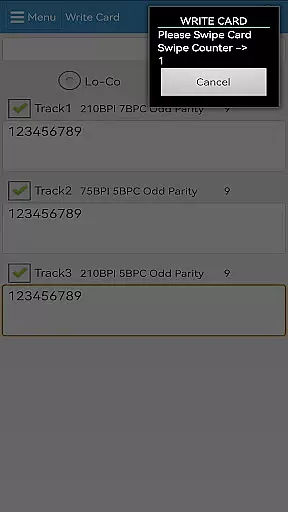
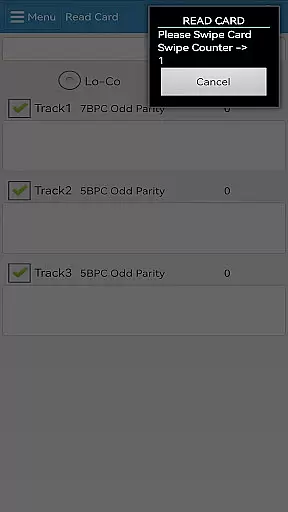
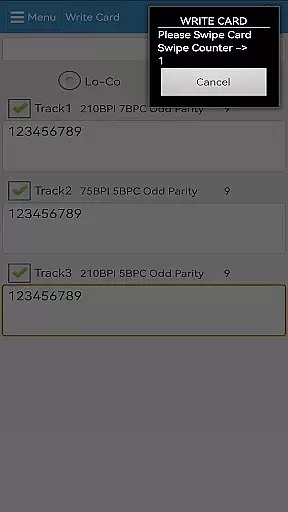
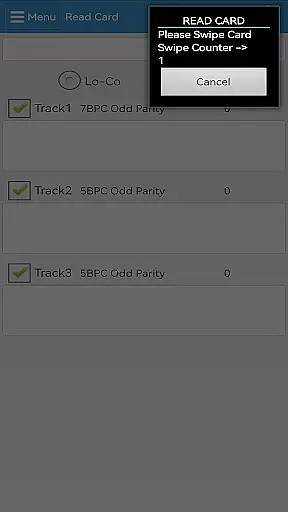

EasyMSR is a versatile tool application designed for wireless magnetic card reading and writing. This app establishes seamless Bluetooth connectivity between mobile devices, including Android platforms, allowing users to effortlessly interact with magnetic cards. With its user-friendly interface, EasyMSR transforms your mobile device into a portable card reader, making it ideal for businesses and individuals who require quick access to card information on the go.
The app's core functionality lies in its ability to securely read and write data from magnetic stripe cards. Whether you're managing customer loyalty programs, processing payments, or organizing membership databases, EasyMSR provides an efficient solution. Its compatibility with various devices ensures that users can operate it across different platforms, enhancing productivity and streamlining operations.
EasyMSR boasts a range of features that cater to both novice and experienced users. One standout feature is its robust Bluetooth integration, which enables reliable wireless communication with magnetic card readers. This eliminates the need for cumbersome cables and allows for greater mobility during operations. Additionally, the app supports multiple card formats, accommodating various industry standards and ensuring broad applicability.
Security is paramount in EasyMSR's design. The app incorporates advanced encryption protocols to safeguard sensitive cardholder data during transmission. Furthermore, customizable settings permit users to tailor their experience according to specific needs, such as adjusting read/write parameters or configuring automated tasks. These comprehensive features make EasyMSR an indispensable tool for anyone working with magnetic stripe technology.
EasyMSR is designed to provide precise and reliable magnetic card reading and writing capabilities. This functionality is crucial for businesses that require accurate data transfer between magnetic cards and mobile devices.
The app ensures effective performance by utilizing a stable Bluetooth connection. This wireless feature allows users to seamlessly interact with magnetic cards without the constraints of physical cables, enhancing operational efficiency.
Users benefit from the app's ability to maintain data integrity during transactions. Whether it's customer information or financial data, EasyMSR guarantees that all information is accurately captured and transmitted.
By focusing on core function accuracy, EasyMSR delivers a dependable tool for businesses relying on magnetic card technology. The app's effectiveness in reading and writing data via Bluetooth underscores its value in streamlining operations.
A straightforward and intuitive interface is essential for efficient user interaction. EasyMSR excels in providing an easy-to-navigate platform that minimizes the learning curve for new users.
The design prioritizes simplicity, ensuring that users can quickly access the app's features without unnecessary complexity. Clear icons and logical menu structures contribute to an intuitive user experience.
With EasyMSR, users appreciate the streamlined process of connecting to magnetic card readers via Bluetooth. The app reduces technical jargon, making it accessible even to those unfamiliar with similar technologies.
This focus on interface simplicity not only enhances usability but also boosts productivity. Users can perform their tasks more efficiently, thanks to the app's intuitive layout and straightforward operation.
User-friendly interface
Secure data transmission
Wide device compatibility
Customizable settings
Efficient performance
Limited card format support
Occasional connectivity issues
No cloud backup option
Basic UI design
Premium features require subscription

Just one-tap to easy translate in any language after calls within seconds.
 4.20
4.20
FV File Manager Pro, Fast and powerful file manager for Android
4.60
Head tracking for PC sim games such as MSFS 2024 or Elite:Dangerous. No headset!
4.50
Clean the junk files on your device
3.40
Small and simple app to Verify Root Access and BusyBox Install!
4.70
Detect hidden spy camera with advanced scanning {{ Premium version }}
4.00
Unleash gamepad precision for ultimate mobile gaming dominance.
3.90
Pro Emulator is an easy to use game console emulator for a range of consoles.
4.40
Enhance your Beats
3.70
Easily install aab(Android App Bundle) files on your Android device with our app
4.80
Excellent scientific calculator with symbolic algebra, integrals, derivatives
4.80
Monitor car performance in real time and troubleshoot malfunctions.
4.80
Optimize your WiFi network, turn your phone into Wifi Analyzer
4.70
Forza Tuning Calculator App for Forza Horizon 5, Motorsport and Earlier Titles
4.40
Making emulation easy for everyone!
4.30
Screen Mirroring with sound for Samsung TV, LG TV, Sony TV, Smart TV and Browser
4.20
Automate everything from settings to photos, SMS to speech. ADC2 prize winner.
4.10
Amateur Radio app for APRS: Track friends, exchange messages, get tactical info.
3.90
PDF Reader - Document Viewer: Read, Manage & Organize Your Documents
3.10


User Reviews