
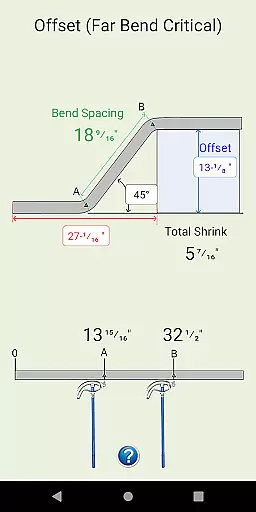
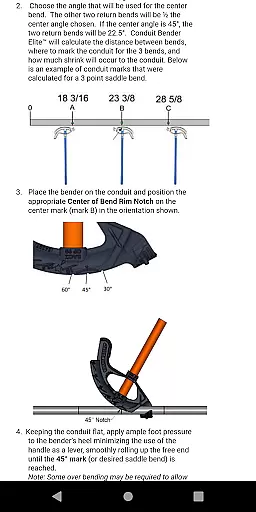
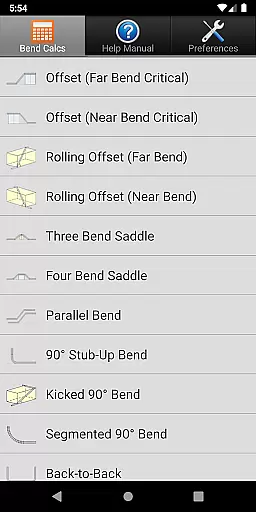
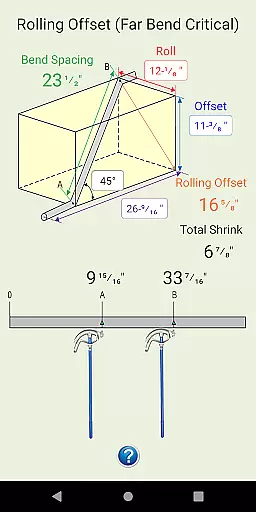
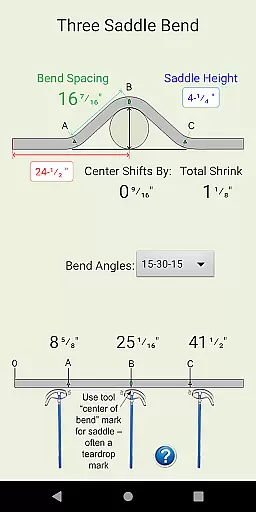
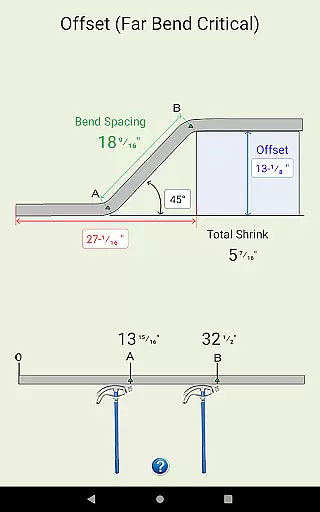
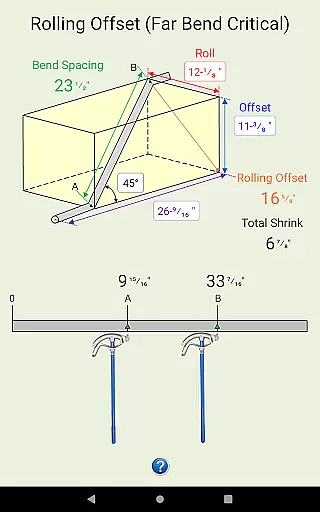
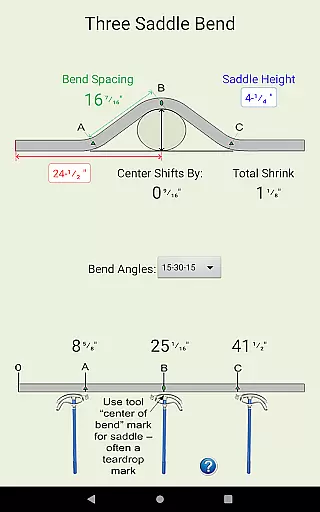
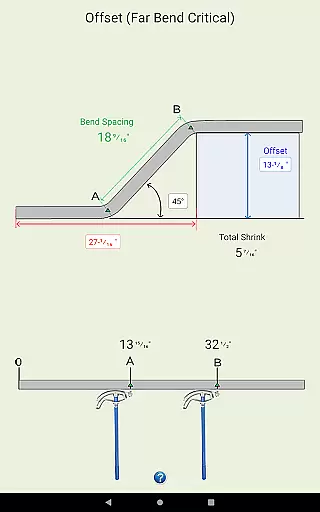
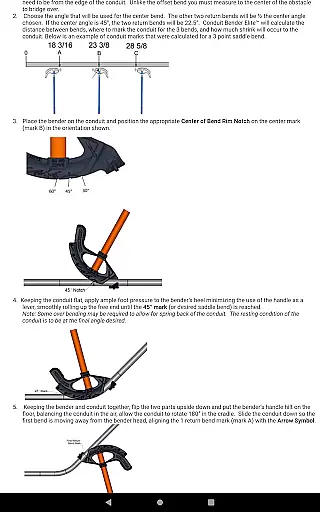
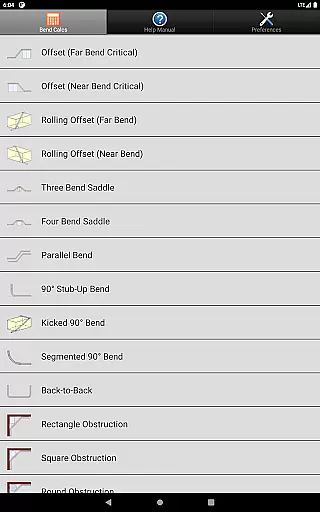
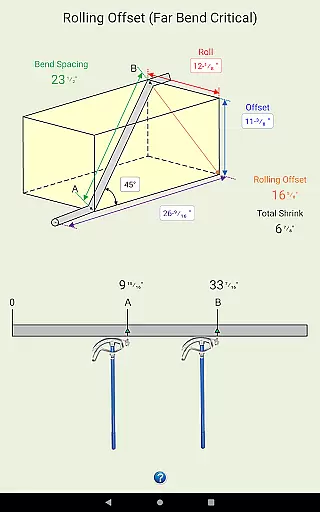
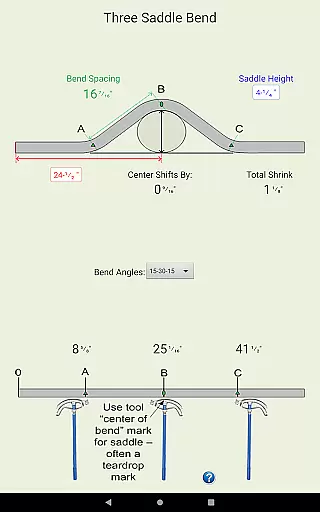
Conduit Bender Elite is a specialized calculator app designed to assist electricians in efficiently calculating, marking, and bending conduit. The app supports a wide range of bend types including Offset, Rolling Offset, Three Bend Saddle, Four Bend Saddle, and more, making it an indispensable tool for professionals in the field. With its intuitive interface and comprehensive diagrams, it simplifies complex calculations and allows users to focus on the installation process.
The app stands out with its step-by-step guidance for various bends and preference settings that enable calculations in either inches or centimeters. Customizable deduct settings for 90° bends accommodate different conduit sizes from ½” through 4”. Whether you're working on parallel bends or dealing with obstructions, Conduit Bender Elite provides the necessary tools to complete the job accurately and efficiently.
Ideal for both novice and experienced electricians, this app streamlines workflow by reducing calculation time and errors. Its compatibility with all new and existing Android devices ensures broad accessibility, while the developers' commitment to customer satisfaction guarantees a reliable and user-friendly experience.
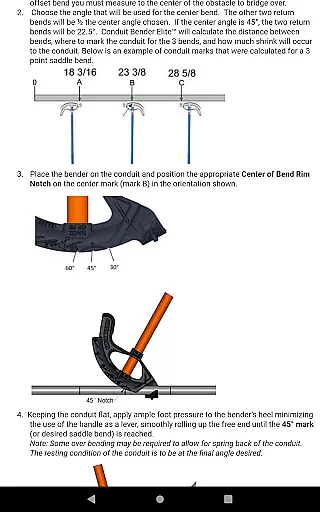
Conduit Bender Elite offers a robust set of features tailored to the needs of electricians. The app includes detailed diagrams and step-by-step instructions for performing various types of bends such as Offset, Rolling Offset, Three Bend Saddle, and Four Bend Saddle. These resources ensure precise calculations and successful execution of conduit installations.
One of the standout features is the ability to customize preferences for calculations in either inches or centimeters. Users can also adjust deduct settings for 90° bends across a range of conduit sizes from ½” to 4”, providing flexibility and precision. The app's support for multiple bend types, including those around obstructions, makes it versatile for different project requirements.
Additionally, Conduit Bender Elite emphasizes user support and satisfaction. The developers offer responsive tech support and are open to suggestions for future enhancements. This commitment ensures that the app remains up-to-date and continues to meet the evolving needs of its users, making it a reliable tool in any electrician's toolkit.
Conduit Bender Elite stands out for its precision and effectiveness in simplifying complex calculations for electricians. This app is designed to ensure that every calculation related to conduit bending is accurate, thus saving valuable time on the job.
The app supports a wide range of bend types including Offset, Rolling Offset, Three Bend Saddle, and more. Each calculation is backed by detailed diagrams and step-by-step guidance, ensuring that users can execute their bends with confidence and precision.
One of the key benefits of using Conduit Bender Elite is the customization it offers. Users can set preferences for calculations in either inches or centimeters and customize deduct settings for 90u00b0 bends across various conduit sizes. This flexibility ensures that the app adapts to individual work styles and requirements.
Ultimately, the app's core functions empower electricians to focus more on installation rather than getting bogged down by math. By streamlining these processes, Conduit Bender Elite enhances productivity and accuracy in electrical installations.
The interface of Conduit Bender Elite is crafted to offer simplicity and intuitiveness, making it accessible even to those who may not be tech-savvy. The design prioritizes ease of use without compromising on functionality, which is crucial for professionals working under demanding conditions.
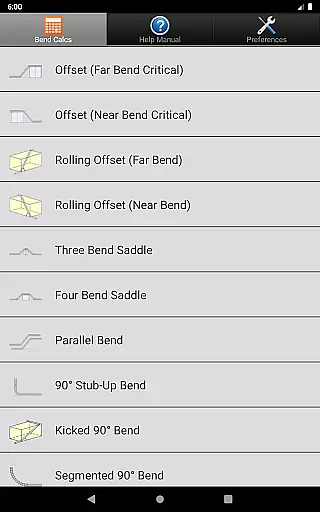
Upon opening the app, users are greeted with a straightforward layout where all necessary tools and settings are easily accessible. The main menu categorizes different bend types clearly, allowing users to quickly select and perform the required calculations without unnecessary complexity.
Additionally, the app provides visual aids and step-by-step instructions within an intuitive framework. These features guide users through each calculation process seamlessly, reducing the learning curve significantly and enabling quicker adoption in real-world applications.
By focusing on an intuitive user experience, Conduit Bender Elite ensures that electricians can utilize its full potential without needing extensive training or facing a steep learning curve, thus enhancing overall efficiency on the job site.
User-friendly interface
Comprehensive bend types
Customizable settings
Step-by-step guidance
Responsive customer support
Limited to conduit calculations
No offline functionality
Requires learning curve
Premium pricing
Device compatibility issues

 4.50
4.50
A powerful, easy-to-use flight computer on your phone or tablet!
3.80
Extremely fast, secure, and protects your privacy
4.80
Small and simple app to Verify Root Access and BusyBox Install!
4.70
Best leveling tool for your Android device. Hang paintings like a pro.
4.90
A non-root local ADB shell client. READ BELOW!
3.40
Connect wirelessly to your computer to watch movies, browse the web, play games
5.00
Protect your device with antivirus, storage cleanup, and system monitoring
4.70
Your personal health butler
3.60
Support Fossify apps with a warm thank you!
5.00
Easily install aab(Android App Bundle) files on your Android device with our app
4.80
ADB support Android 4.X-Android 13(Support wireless pair mode).No root required!
4.70
Creation, Learning, Entertainment & More — The All-in-One AI Search Engine
4.70
HD Video player and downloader for all formats, fast & smooth 4K video playback.
4.60
eXtended Permission Manager - a small app to manage permissions and AppOps
4.50
Effortlessly run ADB commands directly on your device without a PC.
4.20
Safely recover deleted photos, videos, and files with a single easy tap.
3.70
Unlock your Essential Key. Create custom shortcuts to your favorite apps!
4.5
Save any video in HD - paste the link, download fast and watch offline.
4.3


User Reviews