
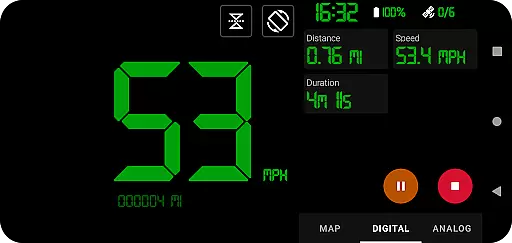
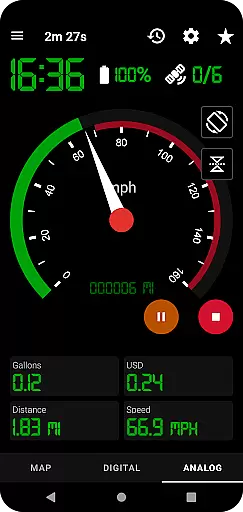
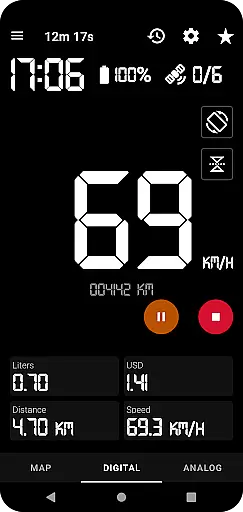
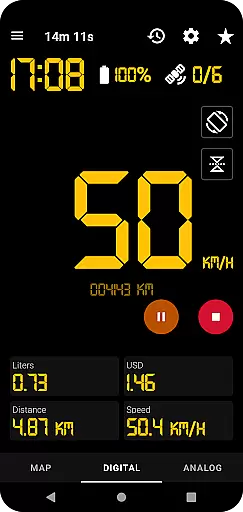
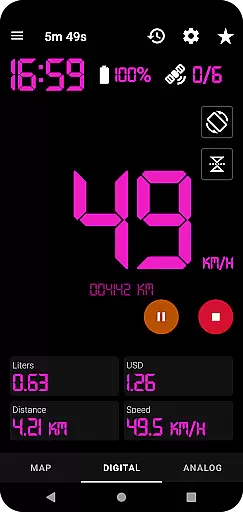
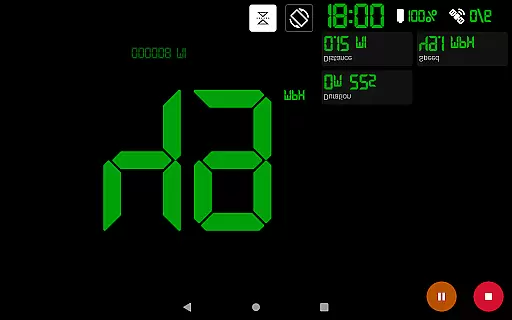
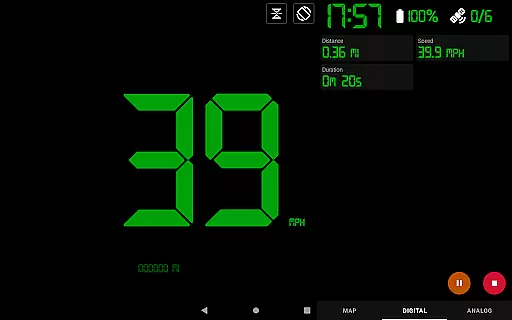
GPS Speedometer Pro is a comprehensive navigation and tracking application designed to monitor your speed, distance, and routes using your phone's built-in GPS. The app offers multiple display modes including analog, digital, and head-up display (HUD) options, making it versatile for various activities such as driving, running, or cycling. With its ability to operate in the background, users can multitask without interrupting their tracking sessions.
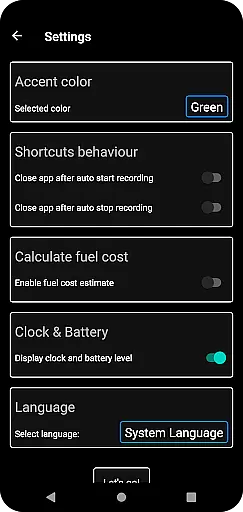
Beyond basic speed tracking, the app provides advanced features like fuel cost estimation, over-speed alerts, and odometer readings. Users can download their tracked routes in .gpx format for use with third-party software, replay saved routes, and even share locations or routes via images or text. Its customizable themes and map types ensure a personalized user experience while maintaining privacy by not requiring sign-ins or collecting personal data.
GPS Speedometer Pro stands out with its rich feature set tailored for both casual and power users. One of its key highlights is the ability to switch between different speedometer styles—digital, analog, and HUD—offering flexibility based on user preference or lighting conditions. The app also supports one-tap shortcuts for starting, pausing, or stopping recordings, ensuring ease of use during active sessions.
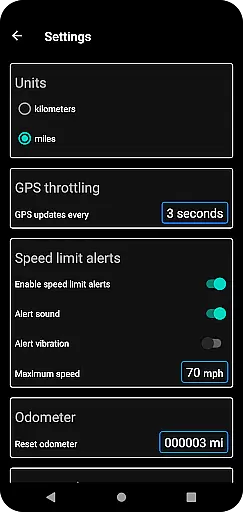
Additional functionalities include detailed route history, fuel cost estimations, and over-speed alerts that work even when the app runs in the background. Users can customize map types, toggle between units of measurement (kilometers/miles), and choose from portrait or landscape orientations. The inclusion of privacy-focused design ensures no personal data is collected, providing peace of mind while enjoying robust tracking capabilities.
Map accuracy is crucial for any navigation or tracking application, and GPS Speedometer Pro excels in this area. The app leverages your phone's built-in GPS to provide precise location data, ensuring that your routes are recorded with high fidelity.
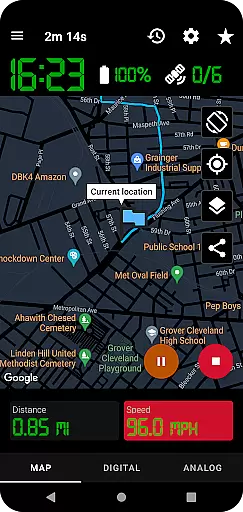
The app offers multiple map types including light, dark, and terrain views, allowing users to choose the most suitable option for their environment. This versatility ensures optimal readability and accuracy regardless of time of day or terrain type.
Additionally, the feature that allows the map to follow your current location while tracking guarantees that you're always aware of your position. Users can also download their routes in .gpx file format, which can be used in third-party software for further analysis, reinforcing the reliability of the data collected.
Effective route planning is essential for both everyday commutes and adventurous journeys, and GPS Speedometer Pro provides a comprehensive set of tools to facilitate this process. With functionalities such as setting maximum speed alerts, users can ensure they stay within safe limits, receiving notifications even when the app runs in the background.
The ability to pause, stop, and resume tracking at any time adds another layer of convenience to route planning. This flexibility allows users to manage their trips efficiently without worrying about continuous tracking draining their battery.
Moreover, the app includes an odometer and fuel cost estimation features, which contribute to better trip planning by providing insights into distance covered and potential expenses. Sharing options for current locations and recorded routes further enhance the utility, making it easier to communicate plans with others.
User-friendly interface
Accurate GPS tracking
Customizable display options
Background operation support
Privacy-focused design
Limited offline functionality
Premium features locked behind paywall
Occasional GPS inaccuracies
High battery consumption
Complex settings for beginners

Navigate with your watch and keep the phone in your pocket!
 4.60
4.60
Complete offline 1:50k South Island topo map including DOC Hunting Permit Areas
4.60
America’s largest public fast charging network, with over 500 charging stations.
4.50
Voice GPS with driving directions, offline maps navigation GPS for safe travel
4.50
Navigate confidently with our precise Digital Compass app & Direction Compass!
4.70
GPS Speedometer & Odometer: Track car, bike, truck speed & distance in real-time
4.70
Find routes fast with GPS Maps, GPS Navigation & driving directions.
4.10
MapQuest is your go-to app for maps, GPS, voice navigation & live traffic.
3.80
Navigate MTA, NJ Transit, MBTA, SEPTA, BART, MARTA, CTA & 900+ cities
4.60
Find AI powered cameras, ALPRs, and other surveillance infrastructure near you
4.70
Find EV & Tesla charging stations with PlugShare
4.70
CamSam PLUS - The speed and red light camera warning system!
4.40
Plan routes, share locations, and set custom alert zones
4.40
Navigate seamlessly with Real-Time Traffic, Offline Maps, and Voice Navigation.
4.10
Get route, find shortest path, near by places and weather update
3.90
Explore offline maps with radar, satellite view, and real-time alerts.
3.60
Ride CTA, Metra & Pace: Manage your fares, buy Metra tickets, get arrivals.
3.00
Explore the world with Live Satellite View, 3D Maps, GPS Navigation & Earth Map.
2.90
Compass is an accurate compass and a great tool for any outdoor activities
4.1


User Reviews