
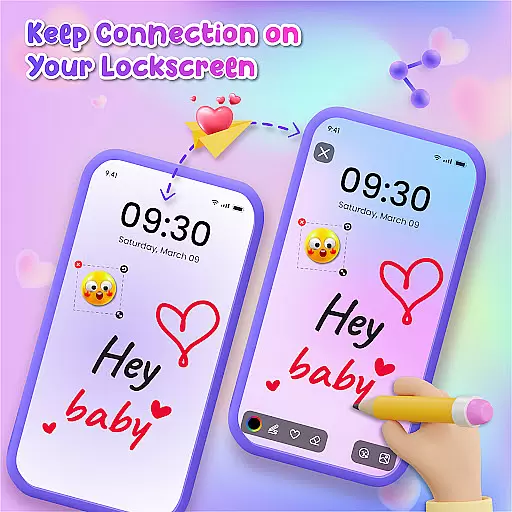
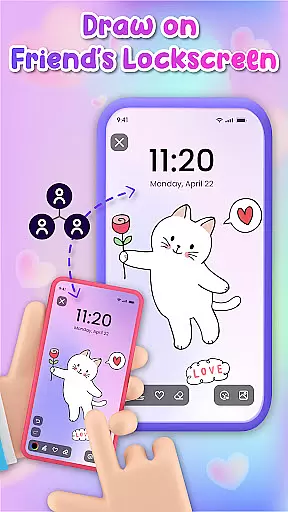
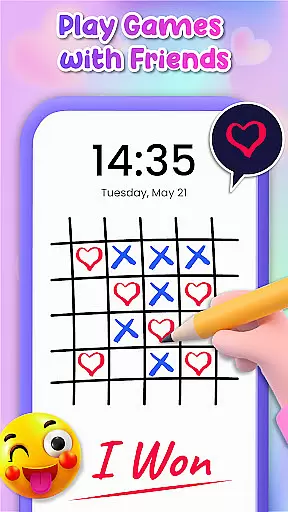
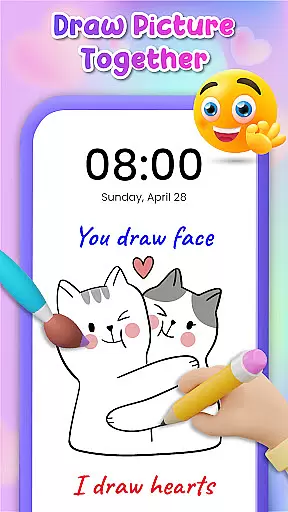
Lockscreen Drawing is a unique personalization app that transforms your phone's lock screen into an interactive canvas. This innovative application allows users to draw directly on their lock screens, share creations instantly with friends, and collaborate in real-time.
The app offers multiple drawing options including lock screen doodling, widget-based connections, and an in-app canvas for more detailed artwork. With over 100 stickers and 20 themed backgrounds, it provides diverse creative possibilities while enabling social interaction through art.
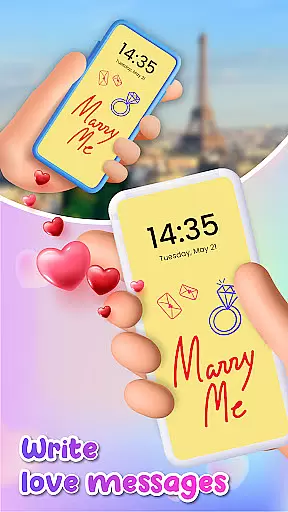
This functionality proves especially valuable for couples and close friends who want to surprise each other with personalized messages or drawings that appear every time they unlock their phones.
Lockscreen Drawing stands out with its comprehensive set of creative tools and collaborative features. The app's signature function enables live lock screen drawing that appears simultaneously on connected devices, creating a shared artistic experience.
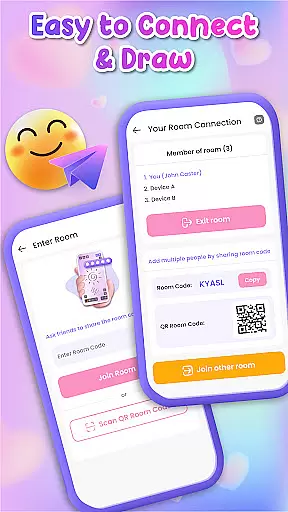
Users can choose from various backgrounds, utilize over 100 unique stickers, and access a special widget for quick connections. The app supports multiple connection methods including QR codes, links, and special codes, making it easy to find and interact with friends.
Additional features include an in-app canvas for more detailed work, the ability to save creations, and options to personalize drawings with different backgrounds and decorative elements. These functions collectively create a versatile platform for both casual doodling and meaningful artistic expression.
Lockscreen Drawing offers a rich variety of customization options that allow users to express their creativity in unique ways. With over 100 stickers and 20 themed backgrounds, the app provides endless possibilities for personalizing your lock screen art.
The app's customization extends beyond static images. Users can choose from different backgrounds, including photos from their gallery, creating a personalized canvas for every creation. This flexibility ensures that each user's lock screen reflects their individual style and mood.
Moreover, the ability to draw directly on the lock screen or within a special widget adds another layer of customization. Whether you're an aspiring artist or simply looking for a fun way to personalize your device, Lockscreen Drawing empowers you to make your smartphone truly yours.
This extensive customization capability not only enhances user engagement but also fosters a deeper connection with the device, transforming a simple lock screen into a dynamic platform for self-expression.
Theme compatibility is a crucial aspect of Lockscreen Drawing's design philosophy. The app seamlessly integrates with various themes, ensuring that users can maintain visual consistency across their devices while enjoying creative freedom.
Users can select from multiple pre-designed themes or create their own combinations using available backgrounds and stickers. This flexibility allows for perfect synchronization between the lock screen artwork and the overall device aesthetic.
The app's compatibility extends to its collaborative features as well. Friends can share doodles without worrying about theme conflicts, maintaining a cohesive appearance regardless of individual device settings.
This thoughtful approach to theme compatibility demonstrates the app's commitment to providing both creative freedom and visual harmony, making it an ideal choice for users who value both personalization and design consistency.
User-friendly interface
Real-time collaboration
Variety of creative tools
Easy sharing options
Unique social feature
Limited professional tools
Potential battery drain
Privacy concerns
May distract users
Basic free version

Ninja Turtles Cowabunga SE watch face for Wear OS
 4.50
4.50
Prank your friends with realistic broken screen and cracked HD effects!
4.1
Adult video chat, dating, making friends, random matching
4.20
Dark icon pack based on One 8
4.80
Customizable screen pets that play, climb, and keep you company.
4.50
App Icon Changer & Shortcut Creator. Customize your icons without any watermarks
4.30
HappyLighting is a Bluetooth lamp control software.
3.40
300+ widgets inspired by Material You and Material 3 expressive design.
4.60
Magic fluids wallpaper 4D: Relax with stunning fluid simulation wallpaper app
4.20
100+ Stylish Fonts, Emojis, Symbols keyboard for Instagram & TikTok!
4.80
Vertically oriented rectangular icons
4.70
Personalize your phone with stunning HD and 4K wallpapers!
4.70
Unique Android Launcher
4.60
Over 28,000 high quality icons to bring color & homogeneity to your phone.
4.60
Icons made of colorful linear lines
4.60 4.50
4.50
200+ Material Inspired Widgets
4.50
Create unique, fun emojis with Funny Emoji Maker! Unlimited creativity!
4.00
Customize glowing edges, wallpapers, and caller screen with EdgeAura.
3.50


User Reviews