
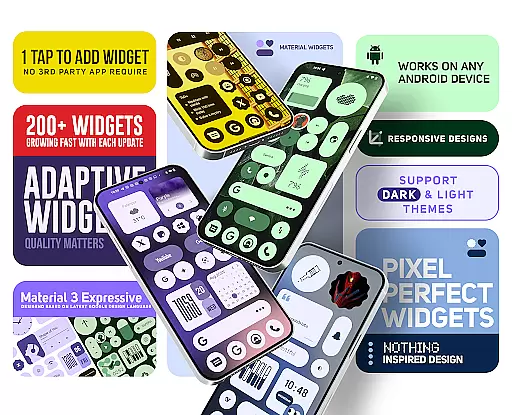
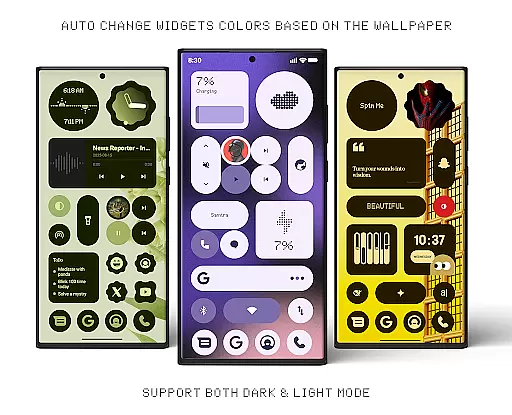
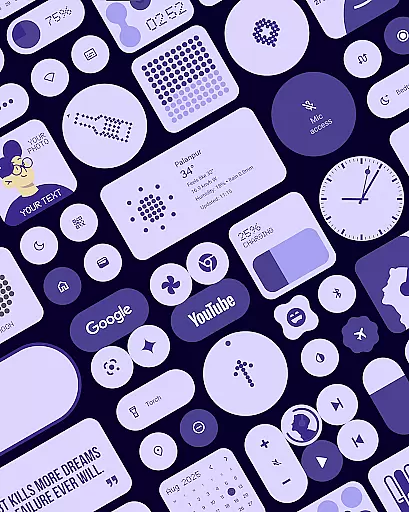
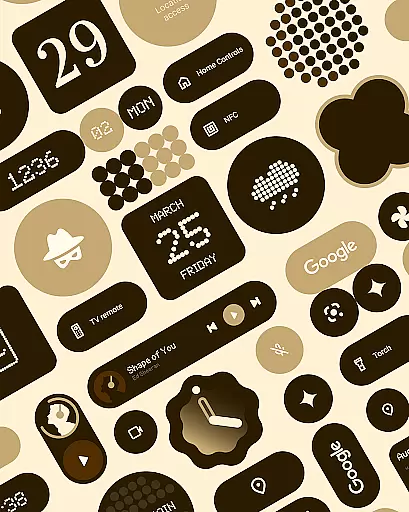
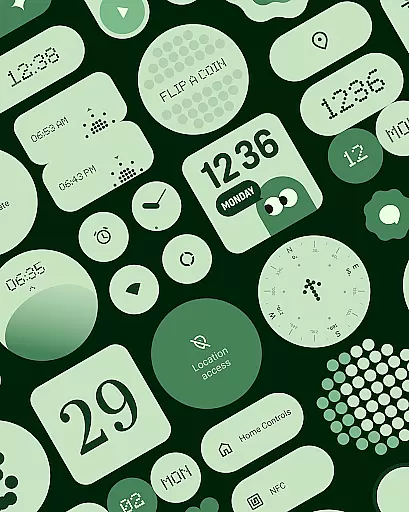
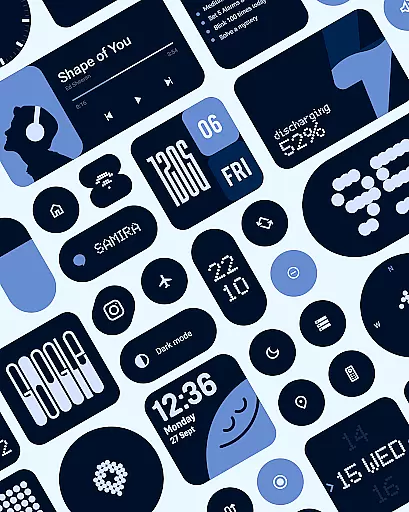
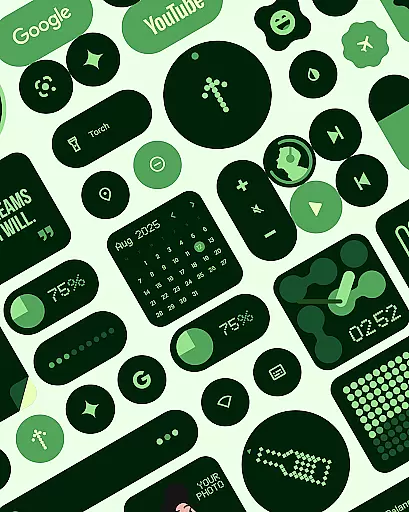
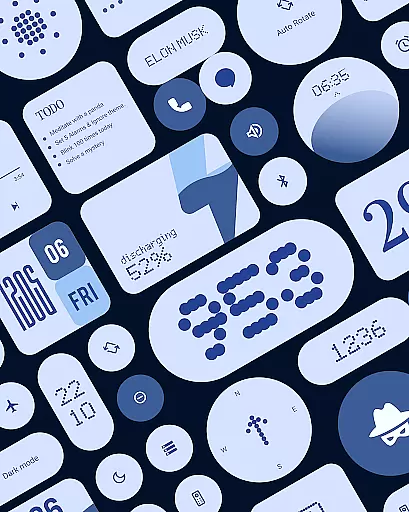
Material Widgets is a personalization app that brings Google's Material 3 design to your home screen. With over 200 widgets, it offers dynamic theming that adapts to your wallpaper and system colors, ensuring a fresh and personalized experience.
The app provides a variety of widget types including clocks, calendars, weather, and quick settings, all designed with modern shapes and bold typography. These widgets are fully resizable, giving users complete control over their home screen layout.
Whether you want to track your steps, check the weather, or organize your tasks, Material Widgets allows you to create a home screen that reflects your style and needs. It's an ideal choice for those who value both aesthetics and functionality in mobile personalization.
One of the standout features of Material Widgets is its native functionality. Unlike other widget packs, it doesn't require third-party apps like KWGT. Users can simply tap and add widgets directly to their home screen.
The app includes a wide range of widget categories such as battery indicators, weather forecasts, and productivity tools. Each widget is designed to be adaptive, working seamlessly in both dark and light modes while maintaining visual consistency.
Material Widgets also offers matching wallpapers, creating a cohesive look across your device. The developers are actively adding new widgets, ensuring the app stays up-to-date with the latest design trends and user needs.
Material Widgets offers an extensive range of customization options that allow users to tailor their home screens with over 200 widgets. These widgets include clocks, calendars, weather indicators, and even mini-games, ensuring a personalized experience.
The app's adaptive design means each widget can dynamically adjust its colors based on your wallpaper, providing a fresh look whether in dark or light mode. This seamless integration creates a unique home screen that feels inherently yours.
With features like resizable widgets and expressive Material 3 design, users have complete control over the layout and appearance. The modern shapes and bold typography enhance usability while maintaining aesthetic appeal.
Additionally, the inclusion of matching wallpapers complements the widgets, completing the personalized setup. Users can choose from 100+ Material You-inspired wallpapers, ensuring their home screen is not only functional but also visually cohesive.
Material Widgets ensures excellent theme compatibility by automatically adjusting to system colors and wallpaper changes. This feature allows for a harmonious and visually pleasing interface that aligns with Googleu2019s Material 3 design guidelines.
The app provides a native experience without requiring third-party apps like KWGT, making it easy to add widgets that perfectly match your device's current theme. Whether you prefer minimalistic or vibrant designs, the widgets adapt seamlessly.
Each widget is crafted to maintain visual consistency across different themes, ensuring that elements like battery indicators and weather forecasts remain stylish and relevant. This attention to detail enhances user satisfaction and engagement.
Furthermore, regular updates and new widget additions keep the content fresh and aligned with evolving design trends. Users can enjoy peace of mind knowing their home screen will always reflect the latest in expressive theming capabilities.
Native widget support
Dynamic color adaptation
Wide widget variety
Regular updates
Matching wallpapers
Limited customization
No iOS support
Some widgets basic
Occasional bugs
Android only

A light in the dark, a unique style and an andless cutomization!
 4.30
4.30
Winter's Journey: digital watch face for Galaxy Watch & Wear OS
4.80
Over 28,000 high quality icons to bring color & homogeneity to your phone.
4.60
Unique Fonts, typefaces and stylish text. Fonts for Instagram, Whatsapp & others
4.20 4.50
4.50
Your go to Weather App & Home Screen. Get your weather at a swipe of a finger!
3.80
Handcrafted pixel art icons, widgets & wallpapers
4.60
400+ Beautifully crafted widgets inspired by NOTHING.
4.70
350+ widgets with a premium glass-style finish, perfect for home & lock screens.
4.70
Customizable Glass widgets. Over 360+ stunning widgets and more!
4.70
Add cute Shimeji pets to screen, interact with them and relax with cute motions
4.60
Zip lock screen with magic wallpaper to decorate your phone with fun zipper lock
4.60
Customize your home screen with stunning themes, blur, widgets & icons.
4.60
300+ Beautifully crafted widgets inspired by OneUI.
4.60
Color phone with cool effects for call screen, flash alert & ringtones music
4.50
Themes - Widget & Wallpaper: Customize home screen, icon changer w unique themes
4.30
Customizable flower power digital watch face for Wear OS watches.
4.00
Customize glowing edges, wallpapers, and caller screen with EdgeAura.
3.50
Interactive Miniature Painting Catalogue
3.30


User Reviews