
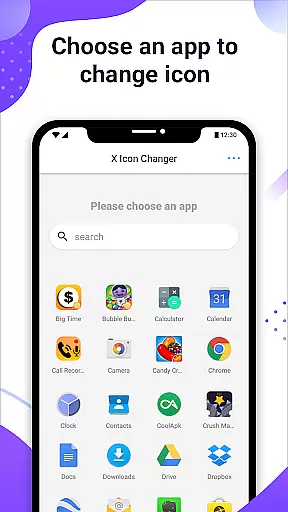
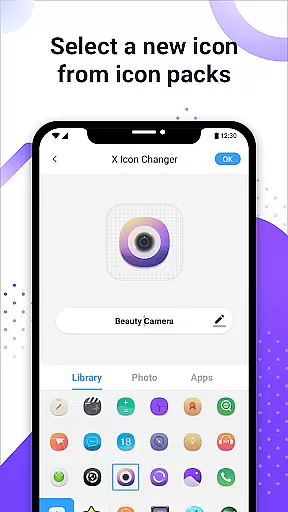
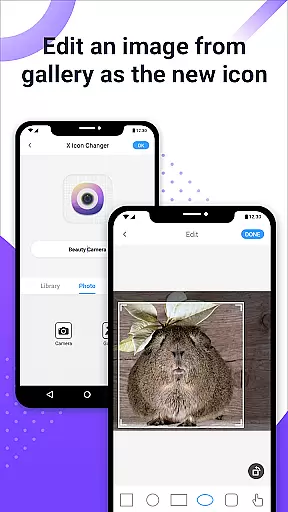
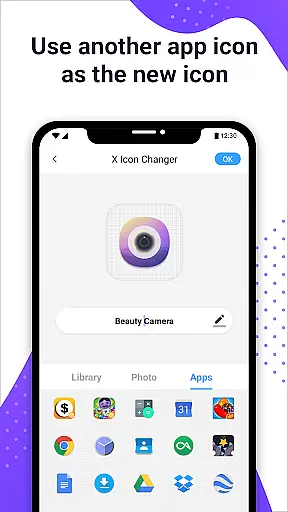
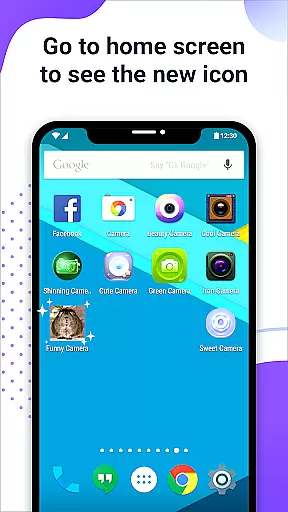
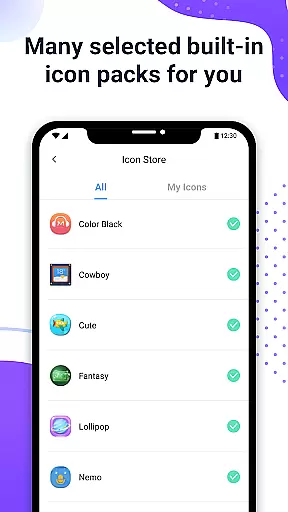
X Icon Changer is a free personalization app that allows users to customize and change icons for any app on their Android device. With access to built-in icon packs, personalized third-party options, and the ability to choose from gallery images or other app icons, this tool offers extensive customization possibilities.
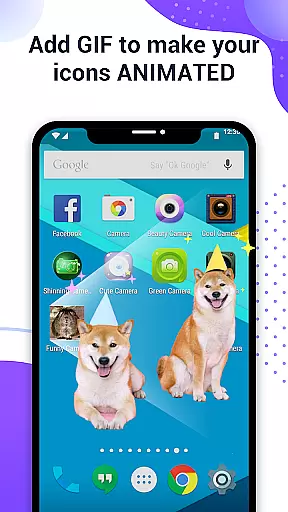
The app creates shortcuts with new icons on the home screen and even allows adding GIF animations to app launches. A notable feature includes bypassing Android 8.0's watermark restrictions through widget technology, ensuring clean, watermark-free icons.
Perfect for users looking to personalize their phone's appearance, X Icon Changer provides an easy yet powerful way to enhance device aesthetics without technical expertise.
X Icon Changer stands out with its comprehensive customization features. Users can select new icons from various sources including built-in icon packs, third-party packs, gallery photos, or existing app icons. The option to edit app names adds another layer of personalization.
A unique functionality is the ability to add GIF animations to app launches, making interactions lively and fun. Additionally, the app provides a solution to avoid Android 8.0's automatic watermarking by using widgets, allowing users to place completely customized icons directly on their home screen.
With intuitive navigation and all features available for free, X Icon Changer ensures both accessibility and flexibility in personalizing your device.
X Icon Changer offers an extensive range of customization options, allowing users to personalize their app icons effortlessly. With the ability to choose from built-in icon packs, gallery images, other app icons, or third-party icon packs, this application ensures that your Android phone reflects your unique style.
The app's intuitive interface makes it simple to select and apply new icons. Users can browse through a vast library of icon designs, catering to various tastes and preferences. Whether you prefer minimalist aesthetics or vibrant themes, X Icon Changer provides the tools necessary for crafting a personalized home screen experience.
Additionally, the option to edit app names adds another layer of customization. This feature enables users not only to change visual elements but also to rename apps according to their liking, enhancing both functionality and personal expression on their devices.
Ensuring seamless integration with existing themes is crucial for maintaining visual consistency across devices. X Icon Changer excels in theme compatibility by offering a diverse selection of icon packs that align perfectly with different design schemes. Users can rest assured that their chosen icons will harmonize beautifully with their current setup.
For those using custom launchers or specific UI frameworks, X Icon Changer supports these environments without compromising performance or appearance. The app intelligently adapts its resources to match prevailing aesthetics while preserving high-quality graphics and smooth animations during transitions.
Moreover, advanced features like widget-based solutions eliminate unwanted watermarks on shortcuts created post Android 8.0 updates. By leveraging innovative techniques, X Icon Changer guarantees pristine visuals regardless of underlying system constraintsu2014empowering users to enjoy fully customized interfaces free from distractions.
Completely free to use
Wide variety of icon choices
Easy-to-follow customization process
Supports animated GIF integration
Bypasses Android 8.0 watermark restrictions
Limited to Android devices
Requires manual widget setup for watermark removal
Some third-party packs may require downloads
Customization limited to visual elements
Dependent on device compatibility

Only for Wear OS devices!
 4.90
4.90
Transform your phone with Launcher iOS 26 - Smooth & elegant iOS experience
4.50
Make your phone look simple & luxury, like iDevice
4.60
AI-powered Copilot. Personalized keyboard with gifs, stickers & themes
4.40
Interactive Miniature Painting Catalogue
3.30
Ultimate widget creator. Design custom widgets for a truly unique home screen!
3.90
Organize and manage your photos and videos effortlessly with Photo Gallery
4.20
200+ Material Inspired Widgets
4.50
Your home screen, just the way you like it.
3.80
A Colorful and Minimal icon pack in an Outline Style - Over 13,600 icons!
4.70
300+ Stunning and well-designed widgets inspired by NOTHING.
4.70
Icons made of colorful linear lines
4.60
300+ widgets inspired by Material You and Material 3 expressive design.
4.60
Beautiful realistic hybrid watch face with numerous customization options.
4.50
Turn text & photos into stunning AI videos, art, and creative visual stories.
4.50 4.50
4.50
Color phone with cool effects for call screen, flash alert & ringtones music
4.50
Emoji Maker app - Design custom emojis and effortlessly blend them with Mixer
3.80
Adaptive Dot Style IconPack with Light & Dark Theme.
3.70


User Reviews