
MobileSheets is a premier sheet music viewer designed specifically for Android tablets, offering musicians an efficient and versatile solution for managing and accessing their music library. With its comprehensive feature set, the app eliminates the need for physical sheet music by providing instant access to any score directly on your device.
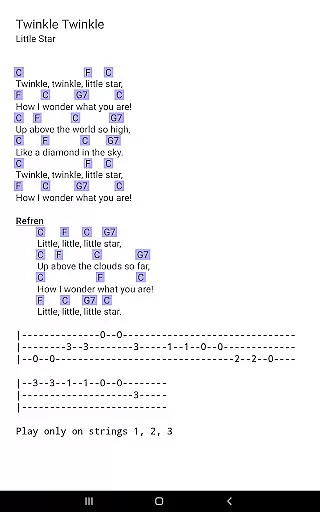
The application supports multiple file types including PDFs, images, and chord pro files, while offering advanced functionalities such as hands-free page turns, annotations, and a metronome. Whether you're a professional musician or a hobbyist, MobileSheets enhances your practice and performance experience by streamlining music management and playback.
Ideal for rehearsals, performances, or personal practice sessions, MobileSheets empowers musicians to focus on their art without the hassle of traditional sheet music. Its intuitive interface and customizable options make it an indispensable tool for modern musicians.
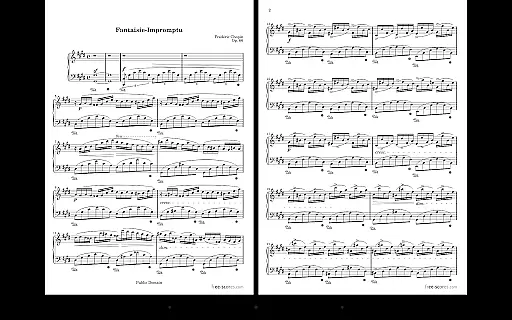
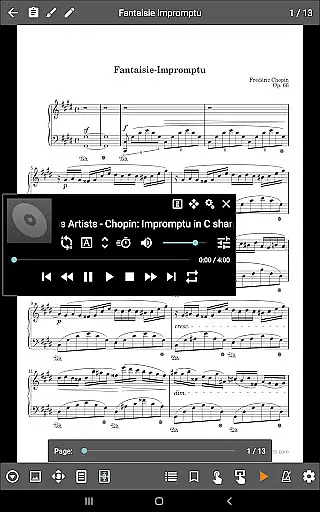
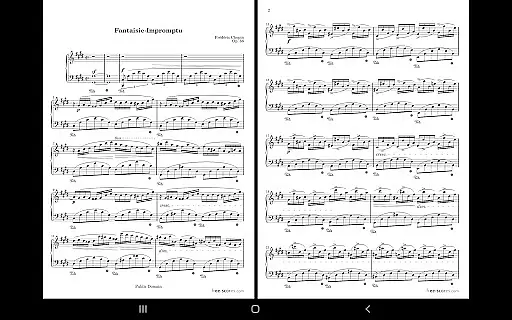
MobileSheets boasts an array of features tailored to meet the needs of musicians. The app offers multiple viewing modes, including side-by-side pages, half-page turns, and vertical scrolling, ensuring a seamless reading experience. Additionally, its hands-free page-turning capability, supported by Bluetooth or USB devices, automatic scrolling, and face gestures, allows for uninterrupted performances.
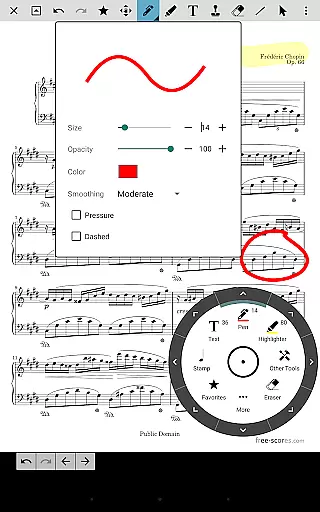
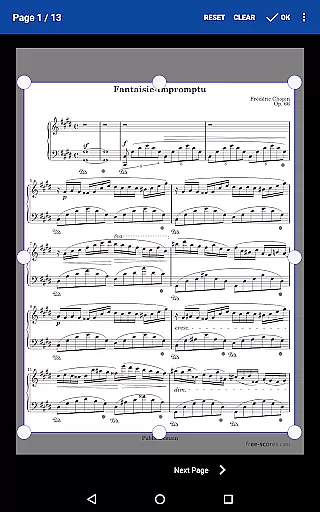
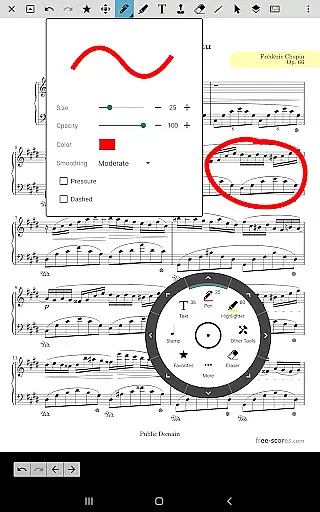
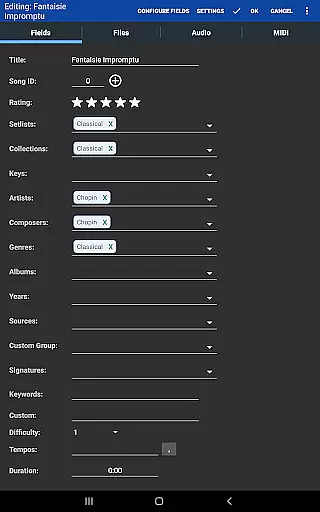
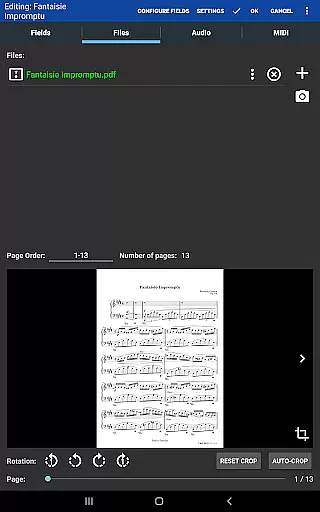
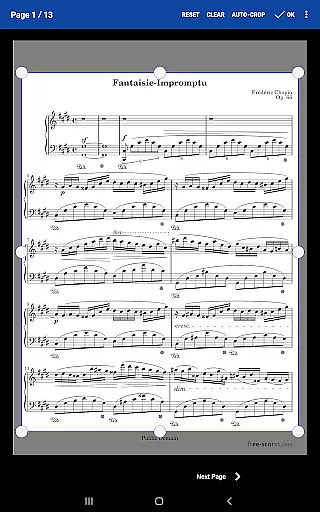
One standout feature is the annotation tool, which enables users to mark up their scores with freeform drawing, shapes, text, and stamps. This functionality is complemented by a custom audio player that supports A-B looping, making it perfect for practice sessions. Furthermore, the app's library management system provides extensive metadata fields, giving users complete control over their music collection.
MobileSheets also includes practical tools like bookmarks, link points for repeats, and smart buttons that trigger configurable actions. These features collectively enhance the user experience, making MobileSheets a powerful companion for musicians who demand efficiency and flexibility in their workflow.
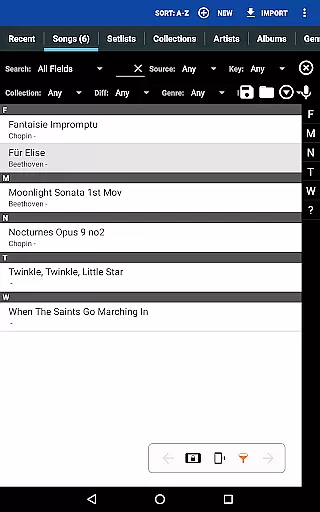
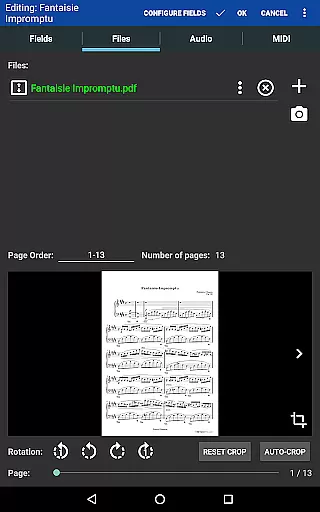
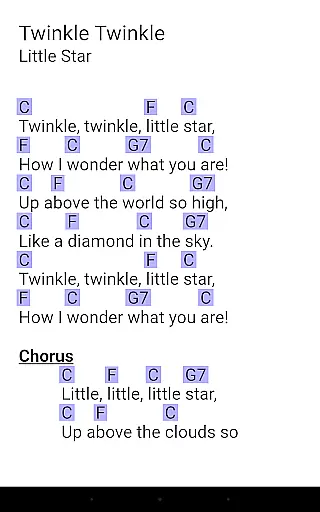
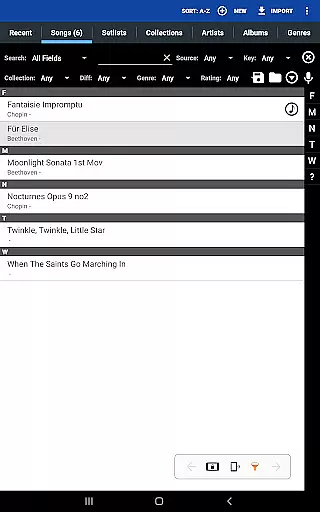
MobileSheets offers an extensive music library management system that supports a wide range of file types including PDFs, images, text files, and chord pro files. This versatility allows musicians to digitize their entire music collection, making it accessible from their Android tablets.
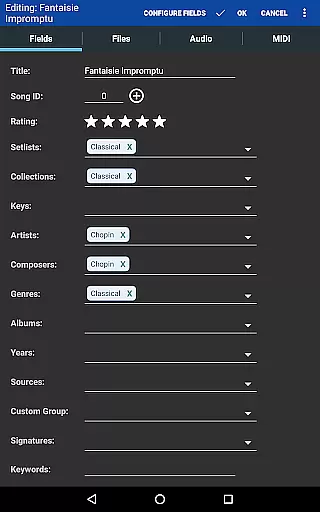
The application ensures copyright authenticity by allowing users to import only legally acquired sheet music. It does not include any pre-loaded scores, reinforcing the importance of using legitimate content. Users can organize their imported files with a comprehensive metadata system, ensuring proper cataloging and easy retrieval.
With MobileSheets, musicians have complete control over their library data. The app's powerful features enable efficient grouping of songs into setlists and collections, streamlining preparation for performances or practice sessions. This meticulous organization underscores the app's commitment to maintaining the integrity of copyrighted materials while providing unparalleled convenience.
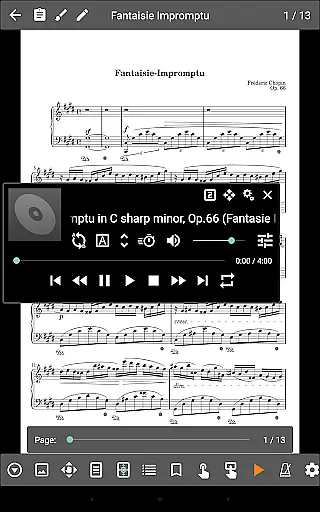
While MobileSheets primarily focuses on sheet music management, it also includes a custom audio player designed specifically for musicians. This feature supports high-quality audio playback with A-B looping capabilities, enabling precise practice sessions and performance preparation.
The audio player offers multiple display sizes, allowing users to customize their viewing experience while listening to backing tracks or reference recordings. Although the application cannot play back PDFs or images, it excels in handling audio files associated with sheet music, providing clear and accurate sound reproduction.
MobileSheets maintains exceptional audio quality through its specialized player, which is optimized for musical purposes. The ability to loop specific sections of audio tracks enhances practice efficiency, while the synchronization of audio with corresponding scores creates a comprehensive learning environment for musicians.
Comprehensive feature set
Supports multiple file types
Hands-free operation
Customizable interface
Efficient library management
No built-in playback for PDFs
Optimized for larger tablets
Separate e-ink version
Companion app not included
Requires manual setup

Turn your phone into a musical instrument from the future!
 3.90
3.90
The Cubase remote control app
3.60
Full-featured, High-Quality Groovebox Workstation, perfect for Live Performance!
4.80
Time Trainer: accurate metronome w tools to help you develop your internal time!
4.20
VB-AUDIO Software / VBAN-Receptor allows listening to any VBAN Streams
4.10
Network/Cloud Streaming, Visualization, Graphic Equalizer and Sound Effects.
4.20
Guzheng Master supports many playing techniques as an acoustic Guzheng
4.50
A complete sound package for the sound engineer or enthusiast
4.60
Play KORG’s revolutionary touch-based instrument on a variety of devices.
4.40
Voice recorder - Audio recorder. Best recorder for recording
4.90
Unleash your creativity! Turn simple prompts into full fledged songs.
4.70
Over 100 million tracks available for high quality streaming and download
4.60
Bass Booster & Volume Equalizer Pro improves your music and video sound quality
4.60
Save hundreds of dollars for a physical strobe tuner and instead use this app.
4.50
Manage your Sonos system directly from your home-screen!
4.40
Bass Booster Pro takes auto-equalizing to the next level!
4.30
Permanently backup Now Playing. Maps, filters & listening stats.
4.00
Offline Tunes, Unlimited Vibes
3.90
Powerful beat maker & DJ mixer to remix tracks, make music, & perform DJ mix
3.70


User Reviews