
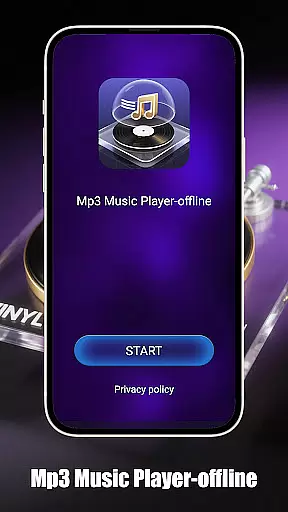
Mp3 Music Player - Offline is a sleek and no-frills music player designed for true music lovers who want to enjoy their local MP3 files without the need for an internet connection. With powerful playback controls, users can experience music like never before.
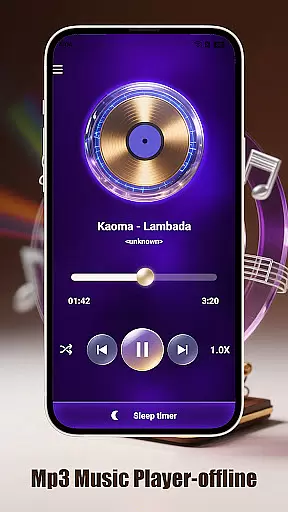
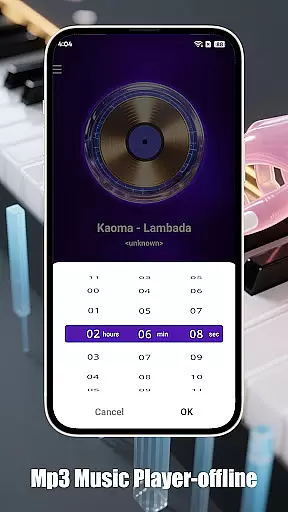
Key features include smart playback modes such as loop, shuffle, or single-track playback, adjustable speed for podcasts or learning, and a sleep timer to save battery. The app also offers effortless local music access by browsing and playing songs by folder, artist, or album, with an ultra-fast search function. Designed for focus, it provides a landscape-optimized UI for an immersive full-screen experience, a minimalist interface free from ads and distractions, and is lightweight and battery-friendly.
This app stands out with its powerful playback controls and smart playback modes. Users can choose between loop, shuffle, or single-track playback, and adjust the speed from 0.5x to 2.0x, making it perfect for various listening preferences and needs.
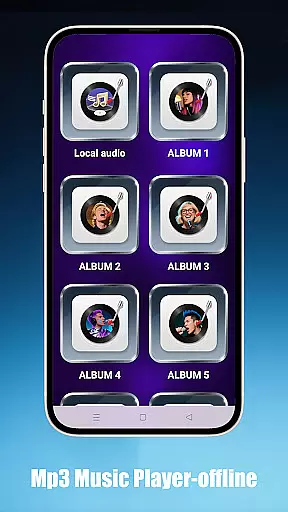
In addition to its playback capabilities, Mp3 Music Player - Offline offers effortless local music access. Users can browse and play songs by folder, artist, or album, and find tracks instantly with the ultra-fast search function. The app's design is focused on providing an immersive and distraction-free experience, featuring a landscape-optimized UI, a minimalist interface with no ads, and a lightweight build that is battery-friendly.
When it comes to music players, the size and authenticity of the music library are crucial factors. Mp3 Music Player - Offline focuses on allowing users to play their local MP3 files without the need for internet connectivity. This ensures that users have complete control over their music collection while maintaining copyright legality.
The app supports a wide range of local music files, enabling users to organize and access their tracks effortlessly. Whether sorting by folder, artist, or album, users can browse their personal music library with ease. The ultra-fast search feature ensures that finding specific tracks is instantaneous, enhancing the overall user experience.
By concentrating on local file playback, this music player avoids the complications of streaming services and copyright issues associated with online music libraries. Users can rest assured that their music listening is both private and legal, offering peace of mind alongside an excellent audio experience.
Audio quality is a significant aspect of any music player application, determining the richness and clarity of sound output. Mp3 Music Player - Offline provides various features that contribute to an enhanced listening experience, focusing on high-quality audio playback for its users.
One notable feature is the adjustable playback speed, which ranges from 0.5x to 2.0x. This functionality is particularly beneficial for those who use the player for educational purposes or podcast listening, as it allows for greater flexibility in consuming audio content at different speeds without compromising quality.
In addition to speed adjustments, the minimalist interface ensures that no distractions interfere with the audio experience. The lightweight design not only conserves device battery but also optimizes performance, ensuring smooth and uninterrupted playback. These combined features make Mp3 Music Player - Offline a top choice for discerning listeners who value both functionality and audio fidelity.
User-friendly interface
Powerful playback controls
Offline functionality
Effortless music access
Battery-friendly design
Limited to local MP3 files
No social sharing options
Basic UI design
No cloud integration
May lack advanced features

 4.70
4.70
Full-featured, High-Quality Groovebox Workstation, perfect for Live Performance!
4.80
Permanently backup Now Playing. Maps, filters & listening stats.
4.00
The ultimate media player for Android devices
3.90
Simple mp3 and mp4 player with advanced features.
3.40
Turn your Android phone into a professional audio analyser with up to 120 bands.
4.00
Responsive piano with great sounds, graphics, and songs
4.80
Sing, record, and create music together — enhanced by smart voice tools.
4.00
Turn Every Moment into Music
3.60
24,000 free audio books and no ads!
4.90
Make songs with AI! Any genre, custom lyric, song generator for music creation!
4.80
Unleash your creativity! Turn simple prompts into full fledged songs.
4.70
SqueezePlayer turns your Android phone or tablet into a SqueezeBox on its own!
4.60
Learn the notes on the guitar fretboard fast with this easy and fun app
4.60
Let your Android device with the sound effects you want
4.50
Master Salsa Rhythm quickly and with a lot of fun!
4.30
A High-Precision Audio Spectrum Analysis App
4.20
Learn to play the piano using falling notes!
3.80
The iconic iOS metronome app is now on Android.
3.70


User Reviews