

The Justin Guitar Fretboard Note Trainer is a specialized app designed to help guitarists master the notes on the fretboard. This essential skill is crucial for progressing musicians, and the app makes learning fun through interactive games that can be played anywhere.
With four distinct training modes, users can practice naming notes, finding specific notes across all six strings, and testing their memory with progressively challenging quizzes. The app also includes easy mode options for beginners and an audio feature to hear notes as you select them.
Whether you're just starting out or looking to refine your skills, this app provides a comprehensive and engaging way to improve your fretboard knowledge, making practice both effective and enjoyable.
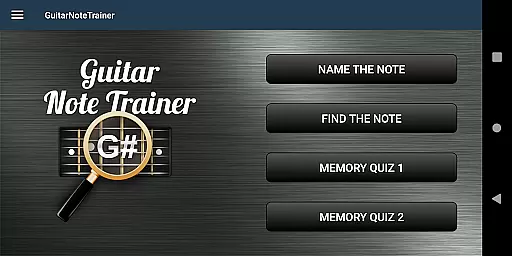
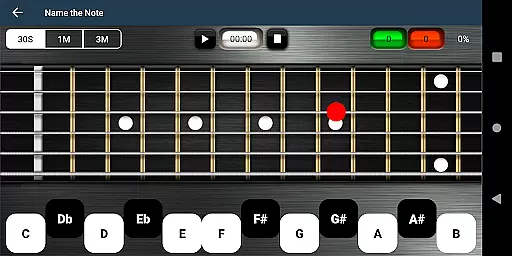
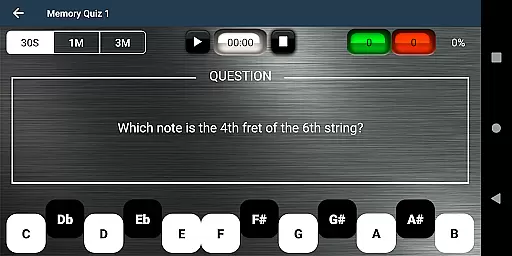
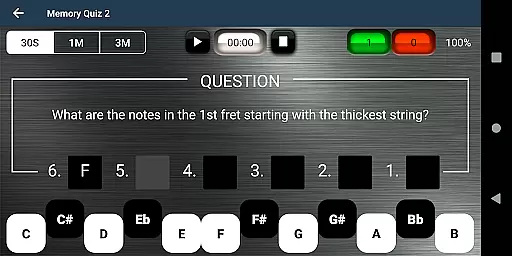
This app offers a variety of features tailored to enhance the learning experience. It includes four unique training modes: Name The Note, Find A Note, Memory Quiz 1, and Memory Quiz 2. Each mode targets different aspects of fretboard mastery, ensuring a well-rounded understanding.
Additional features include easy options for beginners, which limit the range of answers to make the initial learning curve less steep. Users can also utilize the audio option to hear notes as they select them, providing an auditory learning aid.
For those moments when you're stuck, a cheat feature allows you to swipe diagonally across the fretboard to reveal all notes temporarily. These thoughtful features create an accessible and supportive environment for guitarists at any level.
When it comes to music learning apps, the size and authenticity of the music library are crucial. The Justin Guitar Fretboard Note Trainer offers a comprehensive selection of notes and positions across the guitar neck, ensuring that learners have access to an extensive range of musical notes.
This app doesn't merely provide a list of notes; it integrates them into fun and progressive games. With four distinct training modes, users can engage with a variety of exercises designed to reinforce their knowledge of the fretboard.
The app ensures copyright authenticity by focusing on fundamental music theory, which isn't bound by copyright restrictions. This approach allows users to practice naming notes, finding notes on the neck, and memorizing note positions without concerns about copyright infringement.
Additionally, the app includes features like audio options for hearing notes and 'Easy' settings for beginners. These elements contribute to a rich learning experience that supports users as they develop their skills.
Audio quality is paramount when training to recognize and play musical notes on a guitar. The Justin Guitar Fretboard Note Trainer enhances the learning experience by offering high-quality audio options that allow users to hear the notes they select on the fretboard.
This auditory feedback is essential for developing a musician's ear. By listening to accurate representations of each note, learners can better connect the visual aspect of note recognition with the corresponding sound.
Moreover, the ability to hear notes in real-time while engaging with various training modes reinforces memory retention. Users can practice naming notes, finding them on the neck, or recalling their positions, all while receiving immediate auditory confirmation.
Including this feature not only aids in more effective learning but also caters to different learning styles. Whether you're a visual learner who benefits from seeing note positions or an auditory learner who relies on sound, this app provides a balanced approach to mastering the fretboard.
User-friendly interface
Engaging learning games
Audio note assistance
Beginner-friendly options
Comprehensive training modes
Limited advanced features
No real-time feedback
Basic visual design
Occasional ads
Cheat feature may hinder learning

The Skullcandy App Experience
 3.20
3.20
10-Band Audio Equalizer, Sound / Bass Booster for Spotify Users & Music Players
4.40
A synth that really lets you shape your sounds!
4.50
Most Advanced AI Song Generator and Music Creator. Rap, Pop, Rock, Gospel & more
4.70
JBL PartyBox APP works with 110/310/710/120/320/520/Encore/Encore 2/Encore Ess 2
4.80
The best music and audio player, with beautiful UI, music search and equalizer.
4.60
Versatile MP3 recorder with auto-backup to Dropbox and Google Drive
4.10
Uninterrupted Tunes, Unmatched Vibes
3.90
Listen to offline music and sounds from all categories
4.70
Offline Music Player & MP3 Player.Powerful equalizer, Lyrics, Themes, Tag Editor
4.80
Listen radio AM / FM Stations. Live AM / FM Radio App Station. Radio Com.
4.70
Taal player that lets you sing any Indian & Western song with Tabla & Tanpura
4.60
Super Sound Editor, Song Maker & Mixer, Vocal Remover, Voice Recorder & Changer!
4.60
Time Trainer: accurate metronome w tools to help you develop your internal time!
4.20
The original SP-1200 experience on your iPad
4.20
PowerAudio is a powerful offline music player.
4.20
The ultimate media player for Android devices
3.90
The Minimalistic Premium Music Player. Handmade with passion for music
2.20
Music Streaming suite for Ampache, Nextcloud Music and compatible backends.
4.3


User Reviews