
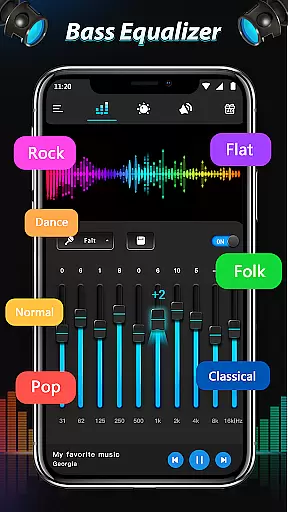
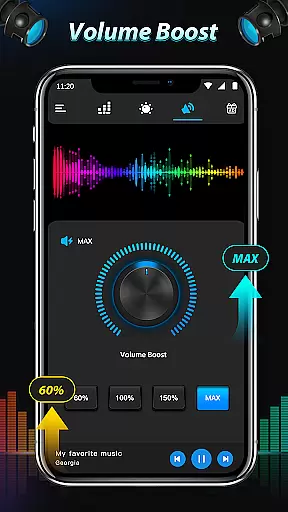
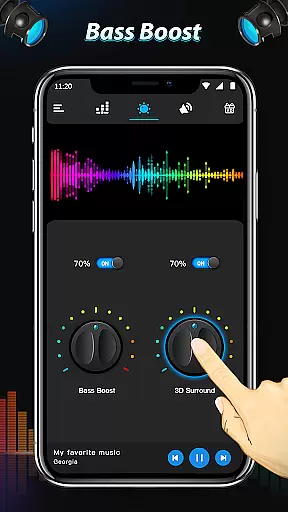
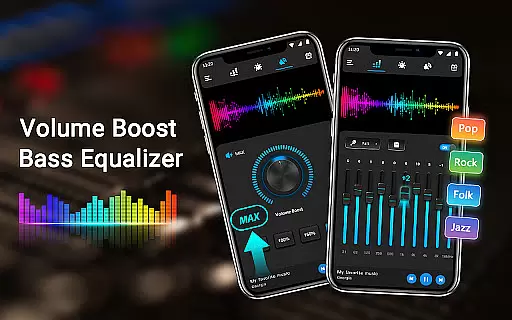
Equalizer & Bass Booster Pro is a premium audio enhancement application designed to elevate the sound quality of Android devices. This app offers a comprehensive suite of audio tools including a five-band equalizer, bass boost, and virtualizer effects that work together to deliver an unparalleled audio experience.
The app's intuitive interface allows users to customize their listening experience with 22 built-in equalizer presets or create and save their own custom settings. Whether you're enjoying music, watching videos, or tuning into radio FM, Equalizer & Bass Booster Pro ensures optimal sound performance. For best results, use the app with headphones to fully immerse yourself in rich, clear audio.
This application is particularly beneficial for audiophiles and casual listeners alike who want to enhance their multimedia consumption on mobile devices. The combination of precise control over audio frequencies and convenient music controls makes it an essential tool for anyone seeking superior sound quality on their Android device.
Equalizer & Bass Booster Pro stands out with its advanced feature set tailored for audio enthusiasts. The app includes a sophisticated five-band equalizer that allows precise frequency adjustment, enabling users to fine-tune their audio experience to their exact preferences. The inclusion of both bass boost and virtualizer effects adds depth and dimension to sound output, creating a more immersive listening environment.
One of the app's key strengths is its versatility across different media types. It seamlessly integrates with most music players, video players, and even radio FM applications. The app provides convenient music controls including play/stop and next/previous song functions, all accessible through an easy-to-use interface. Users can also monitor their audio levels with the built-in stereo LED VU meter.
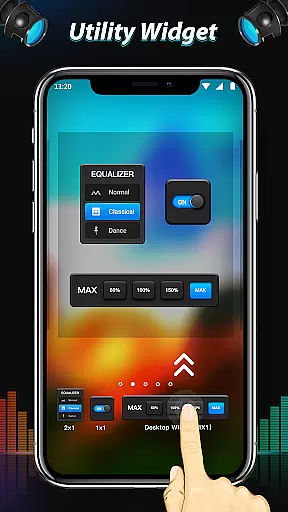
Additional features include media volume control, 22 customizable equalizer presets, and a notification bar toggle for quick access. The app runs efficiently in the background, allowing users to enjoy enhanced audio while using other applications. These comprehensive features make Equalizer & Bass Booster Pro a complete solution for mobile audio enhancement.
Equalizer & Bass Booster Pro offers a unique approach to enhancing your music experience by providing powerful audio controls rather than a built-in music library. The app focuses on improving the sound quality of your existing music collection through its advanced equalizer and bass boost features.
The application works seamlessly with most music players, allowing you to customize the audio output of your entire music library. Whether you have hundreds or thousands of tracks, this tool ensures each song sounds its best. The emphasis is on quality enhancement rather than content aggregation.
While the app doesn't directly address copyright issues, it respects the integrity of your legally acquired music collection. The processing power is directed toward optimizing your personal audio files while maintaining their original quality and authenticity.
Users benefit from professional-grade audio adjustment tools that transform their existing music library into a high-quality listening experience. The app's value lies in its ability to enhance every track in your collection without requiring additional storage space for new content.
Equalizer & Bass Booster Pro provides comprehensive audio quality enhancement through its sophisticated five-band equalizer system. This feature allows users to precisely adjust frequency ranges, ensuring optimal sound reproduction across different music genres and audio types.
The app includes specialized presets that cater to various audio preferences, from classical music enthusiasts to bass-heavy electronic music fans. Users can either select from 22 predefined equalizer settings or create custom configurations tailored to their specific audio equipment and listening preferences.
Beyond basic equalization, the application incorporates advanced audio processing features including bass boost and virtualizer effects. These tools work together to create a richer, more immersive listening experience that transforms standard mobile audio into professional-quality sound reproduction.
For audiophiles seeking maximum control, the app offers precise adjustment capabilities that enable fine-tuning of audio parameters. This level of customization ensures that users can achieve their preferred sound signature regardless of their audio source or playback device.
Advanced equalizer settings
Effective bass boost
Virtual surround sound
Customizable presets
Intuitive user interface
Paid application
Requires headphones
Complex for beginners
Background processing
Device compatibility

Over 100 million tracks available for high quality streaming and download
 4.60
4.60
Listen to live FM radio stations, sports, music and news on global radios online
4.70
Powerful beat maker & DJ mixer to remix tracks, make music, & perform DJ mix
3.70
Brian Eno and Peter Chilvers’ acclaimed music app Bloom, radically reinvented.
4.80
The official Sonos app
4.10
Turn Every Moment into Music
3.60
Travel To The Music Universe
3.40
Play your music offline without limits
4.80
Melody Beat: Great for travel, workouts, offline vibes, play your tunes anytime.
4.10
JBL PartyBox APP works with 110/310/710/120/320/520/Encore/Encore 2/Encore Ess 2
4.80
Simple & Intuitive Metronome
4.70
Record, Mix & Master with all n-Track effects, 64-bit audio and Stem Separation.
4.70
Pay Once, no monthly payment
4.60
Fun & Easy Voice Changer – Record, Edit & Add Hilarious Effects!
4.50
Advanced 10-Band Audio Graphic Equalizer Sound Booster Pro
4.30
Versatile MP3 recorder with auto-backup to Dropbox and Google Drive
4.10
The iconic iOS metronome app is now on Android.
3.70
Simple mp3 and mp4 player with advanced features.
3.40
Control your MIDI USB or Bluetooth devices in app and avoid some trampling
3.30


User Reviews