
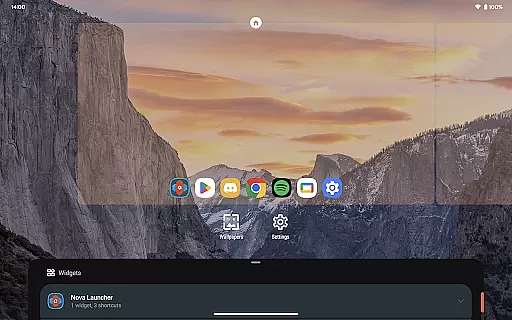
Nova Launcher is a highly customizable home screen replacement for Android devices, designed to enhance user experience through advanced features and personalization options. It offers a versatile platform for users seeking to overhaul their home screens with precision and style.
With Nova Launcher, users can enjoy the latest Android launcher features, custom icons, extensive color systems, and powerful search capabilities. The app supports thousands of icon themes, personalized color schemes, and customizable light and dark themes, making it adaptable to individual preferences. Its subgrid positioning and backup/restore functionalities further enrich the user experience, providing both flexibility and security.
This application is ideal for those who desire a personalized and efficient home screen setup, allowing seamless integration with various services and platforms. Nova Launcher stands out by offering a user-friendly interface combined with powerful customization tools, catering to both casual users and tech enthusiasts.
Nova Launcher distinguishes itself through a range of advanced features tailored to enhance the Android home screen experience. One of its standout capabilities is the support for thousands of icon themes available in the Play Store, allowing users to reshape all icons to a uniform style of their choice, ensuring a consistent and personalized appearance.
The app also boasts an extensive color system that leverages Material You colors from the system or custom colors chosen by the user, providing a unique and personalized feel. Additionally, Nova Launcher offers customizable light and dark themes that can sync with the system settings or be customized according to user preferences, enhancing visual comfort and aesthetics.
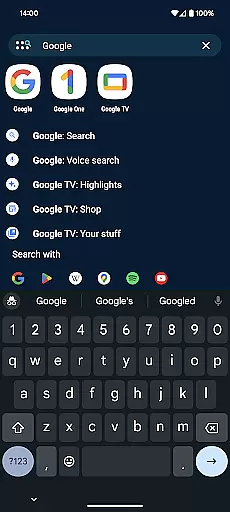
Beyond visual customization, Nova Launcher includes a powerful search system that integrates with apps, contacts, and other services, delivering instant micro-results for calculations, unit conversions, package tracking, and more. This feature, coupled with customizable home screens, app drawers, and folders, ensures that users have complete control over their device's layout and functionality, optimizing both productivity and personalization.
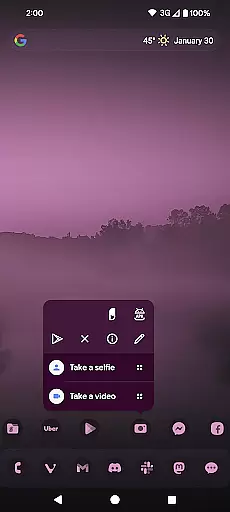
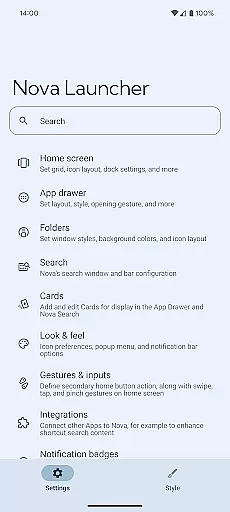
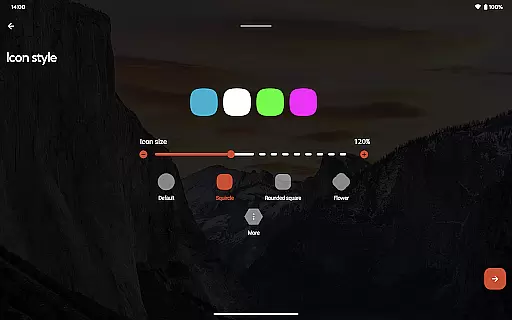
Customization is at the heart of Nova Launcher, offering users a vast array of options to tailor their home screens precisely to their liking. This includes icon size adjustments, label color changes, and even the positioning of the search bar, ensuring that every element aligns with personal preferences.
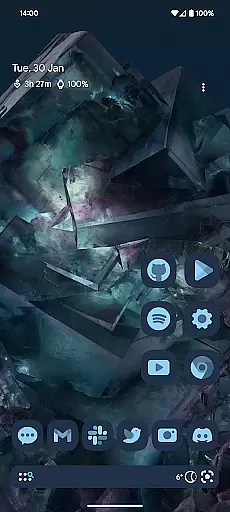
Beyond basic customization, Nova supports thousands of icon themes available in the Play Store, allowing for a uniform and consistent look across all app icons. Users can also reshape icons to a shape of their choice, further enhancing the personalized feel of their device's interface.
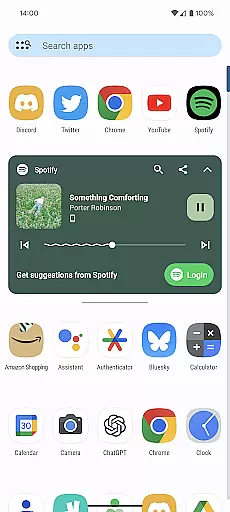
The app drawer adds another layer of innovation with customizable cards, providing users with instant access to essential information right when they need it. This level of customization ensures that Nova Launcher not only meets aesthetic preferences but also enhances functionality and accessibility.
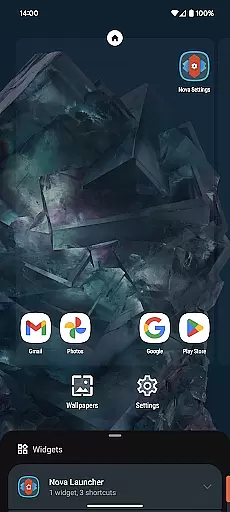
With Nova Launcher, the ability to snap icons and widgets in between grid cells offers a precision in layout design that is unmatched by most other launchers. This subgrid positioning allows for a meticulously organized home screen that reflects the user's unique style and organizational needs.
Nova Launcher excels in theme compatibility, seamlessly integrating with a wide range of themes to transform the look and feel of your device. Whether you prefer the sleek minimalism of Material Design or vibrant, colorful themes, Nova ensures a harmonious and visually pleasing experience.
The extensive color system in Nova Launcher allows users to utilize Material You colors from their system or select custom colors. This flexibility results in a personalized interface that resonates with individual tastes and complements the deviceu2019s overall aesthetic.
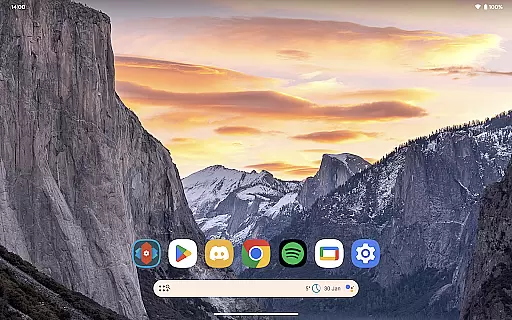
Custom light and dark themes in Nova Launcher provide users with the option to sync with their system settings, follow the natural cycle of sunrise and sunset, or remain permanently in dark mode. This adaptability not only enhances visual comfort but also contributes to battery savings on OLED screens.
By supporting a broad spectrum of themes and customization options, Nova Launcher guarantees that users can achieve a cohesive and attractive appearance across their devices. The compatibility extends to icon packs, ensuring that every visual element aligns perfectly with the chosen theme, thus elevating the entire user experience.
Highly customizable
Extensive icon support
Powerful search system
Custom light and dark themes
Backup and restore feature
Paid Prime version
Complex for beginners
Occasional bugs
Heavy on resources
Limited iOS support

Sparkle your screen with Glitter Wallpapers For Girls and Cute Backgrounds!
 4.80
4.80
Bring adorable pets to life on your screen. Playful, interactive and full of fun
4.60
Wallpaper HD 4K Live - Thousands of high-quality Anime backgrounds for you.
4.80
Run multiple accounts of the same app on a single device
4.10
Romantic Kiss Stickers App. Start romantic messaging now!
4.30
Custom edge gestures for volume control, brightness, apps, and shortcuts.
4.5
300+ Stunning and well-designed widgets inspired by NOTHING.
4.70
300+ Beautifully crafted widgets inspired by OneUI.
4.60
Custom ringtones songs, music ringtones for Android phones
4.60
A minimalist productivity launcher. One-hand-friendly. Zero ads.
4.70
350+ widgets with a premium glass-style finish, perfect for home & lock screens.
4.70
Ultra realistic high quality analog watch face for Wear OS.
4.60
A retro cartoon style watch face and a punch right in the face of the copyright
4.60
Zip lock screen with magic wallpaper to decorate your phone with fun zipper lock
4.60
Choose your keyboard with RGB colors effect, themes, fonts, emojis.
4.60
Adult video chat, dating, making friends, random matching
4.20
Magic fluids wallpaper 4D: Relax with stunning fluid simulation wallpaper app
4.20
Create unique, fun emojis with Funny Emoji Maker! Unlimited creativity!
4.00
Capture moments that pass like a storm, second by second.
4.2


User Reviews