

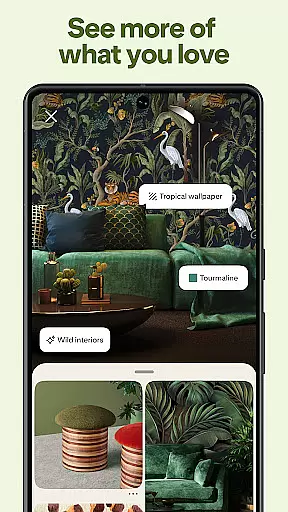

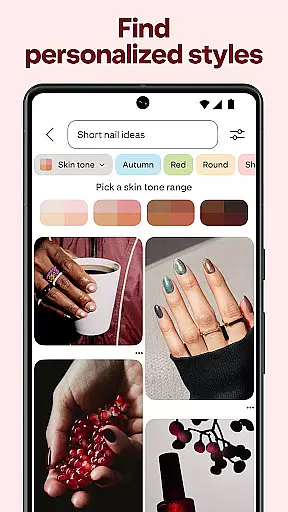



Pinterest is a visual discovery engine for finding ideas like recipes, home decor, and DIY projects. With billions of Pins to explore, users can search for inspiration across countless categories.
The app allows creating personalized boards to organize ideas, plan projects, and save favorite content. Its intuitive interface makes discovering and collecting inspiration seamless on both mobile and desktop platforms.
Whether planning a wedding, renovating a home, or exploring new hobbies, Pinterest provides endless possibilities for turning ideas into reality.
Pinterest stands out with its unique visual discovery approach. The app employs advanced algorithms to surface relevant Pins based on user interests and behavior patterns.
Key features include visual search capabilities, shopping integration, and idea-saving tools. Users can shop directly from Pins, try Lens visual search, and access step-by-step guides for various projects.
The platform's collaborative boards enable group planning and sharing, while the home feed continuously adapts to user preferences, making inspiration discovery increasingly personalized over time.
Pinterest offers an extensive range of lifestyle categories, making it a comprehensive platform for inspiration and ideas. From fashion tips to easy recipes, the app covers diverse interests that cater to various user preferences.
Users can explore countless boards and pins dedicated to specific themes such as DIY projects, home decor, and culinary arts. This vast coverage allows individuals to find content that resonates with their personal tastes and aspirations.
The app's structure supports the creation of custom boards where users can save and organize their favorite pins. This feature not only enhances user engagement but also ensures that everyone can tailor their Pinterest experience to match their unique lifestyle needs.
Pinterest places a strong emphasis on content authenticity, ensuring that the ideas and inspirations shared on the platform are credible and trustworthy. Users can follow boards curated by experts in various fields, from professional chefs to renowned interior designers.
Expert-curated content adds a layer of reliability, offering users access to high-quality information and advice. Whether you're looking for a new recipe or seeking home renovation tips, Pinterest connects you with authoritative sources.
This commitment to authenticity extends to user-generated content, where community guidelines and moderation help maintain a standard of quality. As a result, Pinterest remains a trusted resource for those seeking genuine lifestyle inspiration and expert-backed recommendations.
User-friendly interface
Vast content library
Visual search tool
Inspiration boards
Shopping integration
Occasional irrelevant suggestions
Limited offline functionality
Heavy data usage
Interface clutter
Learning curve

Fly your Solo like a boss.
 4.10
4.10
Digital watch face design. Modern looking, hi-res & battery friendly.
4.00
The all-new Cync app. The simple, connected app for Cync and C by GE.
4.50
Kasa Smart is your portal to your TP-LINK Smart Home.
4.70
An Eerie Musical Trigger Toy for Spirits to Play with!
3.50
Retro animated weather with hourly forecast Watch Face for Wear OS
4.60
DailyGift can help you record your habits and get rewards along the way!
4.60
Remotely monitor the time and temperature of food cooking on your grill.
4.60
Control your Tapo smart devices from anywhere.
4.60
Daily lessons from A Course in Miracles with scheduled reminders
4.80
Good magnifier app to see tiny things bigger and more clearly!
4.80
Get the news, events and savings that matter to you with AARP Now.
4.80
Colorful minimal digital watch face for Wear OS
4.60
The App can control Roborock vacuum cleaners from anywhere with rich features.
4.60
A smart Siddur with halachic times
4.50
Design and brew great homebrewing beer, mead, cider and wine recipes on the go!
3.60
Going above and beyond known spirit communication
3.60
LineLearner, the quick way to learn lines.
2.90
Wear your favorite memories, loved ones, pets or travel photos on your watch
4.2


User Reviews