
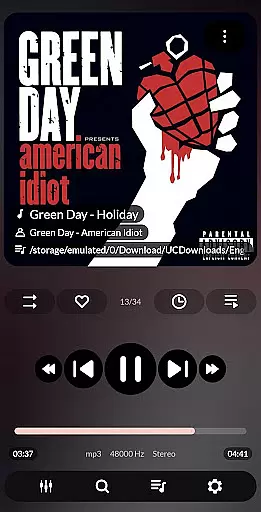
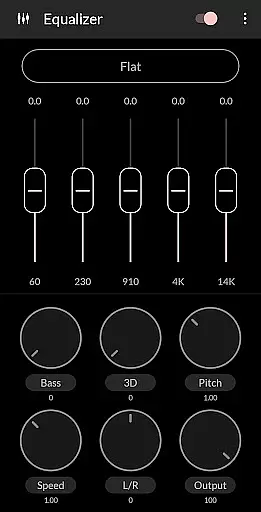
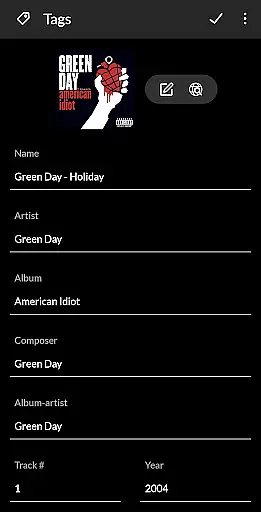


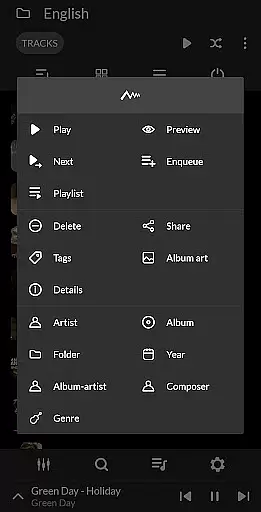
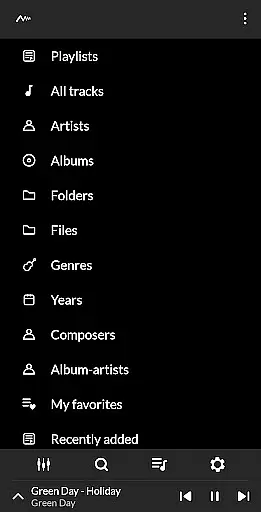
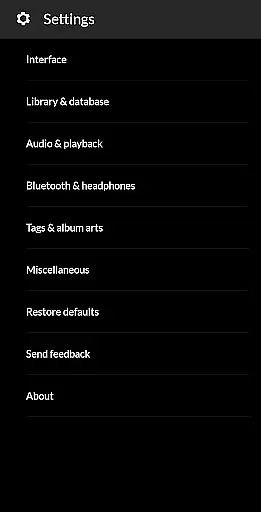
PowerAudio Plus Music Player is a feature-rich audio player designed to deliver an exceptional music experience. With its intuitive interface and support for all major audio formats, it allows users to browse songs by albums, artists, playlists, or favorites. The app includes advanced audio controls such as a powerful equalizer with BassBoost and Virtualizer, customizable presets, and playback options like repeat, shuffle, and sleep timer.
One of the standout features of PowerAudio Plus is its ability to manage music libraries effectively. Users can create custom playlists, sort tracks by name or date, queue songs, and even set phone ringtones. Additionally, the app supports media sharing, codec details display, and automatic headphone detection that pauses playback when headphones are disconnected. These functionalities make it ideal for audiophiles and casual listeners alike who seek high-quality sound and versatile music management tools.
PowerAudio Plus Music Player offers a comprehensive suite of features tailored for music enthusiasts. It supports a wide range of audio formats including MP3, M4A, WAV, AAC, AMR, and OGG, ensuring compatibility with virtually any music file. Its built-in equalizer comes with various presets and allows users to create custom audio profiles, enhancing the listening experience with BassBoost and Virtualizer effects.
Beyond basic playback, the app provides advanced library management tools. Users can organize their music by creating personalized playlists, marking favorites, and sorting tracks by criteria such as name, date added, or file type. Additional functionalities include multi-select options, background playback, and the ability to share media files directly from the app. PowerAudio Plus also integrates practical utilities like a sleep timer, ringtone setter, and detailed codec information, making it a complete solution for managing and enjoying digital music collections.
PowerAudio Plus Music Player offers an extensive music library that supports all major audio formats including mp3, m4a, wav, aac, amr, and ogg. This ensures that users can enjoy a wide variety of music without worrying about compatibility issues.
The application places a strong emphasis on copyright authenticity by providing features such as codec details which include bitrate, sample frequency, and channels. Users can be confident that their music files retain their original quality and are legally obtained.
With the ability to browse songs by albums, artists, or playlists, PowerAudio Plus makes organizing and accessing your music collection effortless. The app also allows for the creation of custom playlists, giving users the freedom to curate their listening experience according to personal preferences.
Furthermore, PowerAudio Plus includes a feature to set phone ringtones directly from the app, ensuring that any customization done by the user adheres to legal standards and respects copyright laws, thus enhancing the overall value provided to the end-user.
Delivering best-in-class audio quality, PowerAudio Plus Music Player incorporates a powerful equalizer complete with BassBoost and Virtualizer features. These tools enable users to fine-tune their listening experience with various presets or create a custom preset tailored to individual tastes.
Users have the option to choose from different music presets that cater to diverse genres and moods, ensuring an immersive auditory experience every time they use the app. The high-quality audio output is maintained across all supported formats, preserving the integrity of the original recordings.
In addition to superior sound quality, PowerAudio Plus provides practical functionalities like detecting headphones and auto-pausing when headphones are disconnected. This attention to detail enhances user convenience while maintaining focus on delivering pristine audio performance.
Overall, PowerAudio Plus Music Player stands out not only for its comprehensive support of audio formats but also for its dedication to providing top-notch audio quality options that elevate the enjoyment of digital music libraries.
User-friendly interface
Wide format compatibility
Advanced equalizer settings
Customizable playlists
Automatic headphone detection
No cloud integration
Limited visual themes
No lyrics support
Occasional bugs
Heavy on storage

Time Guru will strengthen your internal sense of musical time via random muting.
 4.30
4.30
Equalizer, Bass Booster and Volume Booster (Eq & Bass) improve sound quality
4.30
VB-AUDIO Software / VBAN-Receptor allows listening to any VBAN Streams
4.10
Enhance the sound quality of your devices, listen to what you want
4.50
Visualize the guitar fretboard, master scales & play through changes like a pro!
4.50
Help you quickly get started with Shokz headphones
4.40
Sing, record, and create music together — enhanced by smart voice tools.
4.00
Uninterrupted Tunes, Unmatched Vibes
3.90
One-tap booster for max volume - enjoy powerful sound with this audio booster
4.50
Voice recorder - Audio recorder. Best recorder for recording
4.90
Full-featured, High-Quality Groovebox Workstation, perfect for Live Performance!
4.80 4.70
4.70
Walkout Song DJ is the most intuitive app to manage your sports music.
4.70
Listen radio AM / FM Stations. Live AM / FM Radio App Station. Radio Com.
4.70
10-Band Audio Equalizer, Sound / Bass Booster for Spotify Users & Music Players
4.40
DJ Music Mixer - DJ Remix: remix songs, make beat music & record mix of DJ.
4.40
Enjoy singing any song, no matter how high or low it is
4.30
The ultimate media player for Android devices
3.90
Powerful beat maker & DJ mixer to remix tracks, make music, & perform DJ mix
3.70


User Reviews