
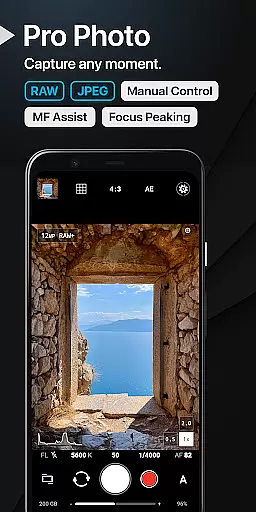
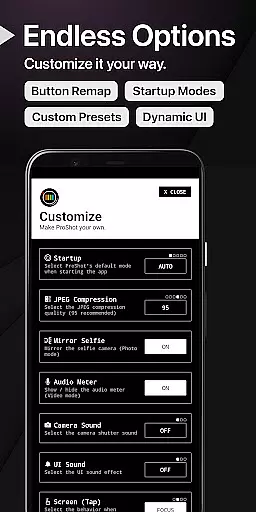
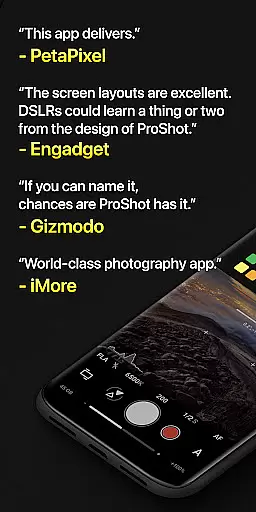
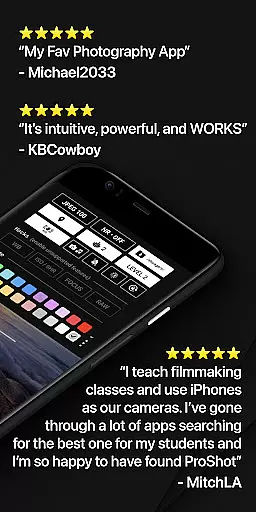
ProShot is a professional-grade photography and filmmaking application designed for Android users who demand full control over their mobile camera capabilities. This app offers an extensive range of manual controls akin to those found in DSLR cameras, including shutter speed, ISO, white balance, and focus adjustments, making it suitable for both amateur enthusiasts and seasoned professionals.
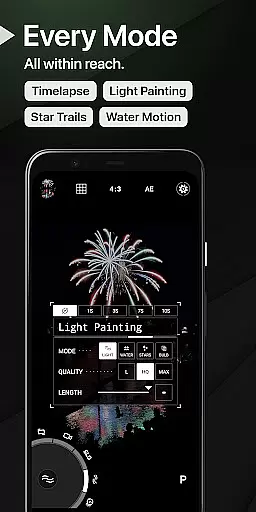
The app's unique interface includes features such as Dual Dial controls for swift setting changes, Light Painting modes for creative long-exposure effects, and Bulb mode for astrophotography. ProShot also supports RAW (DNG) and JPEG formats, HEIC on compatible devices, and advanced video recording options up to 8K resolution with extreme bitrate settings. With privacy at its core, ProShot ensures that no personal data is collected or transmitted, providing peace of mind while capturing high-quality images and videos.
ProShot stands out with its comprehensive feature set tailored for photographers and videographers. The app leverages the camera2 API to deliver DSLR-like functionalities such as Auto, Program, Manual, and Custom modes, alongside Shutter and ISO priority controls. Users can capture images in various formats including RAW, JPEG, and HEIC, with additional support for Vendor Extensions like Bokeh and HDR.
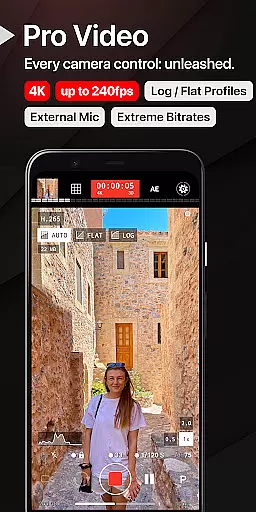
For videography, ProShot does not disappoint, offering up to 8K video recording with adjustable frame rates from 24 FPS to 240 FPS, LOG and FLAT color profiles, and support for H.264 and H.265 codecs. The app also includes Timelapse functionality, real-time audio level monitoring, and external microphone support. Its intuitive UI allows for zero-lag bracket exposure, manual focus assist, histogram analysis, and one-finger zoom up to 10X, ensuring precise control over every aspect of the photographic process.
Real-time capture and preview functionality is essential for photographers who need to see exactly what their camera is capturing before taking the shot. ProShot offers a sophisticated real-time preview system that ensures every detail is captured as intended.
The app leverages advanced processing capabilities to provide users with an accurate representation of their shot in various lighting conditions. This feature allows photographers to adjust settings such as exposure, ISO, and white balance on-the-fly, ensuring optimal image quality.
With ProShot, users can also take advantage of manual controls like shutter speed and focus adjustments, all while viewing the changes in real time. This immediate feedback empowers photographers to fine-tune their shots without guesswork, leading to professional-grade results.
Ultimately, the real-time capture and preview feature in ProShot enhances the photography experience by providing precision and control, which are crucial for both amateur enthusiasts and seasoned professionals looking to perfect their craft.
While ProShot focuses primarily on delivering powerful manual controls and professional features, it also incorporates AI-driven beauty and enhancement tools that maintain natural-looking results. These enhancements are designed to subtly improve image quality without compromising authenticity.
The AI algorithms within ProShot work to optimize details such as skin tones, sharpness, and overall image clarity. By intelligently analyzing each photo, the app applies enhancements that preserve the original essence of the subject while reducing unwanted noise or imperfections.
Users have the flexibility to adjust the level of AI enhancement applied to their images, allowing for personalized results that align with their creative vision. This approach ensures that every photograph retains its unique character while benefiting from subtle improvements.
By balancing advanced AI technology with a commitment to natural aesthetics, ProShot provides photographers with the tools needed to produce stunning yet genuine images, making it a versatile choice for diverse photography needs.
Full manual camera control
Supports RAW and 8K video
Privacy-focused design
Unique Light Painting modes
Customizable user interface
Steep learning curve
High system requirements
Limited free features
No automatic cloud backup
Occasional performance issues

Effortlessly organize, view and share your photos & videos with Gallery app!
 4.40
4.40
AI portrait generator and polaroid AI selfie, fun AI generated AI photo creator!
4.30
AI photo editor with hair editor, retouch tools, hair color changer & filters!
4.50
Amazing Photo Effects - The most fun you can have with your photos!
4.70
See your baby AI baby face generator AI baby maker Face generator babymaker fun!
4.70
Use AI Video Generator to turn your words to ai generated videos.
4.50
Snap photos remotely using your Garmin watch as the camera trigger
4.3
Enhance, upscale, and transform your images — on your device, without limits
4.70
Your Family Calendar + Photos. Manage your Skylight Calendar and Skylight Frame.
4.40
Create funny photos and videos with the popular Time Warp Scan filter.
4.90
Viewfinder, Light meter, Reciprocity failure time, DOF & Bellows Extension
4.60
Cut and paste photo editor & eraser to customize photos easy and swap faces fun
4.50
Photo editor & gallery. Crop pictures & edit photos offline, no wifi!
4.50
Create AI photos & videos with Enhancer; restore, fix, beautify, enhance photos
4.50
Easily stitch panoramas from multiple photos or video.
4.40
Professional photography on your mobile phone
4.20
What celebrity do you look like? Celebs will find your celebrity match!
4.10
Transform Photos: Edit, Beautify and Craft Memories & Make Collages!
4.10
Pet Camera
3.70


User Reviews