
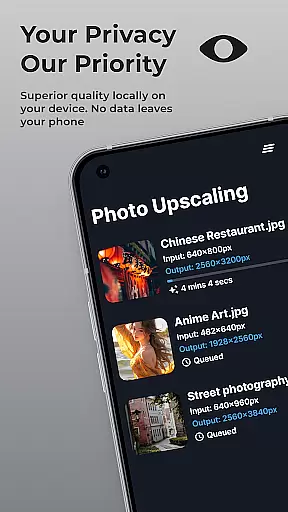
SuperImage Pro is an advanced AI-powered photo editing application designed for photography enthusiasts and professionals alike. This all-in-one photo toolbox offers a comprehensive suite of features that enable users to enhance, transform, and upscale their images with remarkable precision.
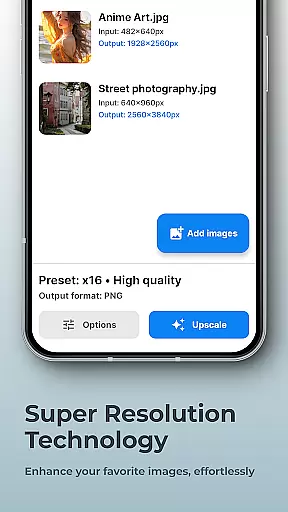
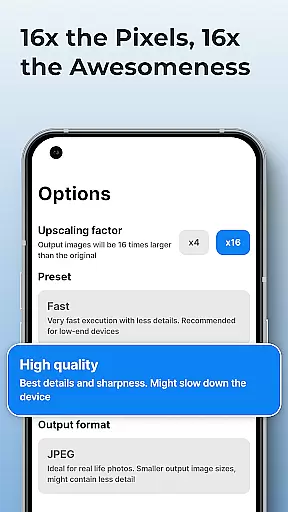
The application's standout feature is its on-device AI processing capability, ensuring complete privacy and security while working with sensitive images. Users can perform complex image manipulations such as background removal, subject isolation, and portrait enhancement without requiring an internet connection. The app's powerful algorithms can upscale images up to 16x their original resolution, making it an ideal tool for creating high-quality prints and digital displays.
SuperImage Pro caters to both casual users and advanced practitioners through its support for custom AI models in various formats. Whether you're looking to improve your social media photos or need professional-grade image processing capabilities, this application provides the tools necessary to achieve exceptional results while maintaining complete control over your creative process.
SuperImage Pro distinguishes itself through its comprehensive feature set that combines professional-grade tools with user-friendly functionality. The application's core strength lies in its implementation of advanced AI models optimized for modern hardware, enabling real-time processing of complex image transformations directly on the user's device.
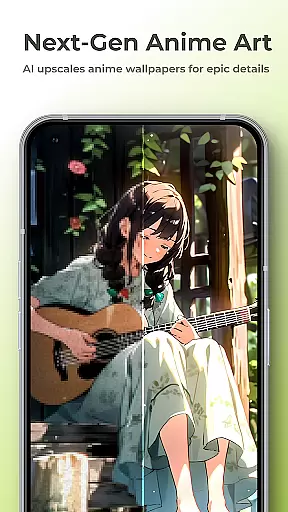
The application excels in several key areas: background removal and subject isolation work seamlessly for product photography and creative projects; portrait enhancement tools intelligently refine facial features while preserving natural details; and the upscaling engine employs sophisticated algorithms to increase image resolution up to 16x without introducing artifacts or blurriness. Advanced users will appreciate the ability to import custom AI models in industry-standard formats like PyTorch, ONNX, and MNN, allowing for highly specialized workflows.
What sets SuperImage Pro apart from other photo editing applications is its commitment to privacy and performance. All processing occurs locally on the device, eliminating concerns about data security while providing faster processing speeds compared to cloud-based solutions. The combination of professional-grade features, privacy-focused architecture, and flexible customization options makes this application suitable for both casual users and demanding professionals.
Real-time capture and preview functionality is essential for photography applications as it allows users to see exactly what the camera is capturing before taking a shot. SuperImage Pro excels in this area by providing an intuitive interface that displays accurate colors, lighting, and details directly on your device's screen.
The app leverages advanced AI models optimized for modern hardware to ensure that the preview is smooth and responsive. This means you can adjust settings like exposure, focus, and white balance in real time, giving you greater control over the final image quality.
For users who want to take their photography to the next level, SuperImage Pro offers additional features such as live filters and effects that can be applied during the capture process. These tools help enhance creativity while ensuring privacy since all processing happens on-device without needing an internet connection.
Ultimately, the real-time capture and preview feature empowers photographers to make informed decisions quickly, resulting in higher-quality images with minimal effort. Whether you're a professional or an amateur, this capability ensures that every photo opportunity is maximized.
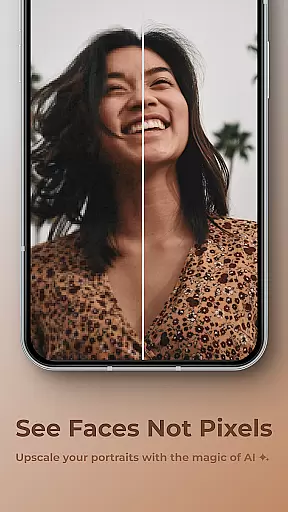
AI beauty and enhancement features are increasingly popular among photography apps, offering users the ability to refine facial features, smooth skin tones, and enhance overall image quality. SuperImage Pro stands out by providing natural-looking enhancements powered by on-device AI processing.
This application uses sophisticated algorithms to analyze portraits and automatically apply adjustments that look realistic rather than artificial. For instance, it can sharpen details, refine facial features, and improve background clarity without compromising the authenticity of the subject's appearance.
One key advantage of SuperImage Pro is its commitment to user privacy. All enhancements occur locally on your device, ensuring that your images remain private and secure. Additionally, the app supports custom models, allowing advanced users to tailor the enhancement process according to their specific needs.
By focusing on naturalness and privacy, SuperImage Pro delivers a superior user experience where enhanced photos retain their original charm while looking polished and professional. This makes it an ideal choice for anyone looking to elevate their portrait photography effortlessly.
Advanced AI processing
Complete privacy protection
Real-time image transformation
High-quality upscaling
Custom model support
Steep learning curve
High system requirements
Limited free features
No cloud backup
Complex interface

Photo editor: face & body editor, beauty cam, filters and quality enhancer.
 4.00
4.00
Gallery show photo, video, slideshow, is perfect 3D effect private photo albums.
4.80
Long exposure camera with computational photography
2.60
Find time and duration of different sunlight phases at any location
4.90
Photo editor: AI filters, photo enhancer, pic collage maker, AI art generator.
4.80
Over 800 film simulation recipes for Fujifilm. Black Friday Offer!
4.5
HD Camera Pro with HD Video shooting, Panorama, Photo editor , Beauty Camera.
4.50
Discover & download millions of art for The Frame TV or Hisense CanvasTV
4.60
Welcome to ProShot, the most powerful camera app on Android.
4.20
Collage your moments in one tap: 1000+ layouts, filters, stickers, and texts.
4.90
Take videos and pictures with the popular TikTok TIME WARP SCAN filter.
4.60
Automatically backup your photos and videos to computer, NAS and Cloud services
4.60
Enhance, retouch & create your story - Share the moment with Photoshop Express.
4.60
Shooting photos and records video easily and efficient with professional Camera
4.30
All-in-One Editor & AI Photo Enhancer, Beautify & Retouch, Collage, Cartoonify
4.20
Create & Edit with AI: AI Remove, Enhance, Retouch, Filter
4.10
The #1 app for B&W film developing featuring an advanced darkroom timer.
4.10
How would you look like with a differently shaped nose, chin or lips?
3.90
Pet Camera
3.70


User Reviews