
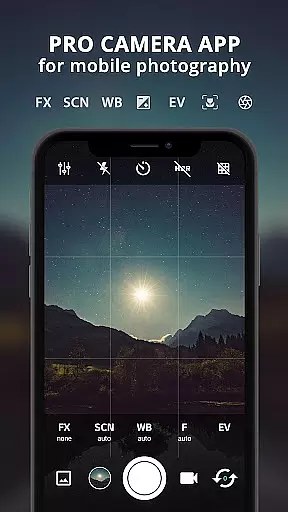
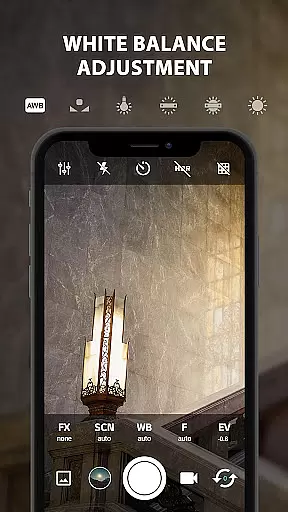
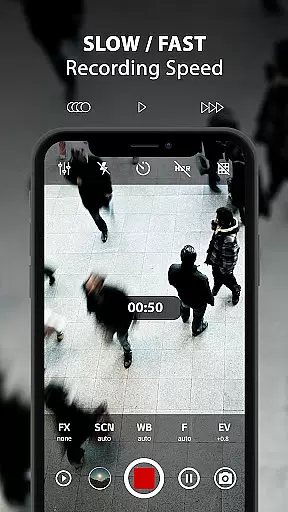
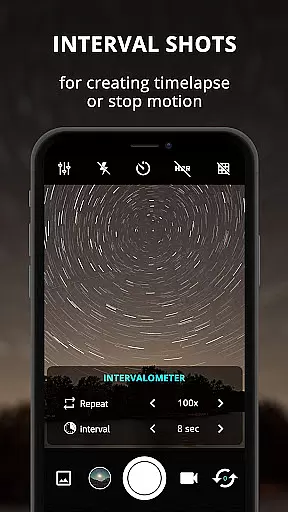
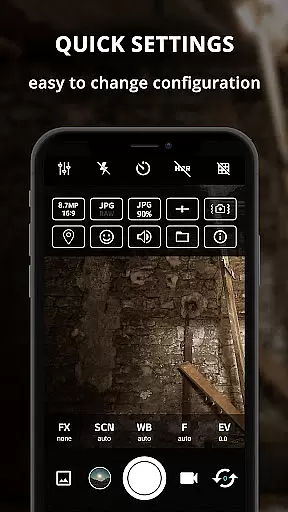
ProCam X transforms your smartphone into a professional-grade camera, offering full manual control over essential photography parameters. With features like exposure adjustment, white balance settings, ISO control, and manual focus, this app empowers users to capture high-quality photos and videos. The app supports advanced functionalities such as intervalometer, burst mode shooting, and custom video bit rates, making it ideal for both amateur photographers and professionals seeking greater creative control.
The application's standout feature is its compatibility with devices supporting Camera2API, enabling DSLR-like capabilities including shutter speed adjustments and RAW file support. Whether you're capturing fast-action shots or creating time-lapse videos, ProCam X provides the tools needed to elevate your mobile photography experience. Its intuitive interface ensures that users can easily navigate through various settings while maintaining a smooth operational flow.
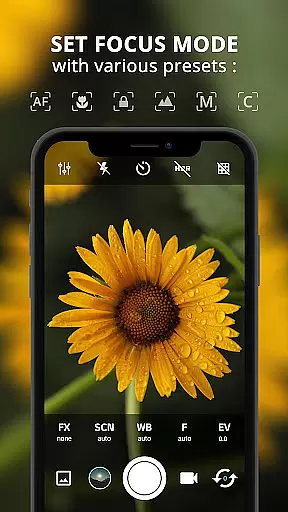
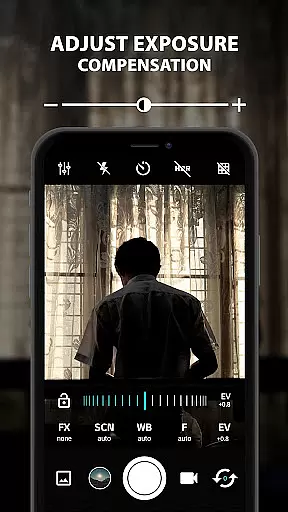
ProCam X stands out with its comprehensive suite of professional camera features designed to give users unparalleled control over their mobile photography. The app allows precise adjustments of exposure, focus, and white balance, ensuring optimal image quality in diverse lighting conditions. Advanced options like manual ISO settings, shutter speed control, and real-time filters enable photographers to fine-tune every aspect of their shots, mimicking the functionality of high-end DSLR cameras.
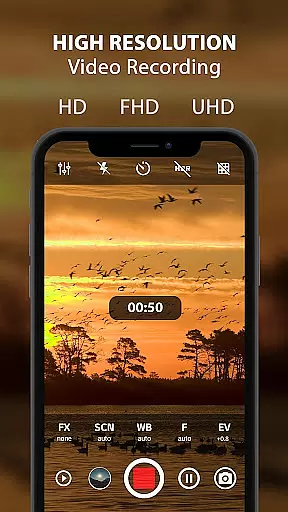
Beyond basic photo capabilities, ProCam X excels in video recording with support for 4K resolution and customizable bitrate settings. The inclusion of geotagging, anti-shake technology, and facial recognition enhances both stills and video captures. Additionally, features like burst mode and interval shooting make it possible to create stunning time-lapse sequences or capture rapid-action moments with ease. These robust features are packaged within an intuitive user interface that maintains quick access to frequently used controls without cluttering the screen.
Real-time capture and preview functionality is essential for any photography app aiming to provide a professional experience. ProCam X excels in this area by offering users the ability to control exposure, focus, and white balance with precision. These features ensure that photographers can make real-time adjustments to get the perfect shot without any lag or delay.
The app supports manual ISO settings, shutter speed adjustments, and anti-shake features on devices with camera2api enabled. This allows users to fine-tune their camera settings based on the lighting conditions and movement within the frame. Such granular control ensures that every photo taken with ProCam X meets professional standards.
For videography enthusiasts, ProCam X offers 4K video recording with customizable video bit rates. The ability to record high-resolution videos with optional audio makes it an ideal choice for content creators who demand top-notch quality. Additionally, the real-time filter and color effect options enable users to apply creative touches instantly, enhancing the visual appeal of their footage.
Overall, ProCam X's real-time capture and preview capabilities empower users to take full control of their mobile photography. Whether capturing still images or recording videos, the app provides the tools necessary to produce stunning visuals that rival those taken with professional cameras.
AI beauty and enhancement features have become increasingly popular in photography apps, and ProCam X stands out by offering natural-looking enhancements. The app uses advanced algorithms to automatically detect faces and apply subtle improvements that enhance the subject's appearance without making them look unnatural. This ensures that portraits retain their authenticity while benefiting from enhanced clarity and vibrancy.
One of the standout features of ProCam X is its facial recognition technology, which allows for precise adjustments tailored to individual faces. Users can customize the level of enhancement applied, ensuring that the final result aligns with their preferences. From smoothing skin textures to brightening eyes, these AI-driven enhancements elevate portrait photography to new heights.
In addition to facial enhancements, ProCam X offers a range of photo filters and effects that can be applied in real time. These filters are designed to enhance the overall aesthetic of the image without compromising its natural look. Whether shooting landscapes or urban scenes, users can choose from various presets to achieve the desired mood and atmosphere.
By combining AI beauty enhancements with a suite of professional-grade tools, ProCam X delivers a comprehensive photography solution. The app strikes a perfect balance between automation and manual control, allowing users to create visually stunning images that reflect their unique style and vision.
Full manual controls
DSLR-like features
4K video support
Real-time filters
Intuitive UI design
Requires Camera2API
Complex for beginners
High device specs needed
No free version
Occasional bugs

All-in-One Editor & AI Photo Enhancer, Beautify & Retouch, Collage, Cartoonify
 4.20
4.20
Shooting photos and records video easily and efficient with professional Camera
4.30
Find time and duration of different sunlight phases at any location
4.90
An interval timer to automate photo taking process for timelapse
2.90
Natural Beauty, Selfie Retouch
4.30
Create AI Photos, Improve and restore quality of blurry, old or damaged pics.
4.20
Gallery Slideshow is slideshow maker app for slideshow from your gallery photos.
3.90
Turn photos into cartoons & avatars! - Photo Editor, Cartoon Face!
3.90
Enhance, upscale, and transform your images — on your device, without limits
4.70
Gallery show photo, video, slideshow, is perfect 3D effect private photo albums.
4.80
1M influencer's special filter
4.60
Automatically backup your photos and videos to computer, NAS and Cloud services
4.60
A must-have app for landscape photographers
4.60
AI photo editor with hair editor, retouch tools, hair color changer & filters!
4.50
Smart, light, and fast photo and video gallery
4.30
What celebrity do you look like? Celebs will find your celebrity match!
4.10
Create & Edit with AI: AI Remove, Enhance, Retouch, Filter
4.10
Transform Photos: Edit, Beautify and Craft Memories & Make Collages!
4.10
Professional video recording application with manual controls for filmmakers!
2.80


User Reviews