
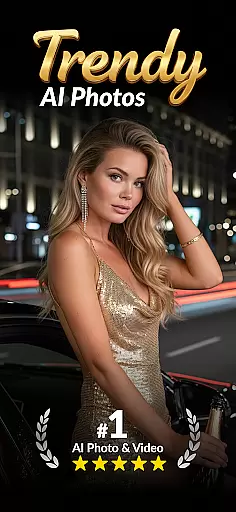
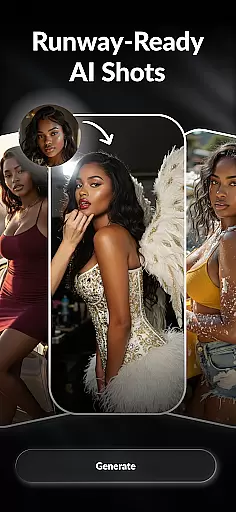
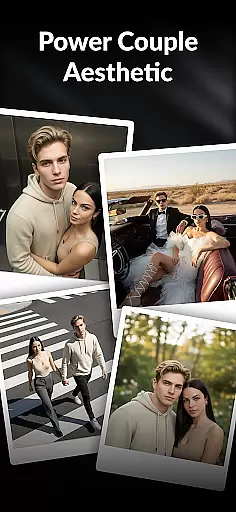
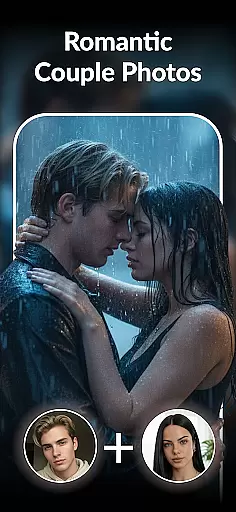
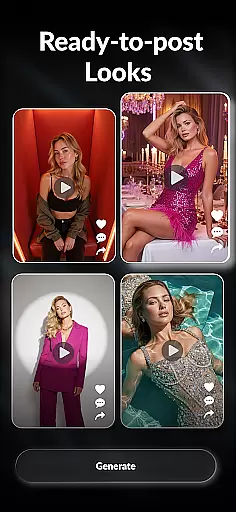

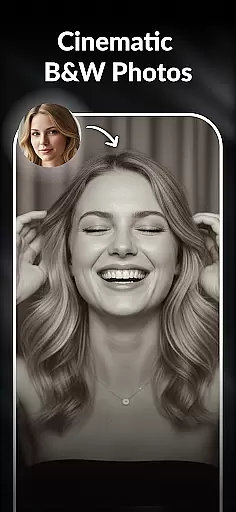
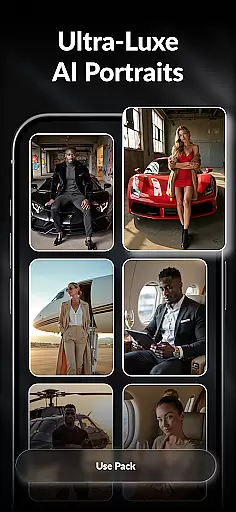
AURA AI Photo Generator is a versatile photography app that transforms your selfies into creative visual styles using advanced AI technology. With features like AI cartoon generation, professional headshot creation, and baby face prediction, the app caters to users looking for innovative ways to enhance their photos. Whether you want to create anime-style avatars, studio-quality portraits, or explore future family visuals, AURA provides tools for every need.
The app also includes playful options such as hairstyle try-ons, luxury-themed photo edits, and even simulations of various professions. These capabilities make it suitable for social media enthusiasts, professionals needing polished profile pictures, and anyone curious about futuristic photo experiments.
AURA AI Photo Generator stands out with its diverse range of AI-powered tools designed to cater to different user preferences. The AI baby generator allows users to upload photos and predict what their future child might look like, while the AI headshot generator creates professional-grade portraits perfect for LinkedIn or resumes. Additionally, the app offers an array of fun filters, including caricature makers, anime creators, and 3D cartoon generators.
For those interested in fashion and style, the AI hair styler lets users experiment with new hairstyles and colors virtually. The app also supports creating couple photos, simulating pregnancy visuals, and generating images of yourself in various professional roles. Each feature is crafted to provide both entertainment value and practical utility, making it a comprehensive tool for digital self-expression.
Real-time capture and preview functionality is essential for any photography app as it allows users to see exactly what the camera sees before taking a shot. This ensures that users can make necessary adjustments to framing, lighting, and focus, resulting in higher-quality images.
AURA - AI Photo Generator takes this a step further by integrating advanced AI features into the real-time preview. Users can apply various filters such as AI curly hair, blonde hair, or anime styles directly within the live view, seeing the potential outcome instantly. This interactive approach empowers users to experiment with different looks without committing to any changes.
The benefit of AURA's real-time capture and preview feature is its ability to provide instant feedback on AI transformations. Whether generating an AI baby photo, trying out new hairstyles, or creating professional headshots, users can fine-tune their preferences on-the-fly. This saves time and enhances creativity by allowing immediate experimentation with diverse styles.
Ultimately, the real-time capture and preview function in AURA delivers a dynamic photography experience. It bridges the gap between traditional photography and futuristic AI enhancements, making sophisticated image editing accessible to everyone. Users gain confidence knowing precisely how their final images will appear, leading to more satisfying results and increased engagement with the app.
AI beauty and enhancement features have become increasingly popular in photography apps, aiming to improve aesthetic appeal while maintaining a natural look. The challenge lies in ensuring these enhancements appear realistic rather than artificial, preserving the subject's original features and character.
AURA u2013 AI Photo Generator excels in this area by offering a range of AI-powered tools designed to enhance beauty naturally. From smoothing skin textures to refining facial structures, each tool utilizes sophisticated algorithms that understand human anatomy. For instance, when applying an AI professional headshot filter, the app intelligently adjusts lighting and sharpens details without over-processing, keeping the essence of the person intact.
Users benefit significantly from AURA's commitment to natural enhancement. Whether they're transforming selfies into anime characters using the AI anime generator or experimenting with different hairstyles via the hairstyle try-on feature, the results consistently look authentic. This authenticity boosts user confidence, as their enhanced photos remain true to their real-life appearance.
In conclusion, AURA sets itself apart through its dedication to enhancing beauty naturally. By leveraging cutting-edge AI technology, the app provides users with powerful yet subtle enhancement options that elevate their photos while retaining genuine characteristics. This balance between enhancement and realism not only satisfies user expectations but also encourages continued use and exploration of the appu2019s diverse features.
User-friendly interface
Wide variety of creative tools
High-quality image outputs
Fun and engaging features
Versatile use cases
Some features may require premium access
Occasional processing delays
Limited customization in free version
Heavy app size
In-app purchases can add up

Trendy TikTok time warp scan funny filter app brings you unique photos & videos.
 4.40
4.40
Create AI Photos, Improve and restore quality of blurry, old or damaged pics.
4.20
Professional photography on your mobile phone
4.20
Collage your moments in one tap: 1000+ layouts, filters, stickers, and texts.
4.90
Easily create custom gifts, cards, photo books & more on the Shutterfly app!
4.60
The original Rarevision VHS look seen everywhere!
4.70
Remote control the phone camera shutter from your smartwatch and take a picture
1.60
Discover How to Plan any Sun, Moon and Milky Way Photo You Imagine in Seconds
4.70
Try an anime version, cartoon yourself, and generate AI hug or aging videos!
3.70
Photo prints, cards, & gifts at Walgreens. Easy ordering & fast local pickup !
4.80
AI Photo Editor with 100+ Filters, Effects! Remove BG, Retouch & Photo Enhancer.
4.80
A collection of tools and reference tables for DPs, ACs, DITs and Operators.
4.70
Unblur, enhance & restore photos with powerful AI photo enhancer tools.
4.60
Create collages easily! Nice pic collage maker & background eraser for Instagram
4.50
Photo editor & gallery. Crop pictures & edit photos offline, no wifi!
4.50
Effortlessly organize, view and share your photos & videos with Gallery app!
4.40
Professional camera app that brings DSLR manual photography controls to Android.
4.20
Application for remote controlling DSLR
3.00
Over 800 film simulation recipes for Fujifilm. Black Friday Offer!
4.3


User Reviews