
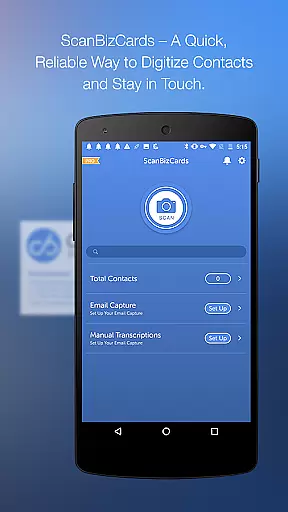
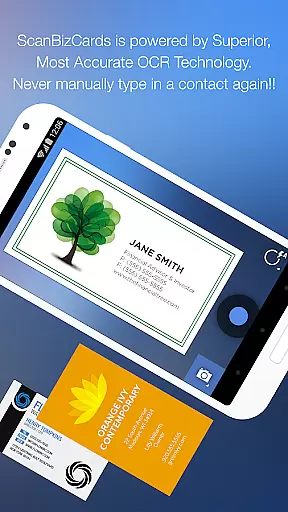
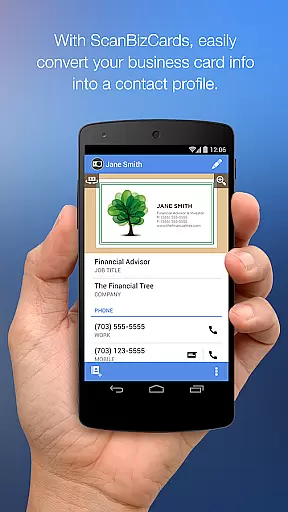
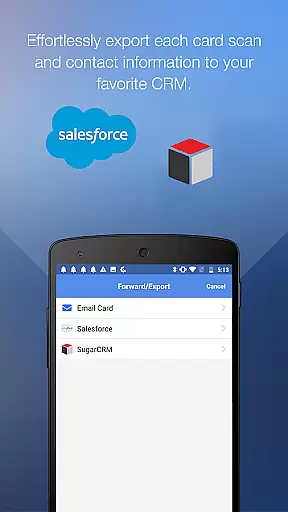
ScanBizCards Premium is a comprehensive business card management solution for Android users. This app allows professionals to digitize their physical business cards by capturing and organizing them directly on their mobile devices. With features like email signature capture, direct CRM integration, and support for 22 languages, it caters to the needs of global business professionals.
The app stands out with its unique human transcription service that ensures 100% accuracy for scanned cards. Additionally, ScanBizCards offers batch scanning capabilities, making it an ideal tool for networking events and trade shows. Users can quickly convert stacks of business cards into actionable contacts and sync them with popular CRMs like Salesforce and SugarCRM.
For sales professionals and frequent networkers, this app streamlines contact management by providing seamless integration with existing workflows. The ability to automatically update CRM systems and maintain accurate records makes it particularly valuable for enterprise users who need to keep their contact databases current and organized.
ScanBizCards Premium distinguishes itself through its robust feature set designed for efficient contact management. The app's upgraded OCR engine delivers significantly faster scanning (5x improvement) with better accuracy compared to previous versions. Its batch scanning capability allows users to process multiple cards simultaneously, while the new email signature capture feature automatically extracts contact information from incoming emails.
Professional users benefit from unlimited exports to Salesforce CRM, removing previous monthly limitations. The app supports double-sided card scanning and offers a unique 3D gallery view mode for easy navigation through collected contacts. Advanced organizational tools include custom folder creation and personal notes for each card, enhancing the overall contact management experience.
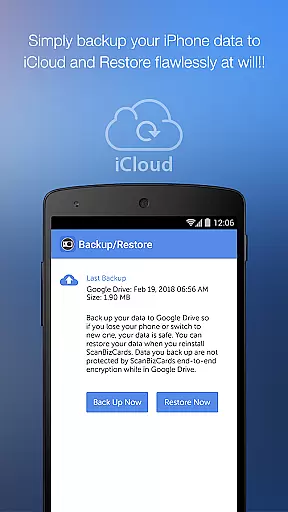
Integration with various CRM platforms demonstrates the app's commitment to professional use cases. The ability to create Quick Intro emails with attached business cards streamlines initial contact follow-ups. Furthermore, the app's multilingual support across 22 languages makes it suitable for international business environments, while backup/restore functionality to Google Drive ensures data security and accessibility.
In today's interconnected business environment, collaborative work features are essential for seamless teamwork. ScanBizCards Premium excels in this area by integrating with major CRM platforms like Salesforce and SugarCRM. This integration allows sales teams to effortlessly export scanned business cards directly into their preferred CRM system.
The app's email signature capture functionality further enhances collaboration. By connecting their email accounts, users can automatically extract new contacts from incoming emails and add them to their address book or CRM. This feature ensures that all team members have access to the latest contact information without manual data entry.
For conference settings, the application serves as both a business card reader and badge scanner. The batch scanning capability enables users to process multiple cards quickly, converting them into leads within seconds. This efficiency is particularly valuable for sales professionals who need to manage numerous contacts efficiently.
All these collaborative features work together to create a comprehensive solution for modern businesses. Users can maintain accurate records, share contact information across teams, and keep their CRM systems updated in real-time, significantly improving overall productivity and relationship management.
Effective task management is crucial for maintaining an organized workflow, and ScanBizCards Premium offers several features that streamline contact management processes. The app's primary function of digitizing business cards helps users systematically organize their professional network, eliminating the chaos of physical card storage.
The application provides robust organizational tools, allowing users to create custom folders for categorizing scanned cards. This feature enables efficient task management by letting users group contacts based on projects, industries, or any other relevant criteria. Additionally, the ability to add personal notes to each card enhances context retention and follow-up actions.
ScanBizCards goes beyond simple scanning by offering human transcription services for 100% accuracy. This feature ensures that even challenging cards are captured correctly, reducing errors in contact management tasks. The app's support for 22 languages further expands its utility in international business environments.
Furthermore, the Quick Intro email function streamlines communication tasks by allowing users to send their contact information along with a personal note and photo. These comprehensive task management capabilities make ScanBizCards Premium an invaluable tool for professionals seeking to maintain an efficient and organized contact management system.
Accurate card scanning
Unlimited CRM exports
Batch processing feature
Multilingual support
Human transcription option
Premium subscription cost
Internet connection required
Occasional scan errors
Limited free features
Steep learning curve

Zoom built for Chrome OS
 3.90
3.90
GoTo Mobile is a simple & secure calling, messaging & meetings solution
4.80
Formerly Facebook Ads Manager. Manage and create ads on the go.
4.20
Ask Accio anything about business. Alibaba-backed, built by experts, not just AI
4.60
The revolutionary flexible staffing platform
4.40
Measure distances, surfaces and draw plans in seconds with CamToPlan!
4.40
Amazon A to Z is the place to manage your work-life at Amazon.
4.50
Find jobs near you and temp work in minutes, from your phone.
4.50
Job search app that finds jobs for you! Takes the work out of looking for a job!
4.90
Recover what matters — quickly and easily.
4.70
We help people get jobs
4.70
The app that lets you deliver with Amazon.
4.50
One marketplace. Hundreds of services. Unlimited possibilities. All on Fiverr.
4.40
All Your Gig Work. One App.
4.30
Smarter career moves start here. AI job alerts, insights & the right tools.
4.20
The Penny Puss app with DG penny finder
4.10
The All-in-One File Manager for Phone, TV, Watch, Cars, XR / VR, Chromebook
4.10
Simple, Fast & Lightweight
3.90
view, manage, and share every PDF file you have
3.60


User Reviews