
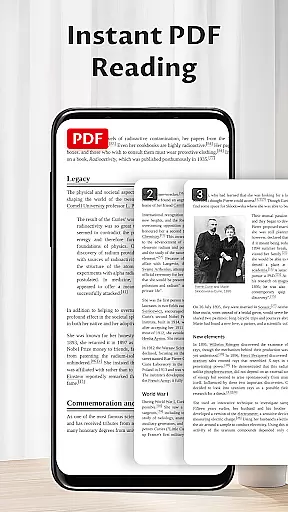
Pocket PDF is a streamlined PDF reader tailored for everyday use, focusing on simplicity and efficiency. It allows users to open, view, and manage PDF files with minimal effort, eliminating unnecessary complexities. The app's minimalist interface ensures an undistracted reading experience, making it ideal for users who prioritize clarity and performance in document handling.
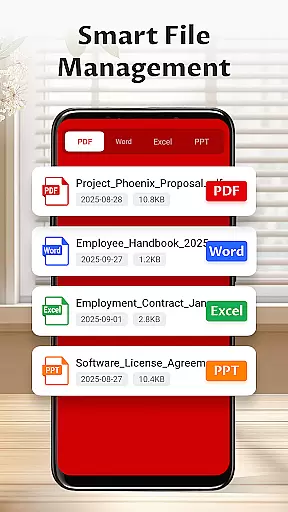
Designed for both personal and professional environments, Pocket PDF supports quick access to local files while offering essential features like easy sharing and deletion. Its permission requirements are transparent, needing only necessary access to external storage for file operations on Android 11+ devices. This makes Pocket PDF a reliable tool for managing documents efficiently without compromising user privacy or device security.
Pocket PDF stands out with its clean design and focus on core functionalities. The app provides a clutter-free interface that enhances readability by removing distractions, ensuring users can concentrate fully on their content. With support for opening local PDFs stored on the device, it delivers fast and seamless access to important documents anytime, anywhere.
Additional practical features include easy sharing and deletion options, allowing users to manage their files directly within the app. For Android 11+ users, Pocket PDF requests MANAGE_EXTERNAL_STORAGE permission solely for essential document operations, maintaining transparency about data access. These thoughtful implementations make Pocket PDF not just a viewer but a comprehensive yet simple tool for daily PDF management tasks.
Collaborative work features are essential for modern business applications, enabling teams to work together efficiently regardless of location. Pocket PDF focuses on providing a seamless experience for users who need to share and manage PDF documents within their teams.
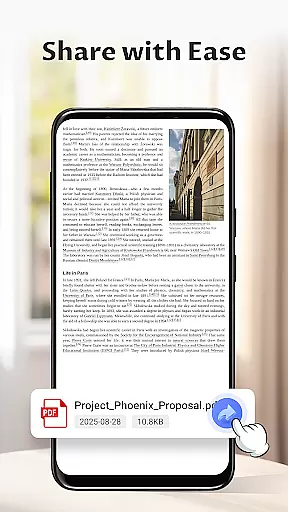
The app allows easy sharing of PDF files directly from its interface, ensuring that team members can quickly distribute important documents. This feature is particularly useful in collaborative environments where document sharing is frequent and time-sensitive.
While Pocket PDF maintains a minimalist design, it ensures that the core functionality of sharing is intuitive and reliable. Users can trust that their documents will reach the intended recipients without complications, enhancing overall team productivity.
By focusing on simplicity and efficiency, Pocket PDF ensures that collaborative work remains straightforward and effective, allowing users to concentrate on their tasks rather than struggling with complex document management systems.
Task management is a crucial aspect of any business tool, helping users organize their workflows and prioritize their responsibilities. Pocket PDF incorporates task management features that allow users to handle their PDF documents efficiently.
The app provides options to delete unnecessary files directly from the interface, streamlining the process of managing document libraries. This ensures that users can maintain an organized workspace, free from clutter and irrelevant files.
Additionally, the permission system on Android 11+ devices enables secure access to external storage, allowing users to manage their documents effectively while maintaining data integrity. This feature is vital for users who need to handle multiple files across different locations.
With its focus on simplicity and performance, Pocket PDF offers a reliable solution for task management, empowering users to stay organized and productive in their daily operations.
User-friendly interface
Fast PDF loading
Transparent permissions
Easy file sharing
Lightweight design
Limited advanced tools
No cloud integration
Basic annotation support
Few customization options
Restricted file formats

GoTo Mobile is a simple & secure calling, messaging & meetings solution
 4.80
4.80
Scan Business Cards & Conference Badges - Capture Leads at Events & Tradeshows
4.20
Earn crypto with secure cloud mining. Monitor, track & withdraw easily
4.40
All your team communication in one place
4.70
view, manage, and share every PDF file you have
3.60
All-in-one Mobile solutions for employees & managers to succeed at work
4.30
Say hello to the mobile work experience built to help you thrive at work.
4.30
Ship, Track, Find a Location or Get a Quote with UPS. Anytime. Anywhere.
4.60
On the go? Take FedEx with you.
4.00
BuildCalc - the easiest AND the most advanced construction calculator app.
4.80
Use Generative Summary to understand your rental or insurance docs in seconds.
4.70
AI-powered document scanner with auto enhance for perfect PDFs.
4.60
Find jobs and make money fast with JobStack.
4.60
Chat, meet, and collaborate to achieve more together, all in one place on Teams
4.60
Master crypto trading with real-time simulations and exciting challenges!
4.50
Find jobs near you and temp work in minutes, from your phone.
4.50
ADP Mobile Solutions is an employee self service app
4.50
Get your benefits on-the-go.
3.80
Find part-time earning opportunities near you that pay within days.
3.20


User Reviews