
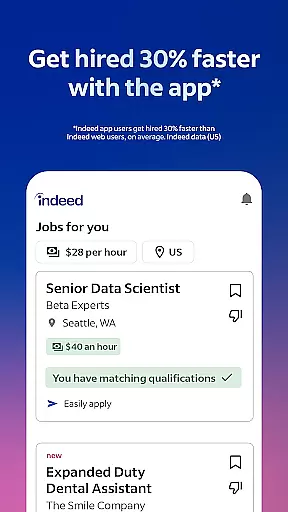
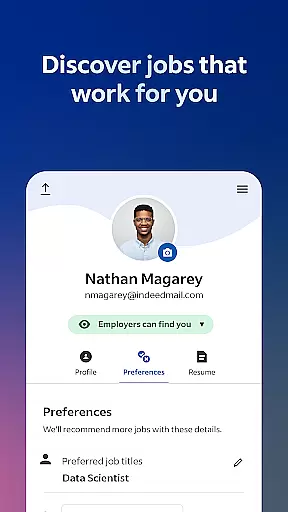




Indeed Job Search is a leading job search application that connects job seekers with employment opportunities across various industries. With over 12 jobs added every second, the app provides an extensive database of job listings, including roles posted on other job search sites. Users can explore recommended positions based on their preferences and work experience, making it easier to find relevant opportunities.
The app offers advanced functionality such as smart search filters, which allow users to quickly narrow down their ideal role. Whether you're casually browsing or urgently applying, Indeed's features are designed to meet your needs. The app also includes tools like resume uploading and building, application tracking, and notifications when employers respond to applications.
Indeed goes beyond basic job listings by providing valuable insights into companies through ratings and reviews, as well as salary information searchable by job title, company, and location. This makes it an essential tool for anyone looking to advance their career or find flexible work options like remote jobs, freelance work, or part-time positions.
Indeed Job Search stands out with its comprehensive suite of features tailored to streamline the job hunting process. One key feature is the app's ability to search across multiple job boards, aggregating listings into a single, easy-to-navigate platform. This ensures users have access to the widest possible range of opportunities without needing to visit numerous websites.
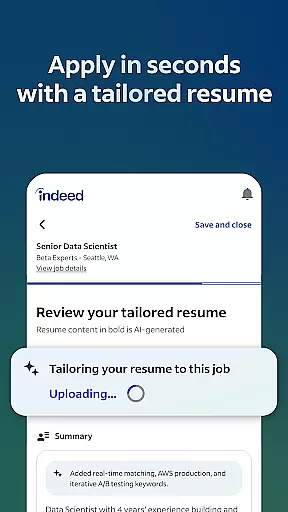
Another standout feature is the smart search functionality, which uses filters to help users pinpoint their ideal job quickly. These filters include options for remote work, freelance gigs, part-time roles, and more. Additionally, Indeed allows users to upload their resumes or create one using the built-in resume builder, saving time during applications. The app also tracks submitted applications and notifies users when employers respond, keeping them informed throughout the hiring process.
Indeed enhances user experience by offering over 700 million company ratings and reviews, giving candidates insight into potential workplaces. Furthermore, the inclusion of over 1.1 billion searchable salaries helps users understand compensation packages before applying. These robust features collectively empower job seekers to make informed decisions about their next career move.
Indeed Job Search offers collaborative work features that streamline the job application process for both job seekers and employers. The app allows users to upload their resumes or utilize Indeed's resume builder, ensuring a professional presentation to potential employers.
For those actively applying to multiple positions, the app simplifies the process by enabling applications with a saved resume, eliminating the need to repeatedly input the same information. This feature not only saves time but also reduces errors that can occur during manual data entry.
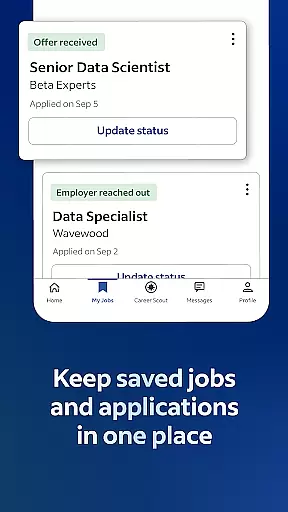
Additionally, Indeed provides functionality for tracking job applications. Users can stay informed about the status of their submissions as they receive notifications when employers view and respond to their applications. This transparency helps job seekers manage their search efforts more effectively.
By integrating these collaborative features, Indeed enhances communication between job seekers and employers, fostering a more efficient and organized job search experience.
Task management is a crucial aspect of the Indeed Job Search app, empowering users to handle their job search activities with precision and ease. The app's comprehensive database acts as a central hub where users can search for jobs, including listings from other job search sites, and discover roles tailored to their preferences and work history.
Indeed goes beyond basic search capabilities by offering smart filters that allow users to find jobs with specific work options such as remote, freelance, part-time, or work-from-home opportunities. These filters ensure that users can quickly narrow down their search to find positions that truly match their desired work style.
Moreover, Indeed supports users in making informed decisions by providing access to over 700 million company ratings and reviews, giving insights into workplace environments. With more than 1.1 billion searchable salaries, users can also uncover what a job pays before applying.
This robust task management system ensures that job seekers can efficiently organize their search, prioritize applications, and ultimately land the right job that meets their needs.
User-friendly interface
Extensive job database
Smart search filters
Resume builder tool
Employer response notifications
Limited high-level executive roles
Occasional outdated listings
Ads within free version
Privacy concerns with data sharing
Complex privacy policy

Ask Accio anything about business. Alibaba-backed, built by experts, not just AI
 4.60
4.60
Manage Your Shop
4.70
enjoy effortless PDF reading anytime, anywhere
3.90
All your team communication in one place
4.70
Grow your business and connect with more people with Meta Business Suite.
4.60
Find jobs near you and temp work in minutes, from your phone.
4.50
Smarter career moves start here. AI job alerts, insights & the right tools.
4.20
ADP Mobile Solutions is an employee self service app
4.50
No more passwords, easier sign-in, and greater protection for your accounts.
4.60
Make invoices, bills, receipts & estimates on the go with Invoice Generator.
4.70
Access to Paylocity, empowering employees with information they need 24/7.
4.70
ANDROID'S TOP MOBILE OFFICE - Word, Excel, PowerPoint and PDF at your fingertips
4.50
Master crypto trading with real-time simulations and exciting challenges!
4.50
Earn crypto with secure cloud mining. Monitor, track & withdraw easily
4.40
Formerly Facebook Ads Manager. Manage and create ads on the go.
4.20
Scan Business Cards & Conference Badges - Capture Leads at Events & Tradeshows
4.20
The All-in-One File Manager for Phone, TV, Watch, Cars, XR / VR, Chromebook
4.10
Shop, deliver, and earn with the Spark Driver™ App
4.10
Access All PDF Files
3.40


User Reviews