
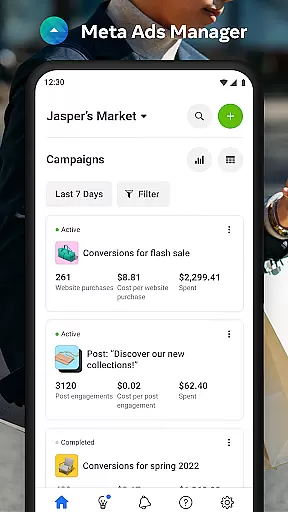

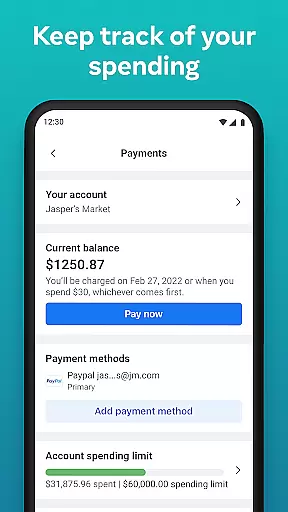
Meta Ads Manager is a comprehensive business tool designed to help advertisers manage their ad campaigns across Meta's platforms, including Facebook, Instagram, Messenger, and WhatsApp. With this app, users can create and edit ad campaigns, access real-time insights, and control campaign statuses with ease. The ability to receive instant alerts ensures that advertisers are always informed about the performance of their ads. Additionally, the side-by-side comparison feature allows for efficient analysis of different campaigns, making it an essential tool for businesses looking to optimize their advertising strategies.
This application is particularly useful for marketing professionals who need to stay connected with their ad campaigns while on the go. By providing detailed analytics and the flexibility to switch between different pages and ad accounts, Meta Ads Manager empowers users to make data-driven decisions and maximize their return on investment.
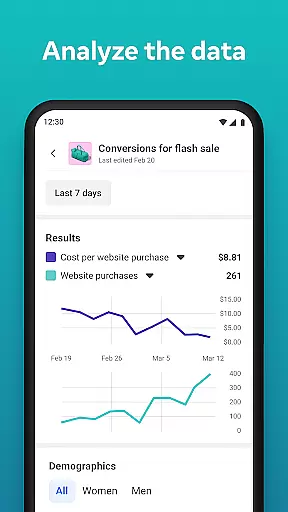
Meta Ads Manager offers a robust set of features tailored for managing ad campaigns effectively. One of its standout capabilities is the provision of detailed real-time insights, which enables users to monitor the performance of their ads as they happen. This feature is complemented by the ability to turn campaigns on and off, giving advertisers immediate control over their ad spend and strategy.
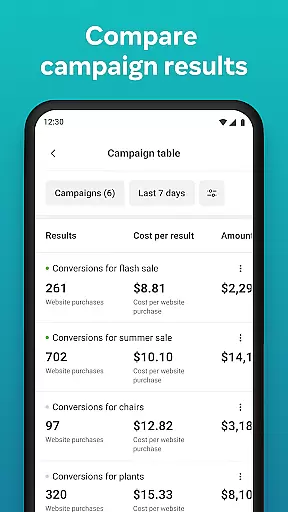
In addition to these core functionalities, the app provides quick alerts that notify users of significant changes or updates to their campaigns. The side-by-side view comparison tool is another innovative feature, allowing users to analyze multiple campaigns and ad sets simultaneously. This makes it easier to identify trends and optimize ad performance. Furthermore, the seamless switching between Pages and ad accounts streamlines the management process, ensuring that users can efficiently handle all aspects of their advertising efforts from one centralized location.
Collaborative work features are essential for modern business applications, enabling teams to work together efficiently regardless of location. Meta Ads Manager excels in this area by providing a centralized platform where marketing teams can manage campaigns across multiple Meta technologies.
The app allows users to create and edit ad campaigns for platforms like Facebook, Instagram, Messenger, and WhatsApp from a single interface. This unified approach ensures that all team members have access to the same information and can make real-time updates without communication delays.
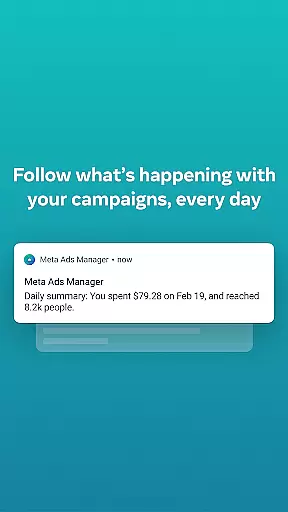
One of the key benefits is the ability to receive quick alerts about campaign performance. This feature ensures that all stakeholders are immediately informed about important changes or issues, allowing for rapid response and adjustment.
By offering side-by-side campaign comparison and easy switching between different ad accounts and pages, Meta Ads Manager streamlines collaboration among team members. These features help maintain consistency across campaigns and ensure that everyone is working with the most up-to-date information.
Effective task management is crucial for successful advertising campaigns, and Meta Ads Manager provides robust tools to handle this aspect. The application enables users to view detailed real-time insights from all their campaigns in one place, making it easier to monitor performance and make data-driven decisions.
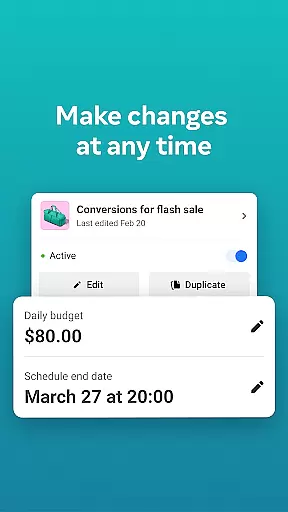
With the ability to turn campaigns on and off directly from the mobile interface, users can quickly respond to market changes or budget constraints. This level of control is particularly valuable for managing multiple campaigns across different platforms simultaneously.
The app's intuitive interface allows marketers to organize their workload efficiently. They can easily switch between different Pages and ad accounts, ensuring that no campaign is overlooked and all tasks are properly prioritized.
Furthermore, the side-by-side view feature for comparing campaigns and ad sets helps in optimizing task allocation. By having clear visual comparisons of performance metrics, managers can better distribute resources and adjust strategies to maximize ROI across all active campaigns.
User-friendly interface
Real-time campaign insights
Efficient ad management
Comprehensive platform coverage
Instant alerts and notifications
Limited third-party integrations
Occasional syncing issues
Advanced features require learning
Dependent on Meta platforms
Some features are subscription-based

The Penny Puss app with DG penny finder
 4.10
4.10
Your employer must have UKG Ready software configured for Mobile.
4.60
Simple, Fast & Lightweight
3.90
Start earning fast. Apply Today.
4.80
USPS Mobile®Access USPS.com’s most popular tools on-the-go.
4.70
All-in-one Mobile solutions for employees & managers to succeed at work
4.30
Ship, Track, Find a Location or Get a Quote with UPS. Anytime. Anywhere.
4.60
Roadie connects people with stuff to send with drivers already going that way.
3.50
Work happy with AI Companion
4.10
Create curriculum vitae, a professional cover letter creator and resume designer
4.80
Employee Management Made Easy
4.80
AI-powered document scanner with auto enhance for perfect PDFs.
4.60
Grow your business and connect with more people with Meta Business Suite.
4.60
Earn money with the driver & delivery partner app for Uber, UberEats & Postmates
4.60
Chat, meet, and collaborate to achieve more together, all in one place on Teams
4.60
Master crypto trading with real-time simulations and exciting challenges!
4.50
All Your Gig Work. One App.
4.30
Zoom built for Chrome OS
3.90
Take the stress out of storage with the all-in-one app to manage your space.
3.70


User Reviews