
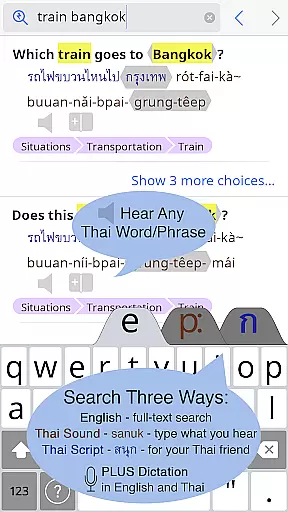
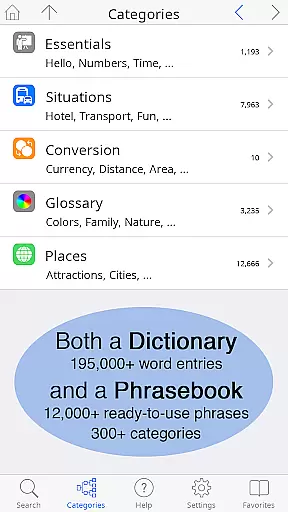
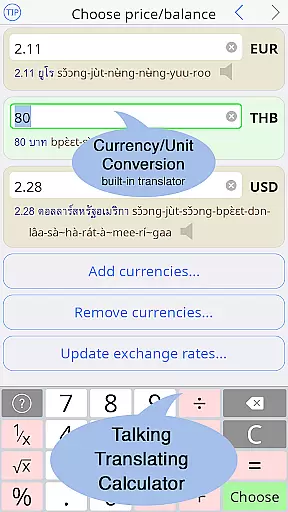
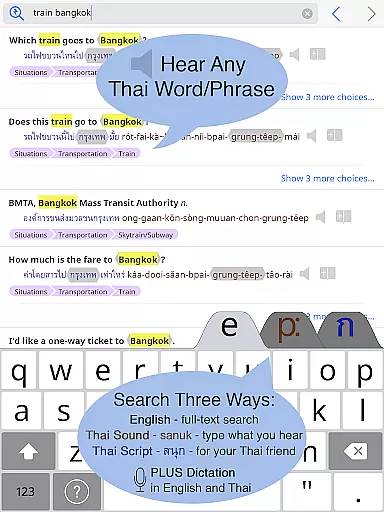
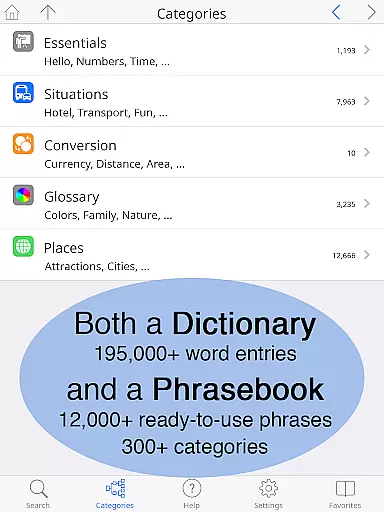
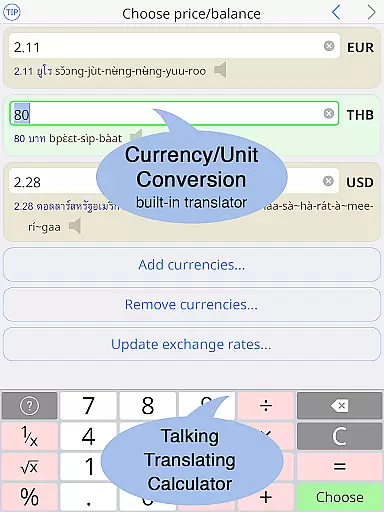
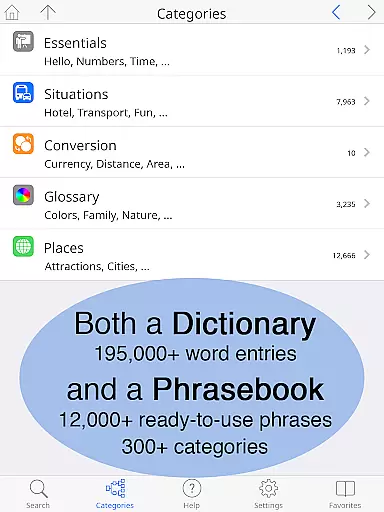
Thai <> English Dictionary is an essential tool for anyone engaging with the Thai language, whether for travel, work, or in-depth study. With over 195,000 entries and 250,000 translations, it offers comprehensive coverage that surpasses typical dictionaries. The app includes a built-in phrasebook with 300+ categories and 12,000+ ready-to-use phrases, all fully searchable. A unique feature is the clear native sound recordings for every Thai word, accessible even offline, enhancing the learning experience significantly.
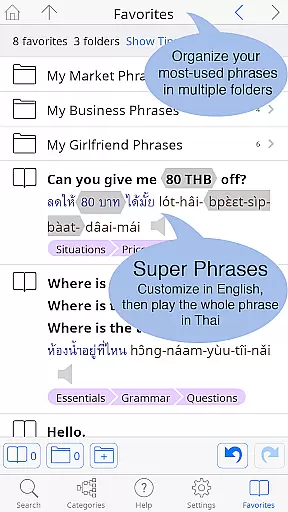
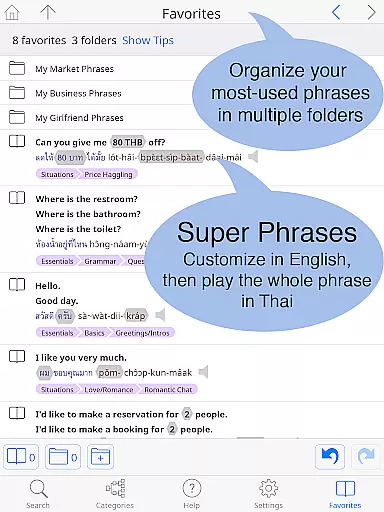
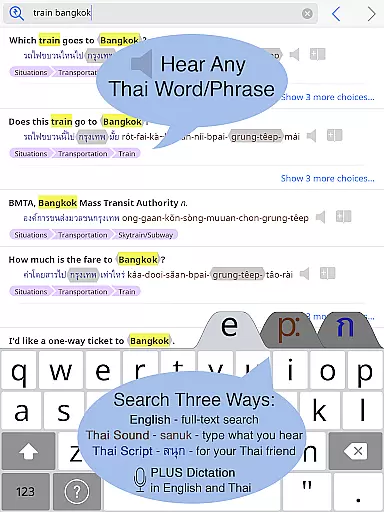
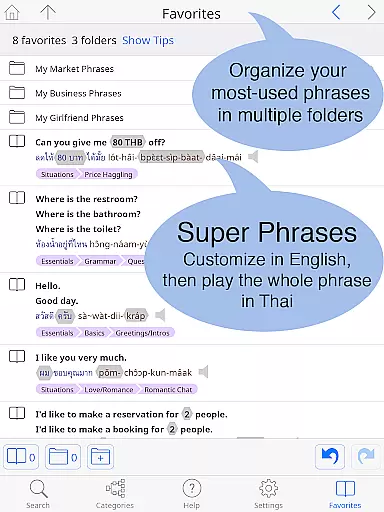
This dictionary stands out by catering specifically to those learning Thai, offering pronunciation guides in 12 different systems alongside Thai script. Users can look up words by sound, making it accessible even to beginners unfamiliar with the Thai alphabet. It also provides critical insights into word meanings, formality levels, and syllable stress, which are crucial for effective communication. The Favorites screen allows organization of words and phrases into multiple folders, while the big text option and customizable layout ensure ease of use for all learners.
The Thai <> English Dictionary app boasts several standout features that make it an invaluable resource for language learners. One of its key strengths is the high-quality sound recordings by native speakers for every Thai word and phrase, ensuring accurate pronunciation guidance. These recordings are studio-quality and can be played back at slower speeds without altering pitch, aiding comprehension and correct articulation.
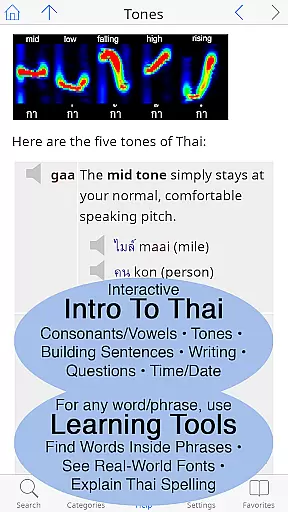
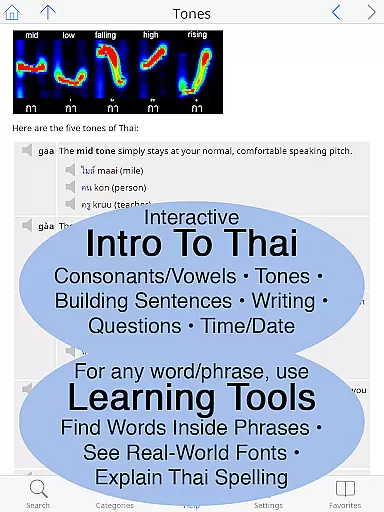
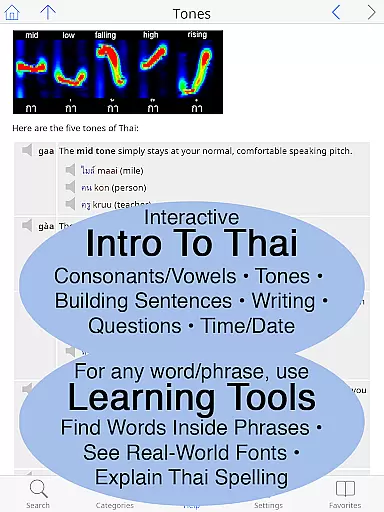
Another remarkable feature is the built-in phrasebook, which covers a wide array of categories such as travel, health, shopping, and more. Each entry is presented in a two-way conversational format, facilitating better communication. Additionally, the app includes a comprehensive introduction to the Thai language, complete with clickable sounds and detailed grammar sections. Unique learning tools allow users to break down complex words into their component parts, explore multiple fonts used in real-world signs, and receive interactive breakdowns of syllable pronunciation and Thai spelling.
Usability enhancements include the ability to customize text size and layout, choose between standard or big-key Thai keyboards, and store all data locally on your device, ensuring functionality without an internet connection. This makes the app particularly useful in varied settings like street markets or taxis where connectivity might be limited. Overall, these features collectively offer an unparalleled language learning experience tailored specifically for English speakers learning Thai.
When it comes to e-book libraries, size and authenticity matter significantly. The Thai <> English Dictionary app boasts an extensive library with over 195,000 entries and more than 250,000 translations, ensuring users have access to a vast repository of words and phrases. This expansive collection covers a wide array of categories, making it suitable for casual learners, travelers, and professionals alike.
Copyright authenticity is another crucial aspect that the app excels in. Each entry within the dictionary has been meticulously crafted by Paiboon Publishing, a renowned name in language learning resources. Unlike many free internet-based dictionaries, this app provides high-quality, reliable content specifically tailored for those learning Thai. Users can trust that every word and phrase is accurately represented and legally provided, enhancing their learning experience without concerns about copyright infringement.
The app also includes a built-in phrasebook featuring 300+ categories and 12,000+ ready-to-use customizable phrases. These phrases are not only full-text searchable but also come with clear native sound recordings for every Thai word, even accessible offline. Such comprehensive resources empower users to communicate effectively in various real-life situations, from everyday conversations to specialized discussions in professional settings.
Format compatibility plays a pivotal role in the usability of any digital resource, especially for e-books and reference materials. The Thai <> English Dictionary app ensures seamless integration across devices by supporting multiple formats that cater to diverse user preferences. Whether you're using an Android phone or tablet, this app delivers a consistent and optimized experience, allowing you to access your dictionary anytime, anywhere.
One standout feature is the flexibility in text size adjustments. Users can enlarge both Thai and English texts as much as needed, eliminating the need for reading glasses and providing comfort during extended study sessions. Additionally, the app offers a choice between standard and big-key Thai keyboards, catering to different typing styles and enhancing overall ease of use.
Moreover, the app supports twelve different pronunciation guide systems, accommodating various learning methods and personal preferences. Every Thai word is presented using both Thai script and the chosen pronunciation guide system, ensuring clarity and precision. This dual representation aids learners who may not be familiar with the Thai alphabet, enabling them to look up words by sound rather than script alone. Such thoughtful design elements underscore the app's commitment to delivering a versatile and user-friendly format compatible with a broad audience.
Comprehensive entries
Offline functionality
High-quality audio
User-friendly interface
Unique learning tools
Premium pricing
Large file size
No voice recognition
Limited social features
Complex for beginners

Contains the 365 daily readings and everything other thing needed for catholics
 4.70
4.70
7 Languages, Google, Wiki, Vocabulary.com, Cambridge & Urban Dictionary!
4.50
Prime novels await! Fantasy & Romance on JoyRead. Immersive reads!
4.20
ISAIAH EXPLAINED with Avraham Gileadi Ph.D.
4.00
"When tweetle beetles fight, it's called a tweetle beetle battle."
4.90
All in one Calibre libraries on your phones and tablets.
3.80
Unlock more features in Lithium and show your support. Expand for details.
4.00
King James Bible read offline, AI Priest, Bible Quiz, Guiding Prayers & Plans
4.80
Premium reader for ePub, PDF, and more. TTS and translation. Great on any screen
3.50
What’s that bird? Just answer 5 questions, snap a photo, or record its song!
4.90
A lightweight reader for comics and mangas files (.cbr, .cbz, .cbt, .pdf, ...)
4.80
"Five Dr. Seuss titles in one omBook!"
4.60
Crowd-sourced listing of businesses with anti-gun signs, and pro-2a alternatives
4.60
Words spoken by native English speakers and full definitions.
4.60
Build family tree & discover DNA, family history heritage, origins and ancestors
4.60
Offline translator from english to spanish, and from spanish to english.
4.50
Daily Bible app: King James Version with verses and audio for studying&prayer
4.40
A wonderful reader for good time spend.
4.20
Novels, audiobooks, ebooks & fanfiction. Read anytime, anywhere!
3.40


User Reviews