
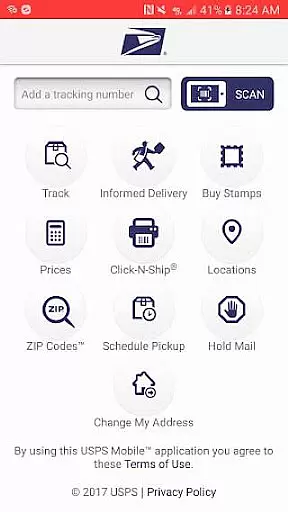
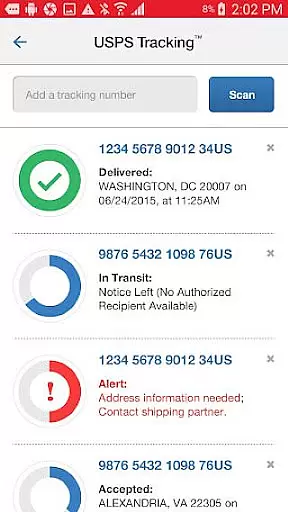
USPS Mobile® is a comprehensive business application designed to provide users with convenient access to essential postal services on the go. This app allows customers to perform various tasks such as calculating shipping prices, finding post office locations, looking up ZIP Codes™, scheduling pickups, and managing mail holds. It also offers advanced features like tracking shipments, receiving delivery notifications, and accessing Informed Delivery® for digital previews of incoming mail.
The app is particularly useful for businesses that require frequent mailing services. With its compatibility across newer Android devices and regular updates fixing bugs, USPS Mobile® ensures a reliable and efficient user experience. Whether you need to ship packages internationally or domestically, this app provides all necessary tools at your fingertips, enhancing productivity and convenience in managing postal needs.
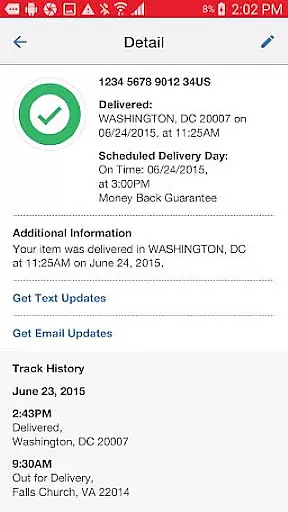
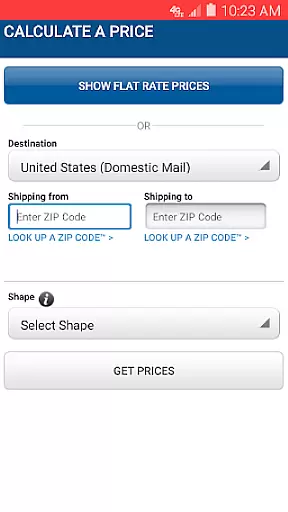
One of the standout features of USPS Mobile® is its ability to track the status of shipments sent using various delivery services including Priority Mail®, Priority Mail Express®, and Certified Mail®. Users can nickname their shipments and sign up for text and email alerts notifying them of delivery statuses. Additionally, the app enables calculation of domestic or international shipping prices, helping users determine required postage costs when sending letters, cards, large envelopes, or packages.
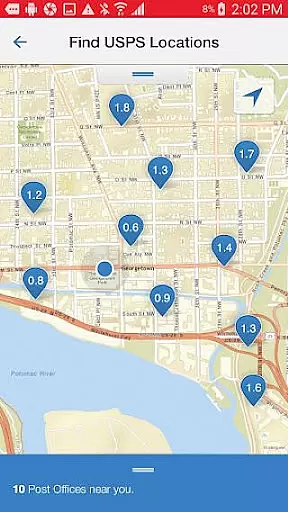
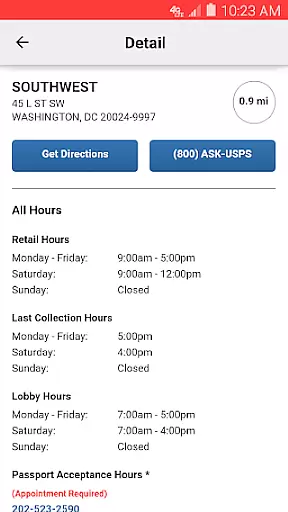
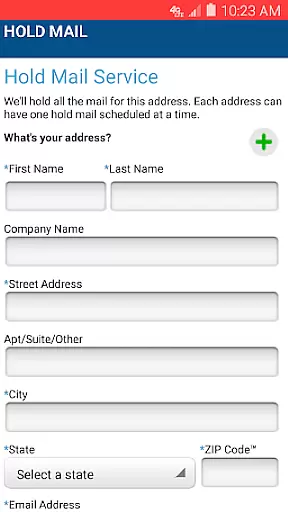
Another significant feature is the easy-to-use locator tool which helps find nearby USPS® locations such as Post Offices™, Self-Service Kiosks (APC®), and collection boxes. The app utilizes GPS technology to display closest options on a map along with operating hours and directions. Moreover, users can schedule free next-day pickups, request Hold Mail Service during absences, scan barcodes on shipping labels, and link to Informed Delivery® for tracking packages and previewing incoming mail digitally.
In today's fast-paced business environment, the ability to collaborate effectively is crucial. The USPS Mobileu00ae app facilitates collaborative work features by enabling users to nickname their shipments and share tracking information effortlessly. This functionality ensures that all team members are on the same page regarding the status of important deliveries.
Moreover, the app allows users to sign up for text and email alerts. These notifications keep everyone informed about the delivery status of Priority Mailu00ae, Priority Mail Expressu00ae, Certified Mailu00ae, and other services. By integrating these real-time updates, teams can better coordinate their efforts and manage expectations with clients or partners.
The USPS Mobileu00ae app also supports remote interactions, allowing users to schedule next-day pickups and request mail holds from any location. This flexibility enhances team productivity as members can focus on their core responsibilities without being tied to a physical office space.
By streamlining communication and providing tools that support teamwork, the USPS Mobileu00ae app becomes an indispensable asset for businesses looking to optimize their operations and improve overall efficiency.
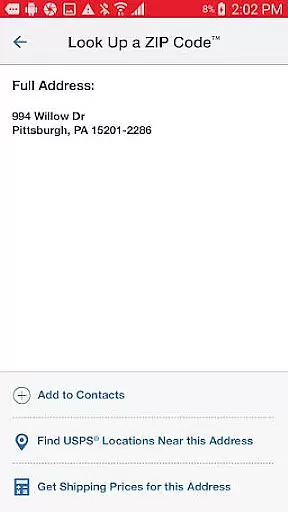
Efficient task management is at the heart of successful business operations, and the USPS Mobileu00ae app excels in this area by offering a suite of tools designed to keep users organized. With functionalities such as calculating shipping prices, finding Post Officeu2122 locations, and looking up ZIP Codesu2122, users can manage various tasks related to mailing and logistics with ease.
The app simplifies the process of determining postage costs for domestic and international shipments. Users can choose between retail or online pricing options, add extra services, and view totals, ensuring they have all necessary information before sending out packages. This feature saves time and reduces errors associated with manual calculations.
Additionally, the USPS Mobileu00ae app provides a comprehensive locator tool that uses GPS technology to display nearby Post Officeu2122 locations on a map. It includes details like Regular Hours, Special Hours, and Last Collection Times, along with directions for driving, walking, or using public transit. Such detailed information helps users plan their visits efficiently.
By consolidating essential tasks into one accessible platform, the USPS Mobileu00ae app empowers businesses to streamline their operations, reduce administrative burdens, and focus on strategic growth initiatives.
User-friendly interface
Comprehensive postal tools
Real-time shipment tracking
Convenient location finder
Free next-day pickup service
Limited to US and Canada
Requires internet connection
Occasional bugs reported
No offline functionality
Premium services cost extra

AI-powered document scanner with auto enhance for perfect PDFs.
 4.60
4.60
Quickly open and manage PDF files on your device.
3.80
TurboScan turns your phone into a full-featured PDF document scanner.
4.80
viewing and sharing PDFs and other files—anytime, anywhere!
4.2
Finance, Investing, Stocks, Trading and Stock news
4.60
Build a store in minutes with our full suite of AI tools. Start for free!
4.20
Master crypto trading with real-time simulations and exciting challenges!
4.50
Job search app that finds jobs for you! Takes the work out of looking for a job!
4.90
We help people get jobs
4.70
FaxCover - Create fax cover pages. Works with any app or fax machine.
4.90
Create curriculum vitae, a professional cover letter creator and resume designer
4.80
Earn free swag, G-Cards & food • Enter sweepstakes • Find stores • So much more.
4.70
Access to Paylocity, empowering employees with information they need 24/7.
4.70
Find jobs and make money fast with JobStack.
4.60
Amazon A to Z is the place to manage your work-life at Amazon.
4.50
Find work, shifts and gigs near you. Jobs lasting a few hours to a few months.
4.30
A secure, all-in-one team collaboration app
4.30
Make money as a delivery driver with DoorDash and work when you want as a Dasher
4.30
Find part-time earning opportunities near you that pay within days.
3.20


User Reviews