
Turbo PDF is a streamlined PDF reader tailored for Android devices, offering both phones and tablets an efficient way to handle PDF documents. With its user-friendly interface, the app ensures that reading and managing PDFs is straightforward and hassle-free. Turbo PDF supports instant file opening, smooth navigation, and essential document organization features, making it ideal for professionals and students who need quick access to their files.
One of the standout aspects of Turbo PDF is its ability to provide a seamless reading experience through fluid scrolling and zooming capabilities. Additionally, users can bookmark important files and manage their documents with ease. These features collectively enhance productivity by simplifying how users interact with PDF content on their mobile devices.
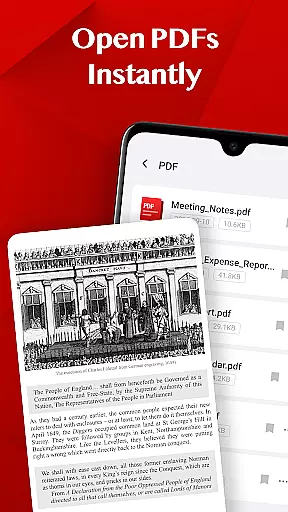
Turbo PDF stands out with its practical set of features designed to improve PDF handling on Android. First, the app allows users to open PDF files instantly without any loading delays, ensuring immediate access to needed documents. This feature is particularly useful for those who require quick retrieval of information while on the go.
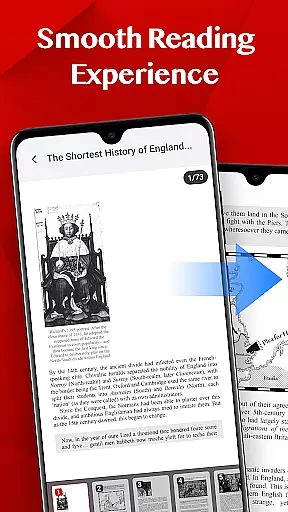
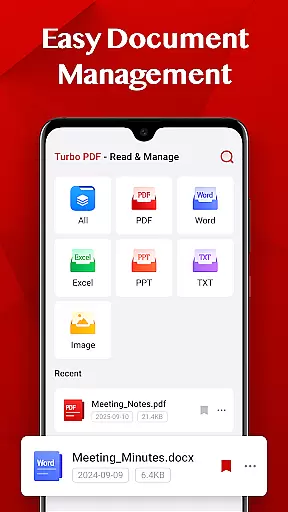
Another notable aspect is the app's smooth reading experience. It offers fluid page navigation, responsive zooming, and a clean layout that makes reading comfortable even for extended periods. Furthermore, Turbo PDF includes easy document management options such as sharing, deleting, and bookmarking files. These functions help users maintain an organized digital library and quickly retrieve key documents whenever necessary.
Collaborative work features are essential for modern business applications, enabling teams to work together efficiently regardless of location. Turbo PDF offers practical tools that support collaborative efforts by allowing users to manage and share PDF documents seamlessly.
The app provides an intuitive interface where users can easily open, read, and organize PDF files. Its smooth reading experience ensures that team members can access documents without delay, enjoying fluid scrolling and responsive page navigation. This makes it ideal for reviewing and collaborating on PDF content in real-time.
Turbo PDF also includes easy document management features, empowering users to share or delete files effortlessly. This functionality helps teams maintain an organized digital workspace, ensuring that important documents are always accessible to authorized members.
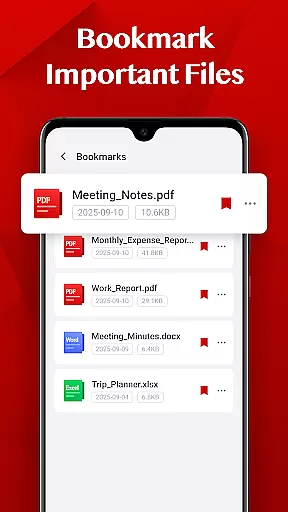
By integrating bookmarking capabilities, Turbo PDF allows users to mark key documents for quick retrieval. This feature enhances productivity by enabling team members to focus on critical tasks without wasting time searching for specific files, thus streamlining the collaborative workflow.
Effective task management is crucial for maintaining productivity in a business environment. Turbo PDF supports this by offering tools that help users keep track of their PDF documents efficiently, ensuring they can manage tasks related to document handling with ease.
With Turbo PDF, users can instantly open PDF files stored on their devices, eliminating waiting times and allowing them to focus on the task at hand. The app's smooth reading experience, featuring fluid scrolling and zooming, ensures that users can navigate through documents quickly, enhancing their ability to complete tasks promptly.
The app also simplifies document management by enabling users to perform actions such as sharing or deleting files. These capabilities ensure that users can organize their tasks effectively, keeping their digital workspace clutter-free and improving overall efficiency.
Additionally, Turbo PDF's bookmarking feature allows users to mark important files, making it easier to return to key documents as needed. This functionality aids in task prioritization, helping users manage their workload more effectively and ensuring that critical documents are always within reach.
User-friendly interface
Instant file opening
Smooth navigation
Easy document management
Bookmarking feature
Limited advanced tools
No cloud integration
Basic design
Few customization options
Permission requirements

The revolutionary flexible staffing platform
 4.40
4.40
ANDROID'S TOP MOBILE OFFICE - Word, Excel, PowerPoint and PDF at your fingertips
4.50
The Penny Puss app with DG penny finder
4.10
Scan Business Cards & Conference Badges - Capture Leads at Events & Tradeshows
4.20
Amazon A to Z is the place to manage your work-life at Amazon.
4.50
All document reader, pdf viewer app, read docs & excel files
3.80
A secure, all-in-one team collaboration app
4.30
USPS Mobile®Access USPS.com’s most popular tools on-the-go.
4.70
All-in-one Mobile solutions for employees & managers to succeed at work
4.30
Access to Paylocity, empowering employees with information they need 24/7.
4.70
Earn free swag, G-Cards & food • Enter sweepstakes • Find stores • So much more.
4.70
Your employer must have UKG Ready software configured for Mobile.
4.60
Paychex Flex - Save Time and Stay Connected
4.60
Manage work life on the go
4.50
Drive and earn extra money
4.50
Measure distances, surfaces and draw plans in seconds with CamToPlan!
4.40
Find work, shifts and gigs near you. Jobs lasting a few hours to a few months.
4.30
Work happy with AI Companion
4.10
view, manage, and share every PDF file you have
3.60


User Reviews