
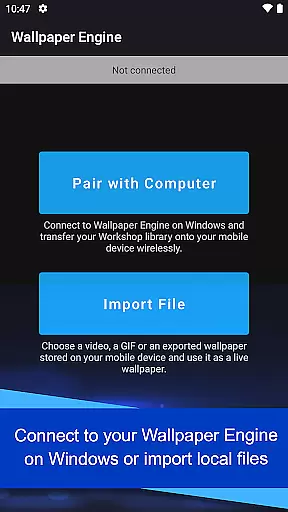
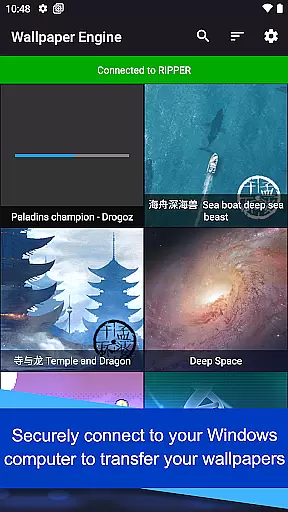
Wallpaper Engine is a personalization app that allows users to import and manage live wallpapers on their Android devices. The app supports various formats including videos, GIFs, and interactive 2D/3D scenes, providing a dynamic visual experience. Users can connect their Android device to Wallpaper Engine on Windows to transfer their desktop wallpaper library or import local media files directly.
The app offers customization options for wallpapers, allowing users to adjust the look and feel to suit their preferences. It also includes a playlist feature that automatically cycles wallpapers at regular intervals or based on the time of day. Designed with user privacy in mind, Wallpaper Engine is completely ad-free and does not track user behavior, ensuring a seamless and secure personalization experience.
Wallpaper Engine stands out with its versatile support for different types of wallpapers, including videos, GIFs, and interactive scenes. This flexibility enables users to create a personalized and visually engaging home screen. The app's connectivity feature allows seamless transfer of wallpapers from the Windows version, making it easy to build a comprehensive mobile wallpaper collection.
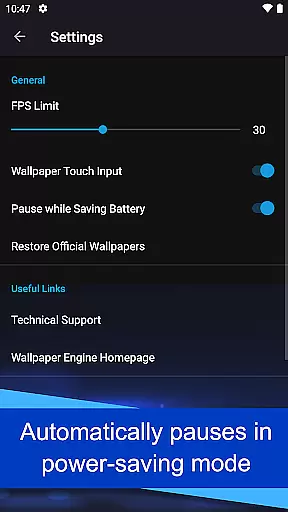
Customization is at the heart of Wallpaper Engine's functionality. Users can modify wallpaper settings to match their aesthetic preferences and set up automated playlists that change wallpapers based on predefined schedules. Additionally, the app intelligently pauses wallpapers when the phone enters power-saving mode, optimizing battery usage without compromising on style.
A key advantage of Wallpaper Engine is its commitment to user privacy. Unlike many other personalization apps, it operates without ads or behavioral tracking, offering a clean and uninterrupted user experience. This focus on privacy and usability makes Wallpaper Engine an ideal choice for those seeking both functionality and peace of mind in their personalization tools.
Wallpaper Engine offers a diverse range of customization options that allow users to tailor their wallpapers to their personal preferences. The app supports various formats including videos, GIFs, and interactive 2D/3D scenes, providing a rich selection for users to choose from.
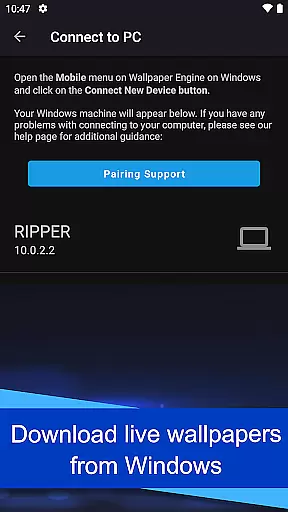
One of the standout features is the ability to connect with the Windows version of Wallpaper Engine. This seamless integration enables users to transfer their existing desktop wallpaper library directly to their mobile devices, ensuring a consistent and personalized experience across platforms.
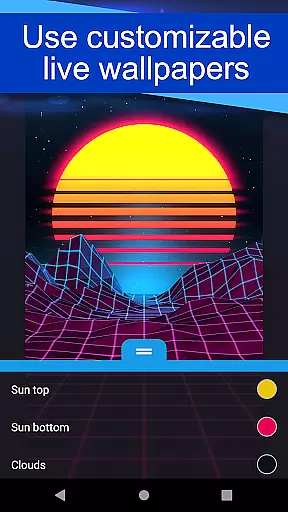
In addition to importing wallpapers, the app allows for further personalization through customizable settings. Users can adjust the look and feel of their wallpapers, creating a unique visual experience that suits their style. This level of customization ensures that each user's device reflects their individuality.
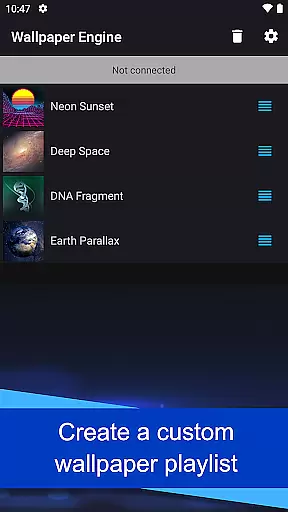
The app also includes a playlist feature, which automatically cycles through wallpapers at regular intervals or based on the time of day. This dynamic approach to customization keeps the user's home screen fresh and engaging, offering new visuals without manual intervention.
Theme compatibility is a crucial aspect of the Wallpaper Engine app, ensuring that users can enjoy a cohesive visual experience across their devices. The app is designed to work seamlessly with various themes, adapting wallpapers to fit different aesthetics and styles.
By supporting multiple formats such as videos, GIFs, and interactive scenes, Wallpaper Engine provides flexibility in theme selection. Whether users prefer minimalist designs or vibrant animations, the app caters to a wide array of thematic preferences, enhancing the overall user experience.
Another key feature is the automatic pausing of wallpapers when the phone enters power-saving mode. This intelligent functionality ensures that theme compatibility does not come at the expense of device performance or battery life, striking a balance between aesthetics and usability.
Furthermore, Wallpaper Engine maintains its commitment to user privacy and satisfaction by being completely ad-free. This approach not only enhances theme compatibility by avoiding intrusive advertisements but also respects user behavior by refraining from tracking. Such considerations make the app a reliable choice for those seeking a harmonious and uninterrupted thematic experience.
User-friendly interface
Versatile format support
Seamless Windows integration
Customizable settings
Ad-free experience
Limited to Android
Requires Windows version
No iOS support
Resource-intensive
Premium pricing

A Colorful and Minimal icon pack in an Outline Style - Over 13,600 icons!
 4.70
4.70
Vertically oriented rectangular icons
4.70
Capture moments that pass like a storm, second by second.
4.2
Art & Emoji Keyboard with Cool Fonts, Cute Themes and Custom Designs.
4.40 4.50
4.50
Color phone with cool effects for call screen, flash alert & ringtones music
4.50
Handcrafted pixel art icons, widgets & wallpapers
4.60
Enjoy a variety of amazing live wallpapers and colorful EDGE lighting borders!
4.80
set a new experience for the Android mobile phone
4.20
Only for Wear OS devices!
4.90
Customizable screen pets that play, climb, and keep you company.
4.50
Aesthetic Widgets, HD Wallpapers, Themes in Mico Widget for Home and Lock Screen
4.50
Yandex Browser — stylish and secure, with voice search and data compression
4.40
Unique Fonts, typefaces and stylish text. Fonts for Instagram, Whatsapp & others
4.20
Unleash Your Creativity and Connect with Loved Ones with Lockscreen Drawing!
4.20
HappyLighting is a Bluetooth lamp control software.
3.40
Adorable pets roam and play right on your phone screen!
3.30
Prank your friends with realistic broken screen and cracked HD effects!
4.4
⭐ OneUI inspired Fluffy Icon Pack – Soft. Stylish. Standout. ⭐
4.3


User Reviews