
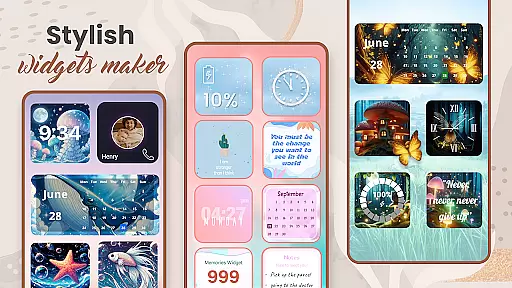
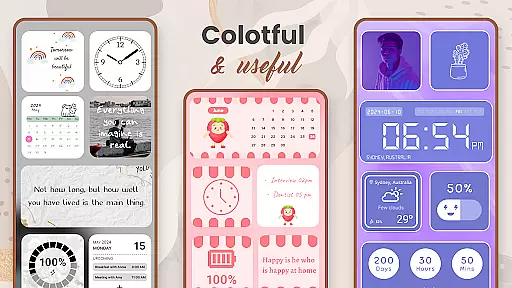
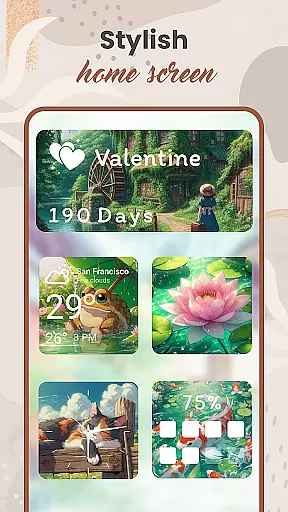
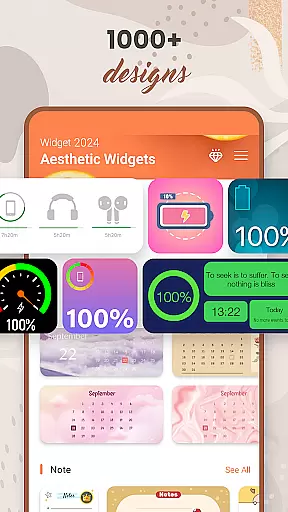
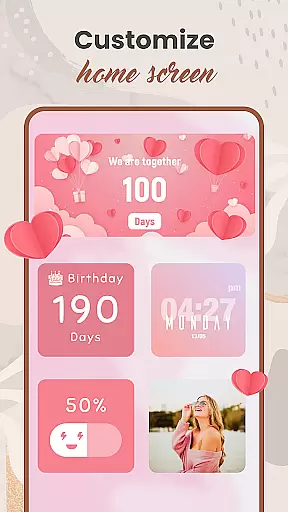
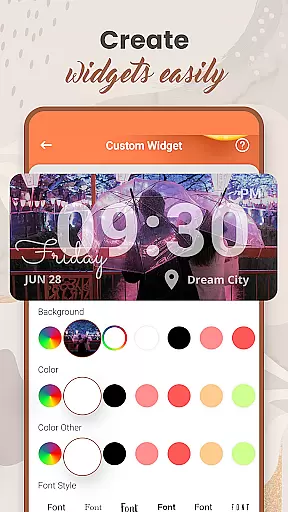
Widget 2025 is a powerful personalization app designed to transform your Android home screen with aesthetic widgets. The app offers a comprehensive suite of customization tools, including Color Widget Maker, photo widgets, weather and clock styles, calendar features, countdowns, contact displays, and battery indicators.
This versatile application allows users to create fancy widgets for Android devices with ease. With over 1000 styles to choose from, users can customize colors, fonts, styles, and backgrounds through a user-friendly interface. The widget editor enables precise adjustments to suit individual preferences, making it possible to personalize every aspect of the home screen.
Whether you're looking to enhance your device's visual appeal or improve its functionality, Widget 2025 provides practical solutions. From displaying important information at a glance to creating visually stunning layouts, this app helps users optimize their Android experience while expressing their unique style.
The application stands out with its extensive range of features designed for maximum customization. The Color Widget Maker allows users to craft unique color schemes that perfectly match their personal style. The photo widget functionality enables placing favorite images directly on the home screen, while the quote feature delivers daily inspiration.
Practical widgets include weather updates with customizable display options, multiple clock styles, and comprehensive calendar functions. Users can set countdowns for important events, display contacts directly on their home screen, and monitor battery levels with customizable indicators. Each feature is designed to be both functional and aesthetically pleasing.
All customization options are accessible through an intuitive interface that makes widget creation straightforward. The app's powerful editor allows users to adjust every detail, from font choices to background patterns. This level of customization ensures that each user can create a truly unique home screen setup that reflects their personality while providing useful information at a glance.
Customization is at the heart of Widget 2025, offering users a vast array of options to personalize their Android devices. With over 1000 aesthetic widgets available, this app allows you to tailor your home screen precisely to your liking.
The app provides tools such as the Color Widget Maker and an easy-to-use widget editor, enabling users to create fancy widgets for Android with customized colors, fonts, styles, and backgrounds. This level of customization ensures that every user can achieve a look that truly reflects their personal style.
Users benefit from the ability to add multiple photo widgets on the home screen, integrating their favorite images into their daily digital experience. The flexibility offered by Widget 2025 transforms routine interactions with your device into something more personal and engaging.
Widget 2025 excels in theme compatibility, ensuring that all personalized widgets integrate seamlessly with your Android device's existing aesthetics. Whether you're looking to match your current theme or create a new one, this app supports a cohesive visual experience.
With features like Quotes of the Day, Weather & Clock styles, Calendar, and Countdown widgets, the app maintains design consistency across various functionalities. This compatibility enhances usability while preserving the visual harmony of your device.
By allowing full customization of widgets, including contact information, battery status, and notes, Widget 2025 ensures that every element on your home screen not only serves a functional purpose but also contributes to a unified and appealing design language.
Extensive customization
User-friendly interface
Versatile widget options
Regular updates
Stable performance
May drain battery
Some features locked
Requires learning
Occasional bugs
Premium cost

A retro cartoon style watch face and a punch right in the face of the copyright
 4.60
4.60
Themes - Widget & Wallpaper: Customize home screen, icon changer w unique themes
4.30
Gun Chase - Let the chase begin.
4.80
Dark icon pack based on One 8
4.80
Unique Fonts, typefaces and stylish text. Fonts for Instagram, Whatsapp & others
4.20 4.50
4.50
300+ Stunning and well-designed widgets inspired by NOTHING.
4.70
Create unique, fun emojis with Funny Emoji Maker! Unlimited creativity!
4.00
Transform your phone with stunning video wallpapers and a unique, personal touch
3.80
Only for Wear OS devices!
4.90
Enjoy a variety of amazing live wallpapers and colorful EDGE lighting borders!
4.80
Customizable Glass widgets. Over 360+ stunning widgets and more!
4.70
Shimeji adds cute animated characters to your screen, lively and fun.
4.70
Bring adorable pets to life on your screen. Playful, interactive and full of fun
4.60
Ultimate Gallery Lock App - Hide Pictures, Videos and Lock Apps Instantly!
4.60
A light in the dark, a unique style and an andless cutomization!
4.30
Your home screen, just the way you like it.
4.30
Run multiple accounts of the same app on a single device
4.10
Struggling to find apps? Use this app to locate and open any app on your phone!
2.20


User Reviews