





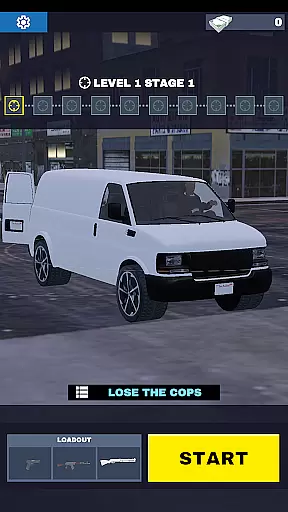

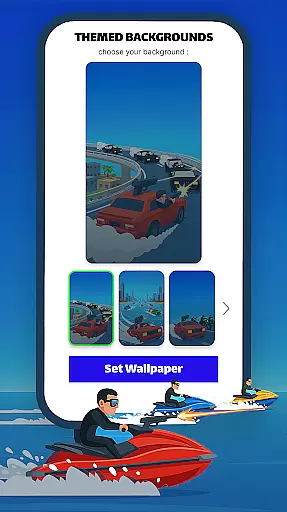

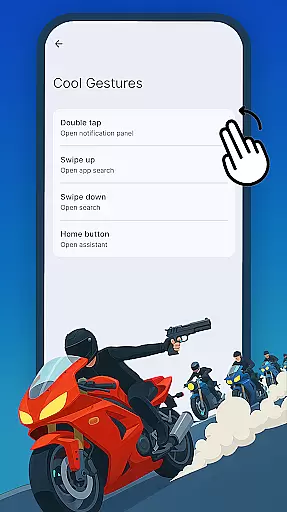
Gun Chase Launcher is a dynamic Android home screen app that combines the thrill of high-speed chases with extensive customization options. Designed for gamers and personalization enthusiasts, this launcher brings the adrenaline-pumping action of Gun Chase to your fingertips. With themed backgrounds, cool gestures, adjustable themes, and customizable icon shapes, it offers a unique way to interact with your device while showcasing your personal style.
The app allows users to immerse themselves in the world of Gun Chase by transforming their home screens into an extension of the game. Whether you're navigating through menus or launching apps, every interaction feels like part of the ultimate chase. The intuitive design ensures that even those new to launchers can easily adapt and enjoy a seamless experience.
For users who value both functionality and aesthetics, Gun Chase Launcher provides a perfect balance. It not only enhances productivity with its gesture controls but also keeps your device visually engaging with its gaming-inspired themes. This makes it ideal for anyone looking to add excitement to their daily mobile routine.
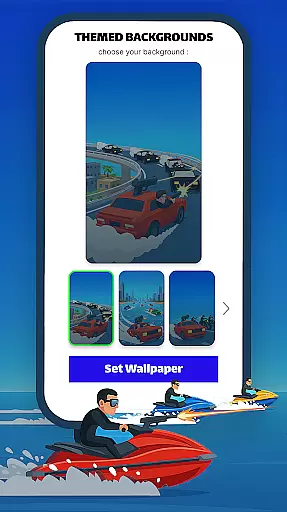
One of the standout features of Gun Chase Launcher is its deep level of customization. Users can choose from various themed backgrounds that reflect the fast-paced nature of the Gun Chase game. These themes bring vibrant colors and dynamic designs to your home screen, making it feel alive with action. Additionally, the app supports both bright and dark modes, allowing you to switch based on your environment or preference.
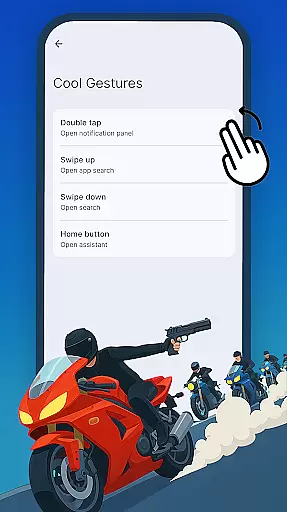
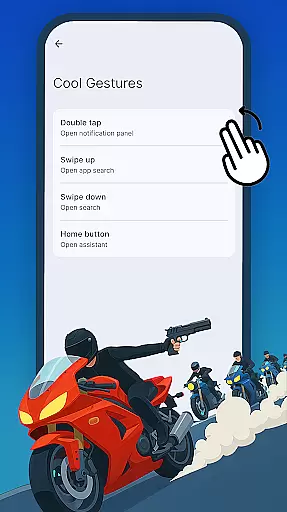
The launcher also introduces Cool Gestures, which revolutionize how you interact with your device. By assigning specific actions to swipes, taps, and double taps, you can quickly access apps, shortcuts, or perform common tasks without navigating through multiple menus. This feature significantly boosts efficiency and streamlines your workflow.
Another notable aspect is the ability to adjust icon shapes and styles. Through the icon shapes panel, users can select from different designs to match their aesthetic preferences. This flexibility ensures that your home screen remains uniquely yours while maintaining the sleek, modern look associated with gaming-inspired interfaces.
Gun Chase Launcher offers a wide array of customization options that allow users to tailor their Android home screen experience. The app includes themed backgrounds, bringing the thrilling style of the Gun Chase game directly to your device.
Cool gestures such as swipes, taps, and double taps can be assigned to open specific apps or trigger shortcuts, streamlining navigation and reducing the need to move through menus. This makes accessing your favorite features quicker and more intuitive.
Users can also adjust themes between bright or dark modes, catering to personal preferences and moods at any time of day. Additionally, icon shapes can be modified, providing different styles and forms to give your home screen a unique look that matches your individual taste.
These diverse customization features ensure that every user can create a personalized and efficient home screen setup, enhancing both aesthetics and usability.
Theme compatibility in Gun Chase Launcher ensures that all visual elements are harmoniously integrated into the home screen environment. By offering adjustable themes, including bright and dark modes, the app maintains visual consistency across various user interfaces.
The launcher supports different icon shapes and styles, which means that no matter what theme you choose, the icons will adapt accordingly to provide a seamless appearance. This attention to detail enhances the overall user experience by maintaining a cohesive look and feel.
Switching themes is straightforward; users can press and hold an empty area of their home screen, then click Home Settings to access these features. This ease of use allows for effortless adjustments whenever desired.
Overall, Gun Chase Launcher's theme compatibility not only improves aesthetic appeal but also ensures that functional aspects like readability and accessibility remain optimal under any chosen theme setting.
Highly customizable
Intuitive gesture controls
Gaming-themed interface
Bright and dark modes
Vibrant background themes
May reset existing layout
Limited to Android devices
Requires manual adjustments
Potential learning curve
Game-centric design

Classic analogue watch face. For wear os devices.
 4.60
4.60
Ninja Turtles Cowabunga SE watch face for Wear OS
4.50
Try creating your own keyboard with "Keyboard theme for android" app now!
4.50
More than 3000+ themes and 9000+ wallpapers for everybody!
4.10
Customize your home screen with stunning themes, blur, widgets & icons.
4.60
Your go to Weather App & Home Screen. Get your weather at a swipe of a finger!
3.80
300+ Stunning and well-designed widgets inspired by NOTHING.
4.70
Create stunning widgets with Widget 2026: Aesthetic Widgets for Android!
4.60
Cool custom fonts & keyboard themes! Symbols & font changer for Instagram
4.50
Shimeji adds cute animated characters to your screen, lively and fun.
4.70
400+ Beautifully crafted widgets inspired by NOTHING.
4.70
Unique Android Launcher
4.60
Ultimate Gallery Lock App - Hide Pictures, Videos and Lock Apps Instantly!
4.60
Beautiful realistic hybrid watch face with numerous customization options.
4.50
A light in the dark, a unique style and an andless cutomization!
4.30
Themes - Widget & Wallpaper: Customize home screen, icon changer w unique themes
4.30
Romantic Kiss Stickers App. Start romantic messaging now!
4.30
Turn your lock screen into fun with smile live wallpapers & animated wallpapers!
2.50
⭐ OneUI inspired Fluffy Icon Pack – Soft. Stylish. Standout. ⭐
4.1


User Reviews