
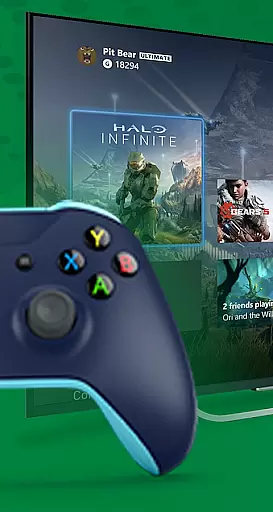
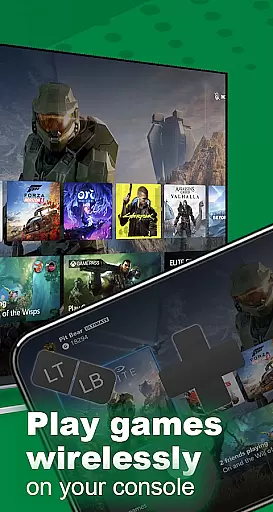
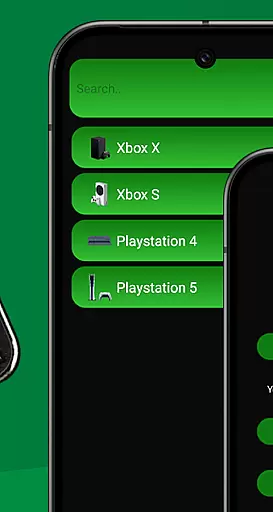
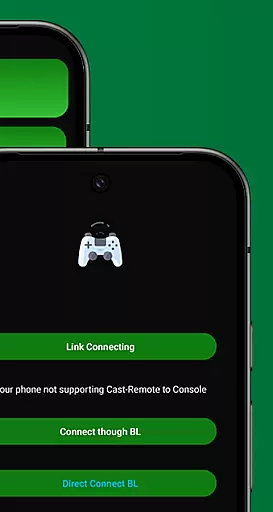
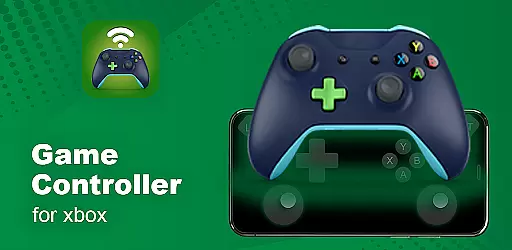
XB Game Controller is a powerful tool that transforms your smartphone into a wireless Xbox remote, allowing you to control your Xbox Series X/S or Xbox One directly from your phone. With its intuitive interface and seamless connectivity, this app offers an unparalleled gaming experience without the need for a physical controller.
The app supports both remote play and gamepad mode, providing users with flexible options for gameplay. Whether you're at home or on the go, XB Game Controller ensures ultra-low latency and smooth performance, making it perfect for streaming games in real time over Wi-Fi or mobile data.
Beyond just gaming, the app also supports multiplayer sessions and voice chat, enhancing social interactions while playing. Its compatibility with Bluetooth keyboards and headsets further extends its utility, offering a comprehensive solution for all your Xbox controlling needs.
One of the standout features of XB Game Controller is its ability to stream Xbox games in high-definition 1080p with minimal lag. This ensures that users can enjoy their favorite titles with crisp visuals and responsive controls, regardless of their location.
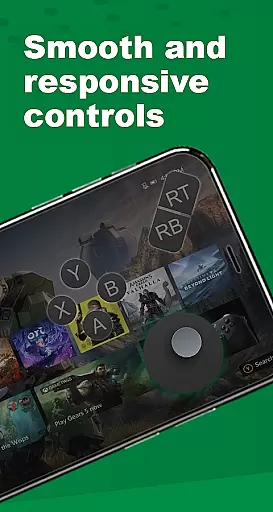
The app's gamepad layout is meticulously designed to mimic the original Xbox controller, with every button, trigger, and joystick accurately mapped. Users can customize these controls to suit their preferences, providing a personalized gaming experience.
Additionally, XB Game Controller supports multiplayer gaming sessions, allowing friends to join in using their own phones as controllers. This feature is particularly useful for local co-op or party games, where multiple players can connect simultaneously over the same Wi-Fi network.
In the realm of Libraries & Demo apps, functionality completeness is paramount. XB Game Controller offers a comprehensive suite of features that transform your smartphone into a versatile Xbox remote control. This includes not only basic navigation but also advanced functionalities like game streaming and multiplayer support.
The app meticulously maps every button, trigger, and joystick to mirror the original Xbox controller layout. This ensures users can enjoy an authentic gaming experience whether they're at home or on the go. The inclusion of customizable buttons adds another layer of personalization, catering to individual preferences and play styles.
XB Game Controller stands out with its ability to stream games in 1080p resolution with minimal latency. This feature is crucial for gamers who demand high performance even when playing remotely. Additionally, the app supports multiplayer sessions over Wi-Fi, allowing friends to join in using their phones as controllers.
By covering essential aspects such as audio and chat support, seamless device switching, and compatibility with Bluetooth peripherals, XB Game Controller demonstrates its commitment to providing a complete user experience. These elements collectively enhance the app's functionality, making it a reliable choice for controlling your Xbox console from anywhere.
Usability is a critical factor in evaluating any application, especially within the Libraries & Demo category. XB Game Controller excels in this area by offering an intuitive interface that simplifies the process of connecting to your Xbox console. Users can easily set up the app by connecting both devices to the same Wi-Fi network and logging into their Xbox account.
Operational smoothness is evident in the app's ability to deliver low-latency, high-quality game streaming. Gamers can expect a responsive experience with smooth gameplay, which is vital for maintaining immersion and enjoyment. The app's optimization for remote gaming ensures that users can play without noticeable delays or interruptions.
Another aspect contributing to the app's usability is its support for various input methods. Whether using touch controls or external Bluetooth keyboards and headsets, XB Game Controller adapts seamlessly to different user preferences. This flexibility enhances the overall operational experience, making it accessible to a wider audience.
Furthermore, the app's modern interface and quick setup process contribute to its operational efficiency. By minimizing the steps required to start streaming or switch between modes, XB Game Controller prioritizes user convenience. This focus on usability and operational smoothness makes it an attractive option for those looking to extend their gaming experience beyond traditional controllers.
User-friendly interface
High-definition streaming
Customizable controls
Multiplayer support
Voice chat functionality
Requires stable Wi-Fi
Limited offline use
Dependent on Xbox console
Occasional latency issues
No official affiliation

Connect and find your Smart Tag 2 devices through our app.
 3.60
3.60
SmartCast mirrors Android phone to TV screen With Cast Screen, Chromecast.
4.80
Sad ringtones full of feeling, sad music ringtones
3.90
Connect your phone to any endoscope camera, USB camera, or borescope with ease.
3.70
Block, disable and secure phone camera from secretly taking photos by spyware.
4.50
a wireless controller that provides a seamless and gaming experience for players
3.80
Al QURAN-القرأن الكريم app to read Quran offline just like an actual Quran book
4.30
CloudEye 365 is a easy-handling APP
3.60
Simulator of real black light
3.50
TV USB connector app provides you a seamless cast option from your phone to tv.
4.70
View your cameras anywhere and anytime
4.20
Demo version of the mcpro24fps manual video camera. Try and buy a full version!
4.00
Mirror link car connector to share your screen with car dashboard
3.80
Mirror phone to TV effortlessly! Stream, share & connect with Airplay ease.
3.60
Experience virtual reality on your smartphone with Cardboard.
3.50
Now Available on Android ™
3.40
Connect and Find your smart tag via our app.our app is compatible with smarttag.
3.30
DamonSx2 is the open Source LGPL Emulator
3.20
A great tool help you to format Micro SD memory Card
3.10


User Reviews