
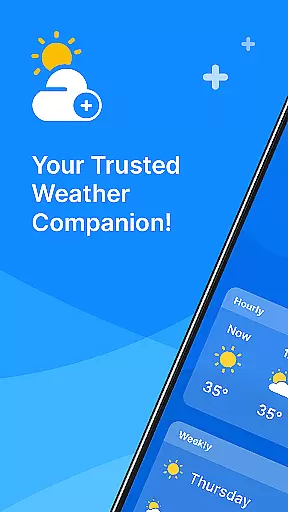
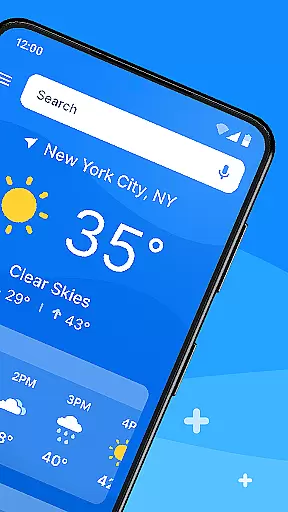
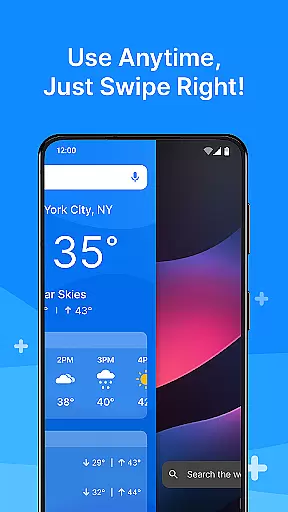
All Weather Mode is a comprehensive weather application designed to keep users informed about current and forecasted weather conditions. The app provides real-time updates, detailed forecasts, and location-based reporting, ensuring you're always prepared for the day ahead.
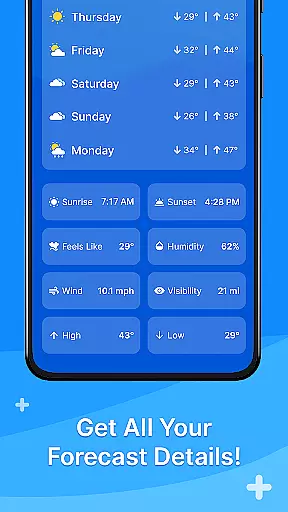
Key features include an intuitive home screen layout that offers quick access to essential weather information. Users can swipe through local weather forecasts, check sunrise and sunset times, and view detailed 7-day forecasts with hourly breakdowns. Whether planning daily activities or outdoor adventures, this app ensures you stay safe and informed.
The app's robust functionality extends to multiple location tracking, making it ideal for travelers or those concerned about loved ones in different areas. With its clean design and reliable data powered by Yahoo, All Weather Mode is your go-to weather companion.
All Weather Mode stands out with its user-friendly interface and powerful weather tracking capabilities. The app's intuitive home screen layout allows users to access weather reports effortlessly, providing a seamless experience even for first-time users.
Real-time weather reporting delivers up-to-the-minute information on temperature, humidity, wind speed, and more. This feature ensures users have accurate data at their fingertips, helping them make informed decisions quickly. Additionally, the app's detailed forecasts offer 7-day outlooks with daily highs and lows, as well as hourly updates including precipitation percentages.
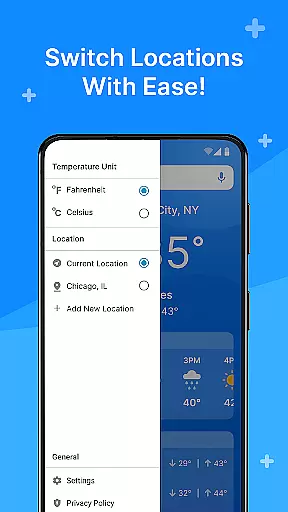
Location-based weather tracking enables users to monitor multiple locations simultaneously. Whether checking weather conditions for travel destinations or keeping an eye on loved ones' locations, this feature adds significant value. Sunrise and sunset times further enhance planning capabilities, making All Weather Mode an indispensable tool for weather-conscious individuals.
Weather Mode: Weather Launcher offers a rich array of customization options that cater to individual preferences and needs. The app provides an intuitive home screen layout, allowing users to personalize their experience with easy access shortcuts for weather forecasts.
The robust search functionality powered by Yahoo enables quick location-based weather reporting. Users can add multiple locations, making it simple to check the weather for various areas, whether for travel planning or keeping an eye on loved ones' locations.
With features like sunrise and sunset times, detailed 7-day forecasts, and real-time weather reporting, users can tailor the information they receive. This ensures that whether you are scheduling daily activities or preparing for outdoor excursions, the app delivers relevant data to keep you informed and safe.
Quick-swipe shortcuts further enhance the user experience by providing rapid access to essential features. This level of customization ensures that Weather Mode: Weather Launcher is not just a weather app but a personalized weather companion.
Theme compatibility in Weather Mode: Weather Launcher ensures a seamless visual experience across different devices and themes. The app's clean and intuitive home screen layout is designed to be visually consistent, whether you are using a light or dark theme.
Users benefit from the app's design, which maintains its aesthetic appeal and functionality regardless of the deviceu2019s theme settings. This compatibility enhances readability and usability, ensuring that critical weather information is always accessible and clear.
In addition to visual consistency, the app offers detailed forecasts and real-time weather updates that integrate smoothly into the overall theme. This means users can enjoy both form and function without any compromise on the quality of information received.
By focusing on theme compatibility, Weather Mode: Weather Launcher guarantees that users have a cohesive and engaging experience, making it a reliable choice for staying updated with weather conditions while enjoying a visually pleasing interface.
User-friendly interface
Accurate real-time data
Comprehensive forecasts
Multi-location tracking
Reliable Yahoo integration
Limited customization options
Occasional data delays
Ads in free version
No advanced analytics
Basic visual design

Customizable Glass widgets. Over 360+ stunning widgets and more!
 4.70
4.70
Winter's Journey: digital watch face for Galaxy Watch & Wear OS
4.80
Wear Os Watch Face - Seasonal - Animated Snow Effect - 9 Animals
4.20
Make your phone look simple & luxury, like iDevice
4.60
Shimeji adds cute animated characters to your screen, lively and fun.
4.70
Nothing Icon pack with more than 3750+ highly crafted icons.
4.70
Customize your home screen with stunning themes, blur, widgets & icons.
4.60
Stylish Pink Cute Hippo keyboard with 10000+ customized keyboard themes!
4.60
Install amazing sticker packs: endless styles, always cool.
4.70
Gun Chase - Let the chase begin.
4.80
Dark icon pack based on One 8
4.80
Wallpaper HD 4K Live - Thousands of high-quality Anime backgrounds for you.
4.80
300+ Stunning and well-designed widgets inspired by NOTHING.
4.70
350+ widgets with a premium glass-style finish, perfect for home & lock screens.
4.70
Ninja Turtles Cowabunga SE watch face for Wear OS
4.50
Turn text & photos into stunning AI videos, art, and creative visual stories.
4.50 4.50
4.50 4.50
4.50 4.10
4.10


User Reviews