
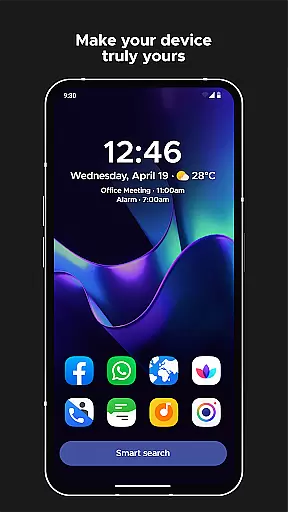
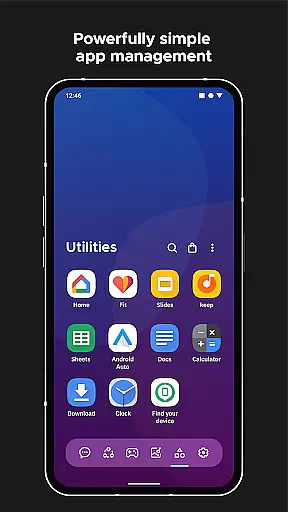
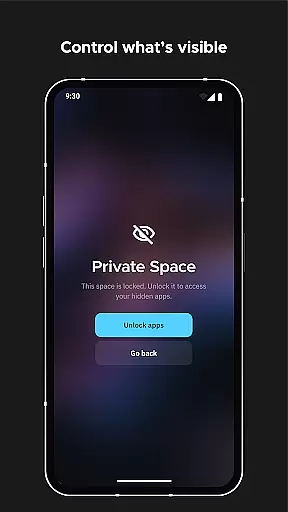
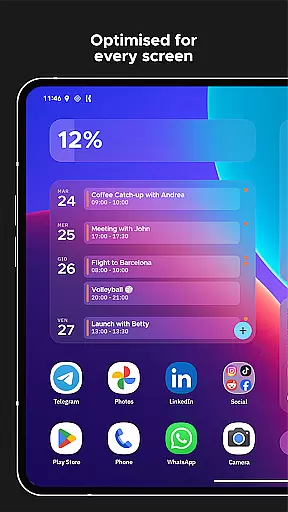
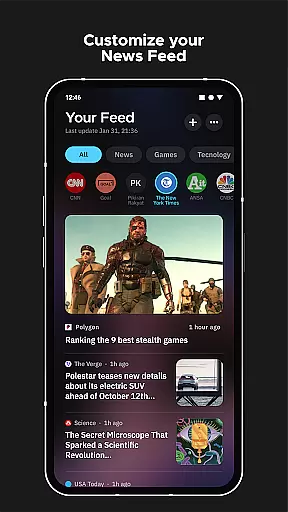
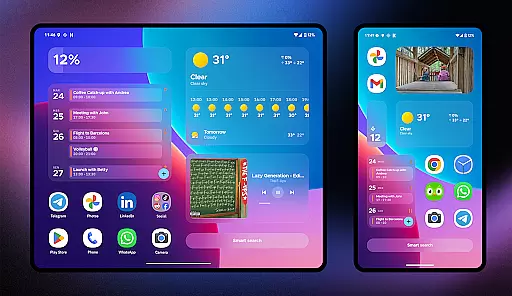
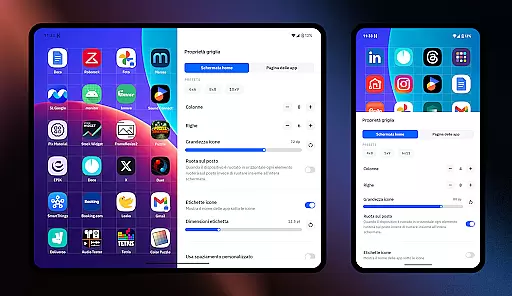
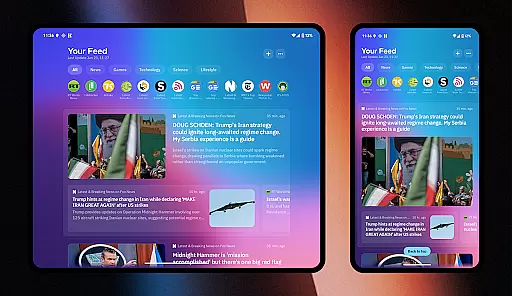
Smart Launcher 6 is a cutting-edge home screen replacement app designed to enhance the Android experience. It introduces an innovative interface that automatically organizes apps into categories, saving users time and effort. The app also boasts an ambient theme engine that adapts to your wallpaper, ensuring a cohesive look.
With its user-friendly design, key interactive elements are positioned for easy one-handed use. Smart Launcher 6 includes customizable widgets, extensive theming options, and adaptive icons that work on any Android device. The powerful search bar supports web searches, calculations, and contact additions, making daily tasks more efficient.
Smart Launcher 6 offers automatic app sorting, which intelligently categorizes apps, eliminating the need for manual organization. Its ambient theme feature dynamically adjusts colors to match your wallpaper, providing a personalized touch. The app promotes one-handed usability by placing important controls within easy reach at the bottom of the screen.
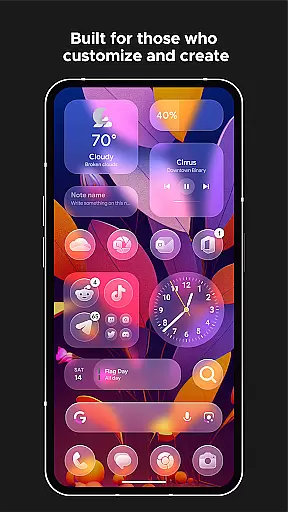
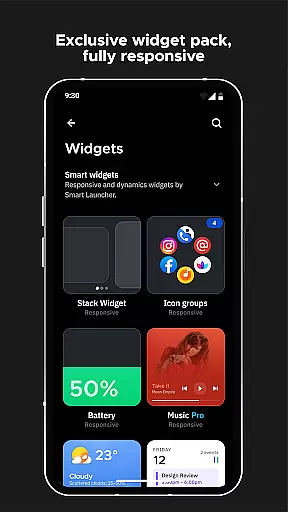
Users can enjoy responsive built-in widgets and extensive customization options, including theme colors and fonts from Google Fonts. The smart search functionality allows quick access to apps and contacts, while adaptive icons ensure a consistent aesthetic across devices. Additional features include gesture support, on-screen notifications, and an ultra-immersive mode for a full-screen experience.
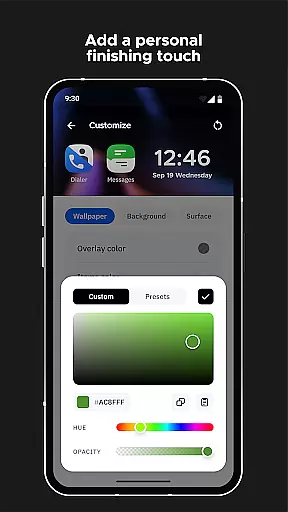
Smart Launcher 6 offers an extensive range of customization options that allow users to tailor their home screen to their personal preferences. With the ability to modify every single color within the theme, the launcher unlocks infinite possibilities for color combinations, ensuring a unique and personalized user experience.
In addition to color customization, Smart Launcher provides access to thousands of fonts from Google Fonts, enabling users to change the typography on their home screen. This level of detail in personalization ensures that each user's device can reflect their individual style and improve readability according to their visual preferences.
The adaptive icons feature is another aspect where Smart Launcher excels in customization. Introduced with Android 8.0 Oreo, this functionality supports customizable icon shapes, which means not only a uniform look across apps but also larger and more visually appealing icons on the home screen.
By prioritizing such comprehensive customization features, Smart Launcher 6 empowers users to create an intuitive and aesthetically pleasing interface that enhances both functionality and personal expression on their Android devices.
Theme compatibility in Smart Launcher 6 ensures that users enjoy a cohesive visual experience across their devices. The Ambient Theme feature automatically adjusts the colors of the home screen to match the user's wallpaper, creating a harmonious and visually appealing environment that evolves with the useru2019s choice of imagery.
This dynamic theming extends beyond mere aesthetics; it represents the deep integration between various elements on the screen. Users benefit from responsive built-in widgets that blend seamlessly with their chosen themes, maintaining consistency and enhancing usability through thoughtful design.
Moreover, Smart Launcher's support for adaptive icons contributes to its superior theme compatibility. Regardless of the theme selected, icons remain crisp and well-integrated into the overall design language of the home screen, providing a professional finish that aligns with modern UI standards.
With these capabilities, Smart Launcher 6 demonstrates its commitment to delivering a personalized yet compatible thematic experience, allowing users to express their style without compromising on functionality or visual coherence.
Automatic app sorting
Ambient theme adaptation
One-handed usability focus
Extensive customization
Powerful search capabilities
Premium version costly
Occasional performance lags
Limited iOS compatibility
Complex for beginners
Frequent updates needed

A Colorful and Minimal icon pack in an Outline Style - Over 13,600 icons!
 4.70
4.70
Beautiful realistic hybrid watch face with numerous customization options.
4.50
Wear Os Watch Face - Seasonal - Animated Snow Effect - 9 Animals
4.20
Over 28,000 high quality icons to bring color & homogeneity to your phone.
4.60
Customizable screen pets that play, climb, and keep you company.
4.50
Embrace the Night. Unleash the power of darkness with Raven Dark Icon Pack
4.60
Unleash Your Creativity and Connect with Loved Ones with Lockscreen Drawing!
4.20
set a new experience for the Android mobile phone
4.20
Fast SMS & group chat - use GIFs and emojis from your home screen launcher.
4.50
Customizable Glass widgets. Over 360+ stunning widgets and more!
4.70
Shimeji adds cute animated characters to your screen, lively and fun.
4.70
Stunningly Different look with Line Icons and Neon Colors
4.60
3D, live, and moving wallpapers & themes in 4K and HD for your device.
4.50
200+ Material Inspired Widgets
4.50
Themes - Widget & Wallpaper: Customize home screen, icon changer w unique themes
4.30
Your home screen, just the way you like it.
4.30 4.10
4.10
Struggling to find apps? Use this app to locate and open any app on your phone!
2.20
Modern Glass Icon Pack with glossy icons, clean minimal theme & aesthetic style
4.0


User Reviews