
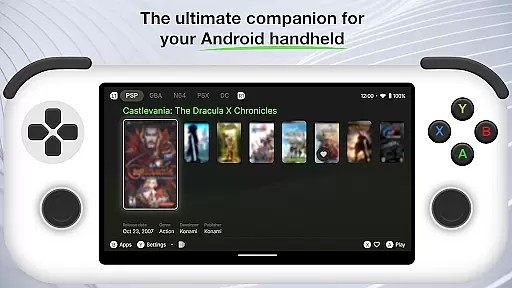
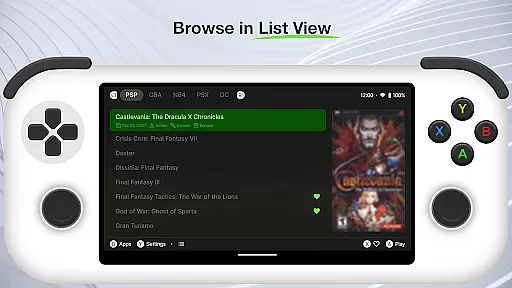
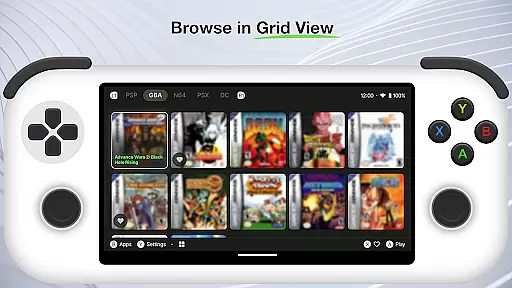
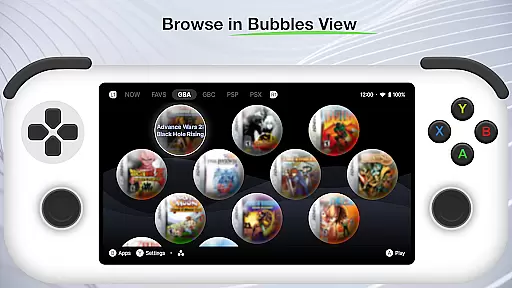
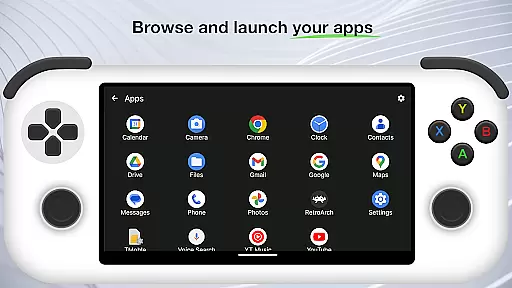
Beacon Game Launcher is an innovative Android launcher specifically designed for retro gaming enthusiasts. This app transforms your mobile device into a dedicated retro gaming hub by allowing you to organize and launch classic games directly from its interface.
The launcher supports integration with various emulators, enabling seamless access to your entire collection of retro games. It automatically enhances your game library by scraping cover art and metadata, providing a visually appealing and informative experience. Whether you're a casual player or a serious collector, Beacon Game Launcher offers a streamlined way to enjoy your favorite classic titles.
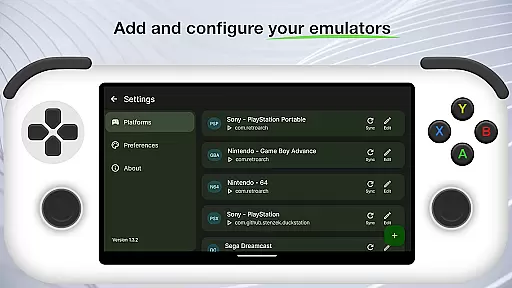
Beacon Game Launcher stands out with its specialized features tailored for retro gaming. The app allows users to add their preferred emulators, giving them the flexibility to customize their gaming setup according to personal preferences.
One of the key features is the automatic scraping of cover art and metadata, which enriches the user's game library with detailed information and visuals. This not only improves the organization of games but also enhances the overall browsing experience. Additionally, the direct launch capability ensures that users can start playing their games quickly and efficiently.
The app's intuitive interface makes it easy to curate and manage a comprehensive collection of retro games, making it an essential tool for any gaming enthusiast looking to relive the classics on modern devices.
Beacon Game Launcher offers a wide array of customization options that allow users to tailor their gaming experience.
The app enables you to add your preferred emulators, ensuring that your classic gaming sessions are personalized to your liking.
With the ability to curate your retro game collection, Beacon provides an enriched library experience by automatically scraping cover art and metadata.
This level of personalization ensures that each user's game launcher is unique, offering a bespoke interface that caters to individual preferences and enhances the overall gaming experience.
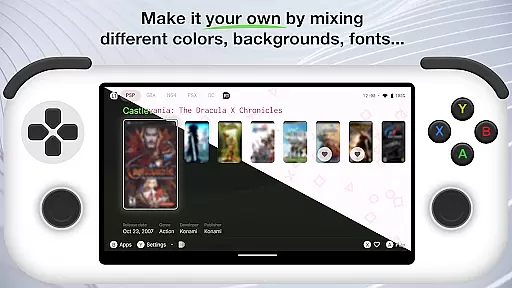
Theme compatibility in Beacon Game Launcher ensures a seamless visual integration with various emulator themes.
Users can enjoy a consistent look and feel across their gaming library, as the launcher supports diverse visual styles.
This compatibility extends to the cover art and metadata, which align with the chosen theme for a cohesive presentation.
Such attention to visual detail not only enhances aesthetics but also improves usability, making it easier for users to navigate and select their favorite classic games with intuitive ease.
User-friendly interface
Customizable emulator support
Automatic metadata scraping
Visually enriched game library
Seamless game launching
Limited to retro gaming
No built-in games
Requires emulator setup
Dependent on external sources
Metadata scraping may fail

Vertically oriented rectangular icons
 4.70
4.70
Gun Chase - Let the chase begin.
4.80
AI-powered Copilot. Personalized keyboard with gifs, stickers & themes
4.40
Shimeji adds cute animated characters to your screen, lively and fun.
4.70
Aesthetic Widgets, HD Wallpapers, Themes in Mico Widget for Home and Lock Screen
4.50 4.50
4.50
Organize and manage your photos and videos effortlessly with Photo Gallery
4.20
Transform your phone with stunning video wallpapers and a unique, personal touch
3.80
Transform your phone with stylish zipper lock themes and 4D live wallpaper
4.10
Sparkle your screen with Glitter Wallpapers For Girls and Cute Backgrounds!
4.80
Enjoy a variety of amazing live wallpapers and colorful EDGE lighting borders!
4.80
400+ Beautifully crafted widgets inspired by NOTHING.
4.70
Glass style colourful icons with a One UI look and feel
4.60
Add cute Shimeji pets to screen, interact with them and relax with cute motions
4.60
Zip lock screen with magic wallpaper to decorate your phone with fun zipper lock
4.60
Stylish Pink Cute Hippo keyboard with 10000+ customized keyboard themes!
4.60
Ninja Turtles Cowabunga SE watch face for Wear OS
4.50
Themes - Widget & Wallpaper: Customize home screen, icon changer w unique themes
4.30
Create unique, fun emojis with Funny Emoji Maker! Unlimited creativity!
4.00


User Reviews