
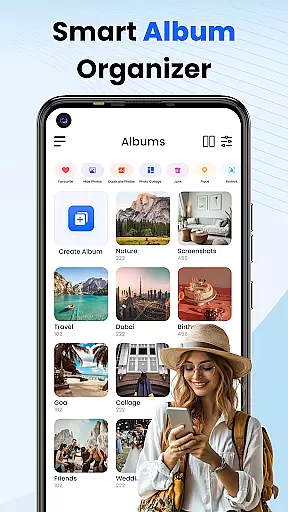
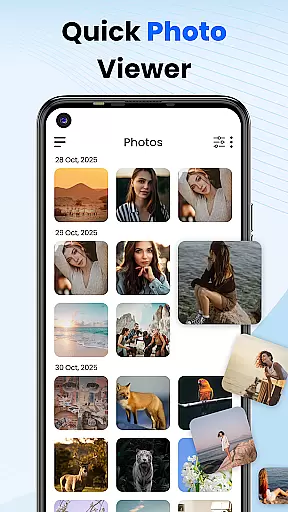
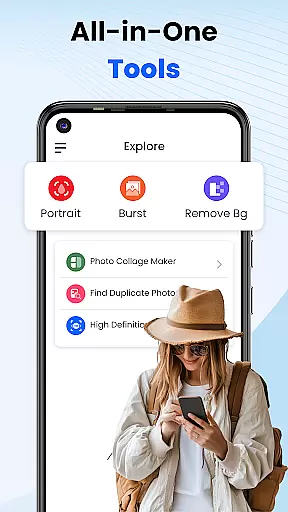
Gallery 2025 is a feature-rich photo management app designed to streamline the organization and enhancement of your photos and videos. With its smart organization tools, users can automatically categorize media by timeline, location, and path, making it easy to manage large collections. The app also supports transferring files to and from SD cards, ensuring seamless accessibility.
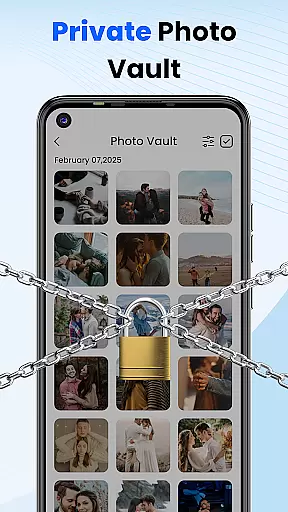
In addition to organizational features, Gallery 2025 offers robust privacy protections. Users can safeguard sensitive content using a PIN-protected vault, while recovery options ensure that accidentally deleted media can be restored from the recycle bin. Its lightweight design incorporates editing tools, collage creation, and video playback, providing an all-in-one solution for personal media management.
Whether you're looking to organize your memories or protect confidential images, Gallery 2025 provides a secure and efficient platform. This makes it ideal for individuals who prioritize both functionality and privacy in their digital life.
Gallery 2025 stands out with its comprehensive suite of features tailored for modern photo management. One of its key strengths is Smart Organization, which uses advanced algorithms to automatically sort photos and videos by timeline, location, and directory paths. This ensures that users can easily locate specific files without manual tagging.
The app also includes a Private Vault feature, allowing users to encrypt and hide sensitive media behind a numeric PIN, pattern, or security question. For added convenience, the Effortless Search function enables quick retrieval of media based on places or dates. Additionally, accidental deletions are no longer a concern, as the built-in Recovery Options allow users to restore lost files from the recycle bin.
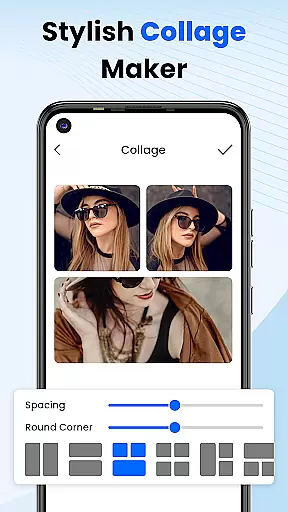
Other notable features include album locking, photo editing tools, and collage creation capabilities. These functionalities make Gallery 2025 not just a gallery app but also a simple yet powerful photo editor, catering to both casual users and those seeking advanced customization options.
Customization is at the heart of Photo Gallery, allowing users to tailor their photo management experience to their personal preferences. This app offers a wide array of customization options that cater to both novice and advanced users, ensuring that everyone can organize their digital memories in a way that feels intuitive and satisfying.
The Smart Organization feature automatically sorts photos and videos by timeline, location, and path, providing a seamless way to navigate through your collection. Users can also manually create albums and categorize their media files according to their liking, which adds another layer of personalized organization.
Beyond just sorting, Photo Gallery includes creative tools such as photo editing and collage creation, enabling users to modify and personalize their images directly within the app. These features ensure that your gallery is not only organized but also filled with pictures that reflect your personal touch and creativity.
With functionalities ranging from album locking to security settings for private content, Photo Gallery empowers users to customize every aspect of their photo management process. Whether it's adjusting privacy settings or creating visually appealing collages, this app provides the tools necessary for a fully customized experience.
Theme compatibility in Photo Gallery ensures that users can enjoy a consistent and visually pleasing experience across different devices and Android versions. The app supports various themes, adapting its interface to match the aesthetic preferences of each user while maintaining optimal usability.
Users have the option to choose from several built-in themes or apply system-wide themes that align with their device settings. This flexibility allows for a personalized visual experience that resonates with individual tastes without compromising on functionality or performance.
In addition to supporting standard themes, Photo Gallery also integrates seamlessly with third-party theme applications. This means you can synchronize your galleryu2019s appearance with other apps and services you use daily, creating a cohesive look throughout your digital environment.
By prioritizing theme compatibility, Photo Gallery guarantees that no matter how you prefer your apps to look, you will find a setup that works best for you. Enjoy an uninterrupted flow between work and play, knowing that your photo management tool blends perfectly into your customized digital workspace.
User-friendly interface
Advanced privacy controls
Comprehensive editing tools
Efficient file organization
Lightweight performance
Limited cloud integration
Occasional bugs reported
Premium features locked
Ads in free version
Steep learning curve

Beautiful realistic hybrid watch face with numerous customization options.
 4.50
4.50
Make your phone look simple & luxury, like iDevice
4.60
Sparkle your screen with Glitter Wallpapers For Girls and Cute Backgrounds!
4.80
Adult video chat, dating, making friends, random matching
4.20
Gun Chase - Let the chase begin.
4.80
300+ Stunning and well-designed widgets inspired by NOTHING.
4.70
Transform your device in a game console
4.40
A minimalist productivity launcher. One-hand-friendly. Zero ads.
4.70
Fast SMS & group chat - use GIFs and emojis from your home screen launcher.
4.50
Vertically oriented rectangular icons
4.70
Embrace the Night. Unleash the power of darkness with Raven Dark Icon Pack
4.60
Transform your phone with Launcher iOS 26 - Smooth & elegant iOS experience
4.50
Turn text & photos into stunning AI videos, art, and creative visual stories.
4.50
A light in the dark, a unique style and an andless cutomization!
4.30
Your home screen, just the way you like it.
4.30
Wear Os Watch Face - Seasonal - Animated Snow Effect - 9 Animals
4.20
Unique Fonts, typefaces and stylish text. Fonts for Instagram, Whatsapp & others
4.20
Struggling to find apps? Use this app to locate and open any app on your phone!
2.20
⭐ OneUI inspired Fluffy Icon Pack – Soft. Stylish. Standout. ⭐
4.0


User Reviews