
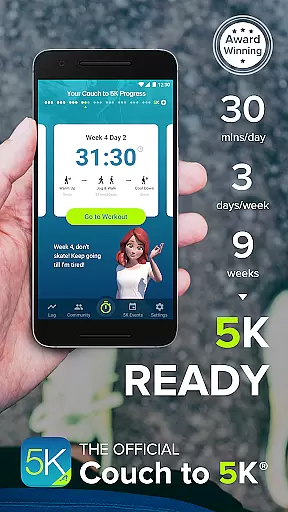
Couch to 5K is an official training app designed to help new runners transition from being inactive to completing a 5K race. The program spans nine weeks, requiring sessions of just 20 to 30 minutes, three times a week. This structured approach ensures gradual progression and minimizes the risk of injury.
With features like virtual coaching, audio cues, and GPS support, users can enjoy a personalized and motivating experience. The app also integrates with music playlists, tracks performance, and connects users to a supportive running community. Whether you're aiming for your first race or looking to improve your fitness, Couch to 5K provides the tools needed to succeed.
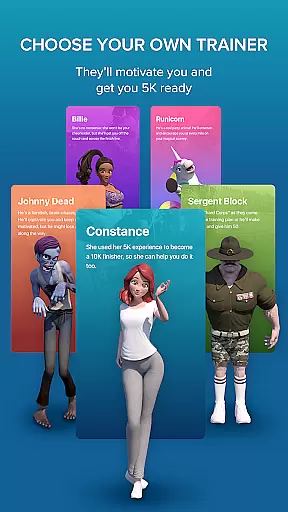
The Couch to 5K app offers a comprehensive set of features tailored to enhance the running experience. Users can choose from four different virtual coaches, each providing unique motivation and guidance through audio cues during workouts. The integration of a music player allows seamless listening to favorite playlists while training.
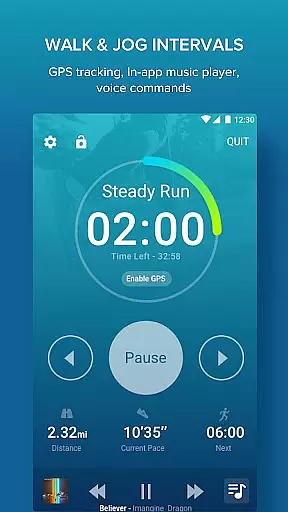
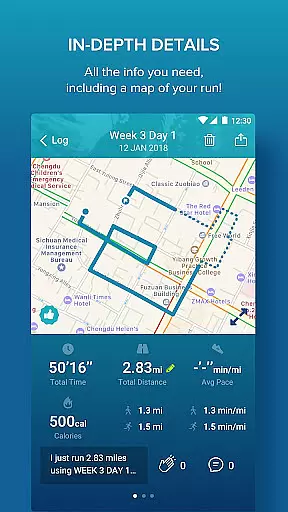
Advanced functionalities include free GPS support for mapping routes and calculating distance and pace. The app enables logging workouts, sharing progress on social media, and tracking performance over time with detailed graphs. Additional features such as treadmill support and manual entry options ensure flexibility and adaptability to various training environments.
Personalized planning in fitness applications refers to the ability to create tailored workout schedules that adapt to individual needs and progress. Couch to 5K excels in this area by offering a structured nine-week program designed by Active.com trainers.
The app provides users with a clear path from being inactive to completing a 5K run, requiring only 20 to 30 minutes of exercise three times a week. This gradual increase helps prevent injury and promotes sustainable fitness habits.
Users benefit from customizable features such as choosing from four virtual coaches, each bringing unique motivation styles. These coaches guide users through audio cues, ensuring they stay on track during workouts.
By integrating personalized planning, Couch to 5K ensures that users remain engaged and committed, making it more likely for them to achieve their fitness goals safely and effectively.
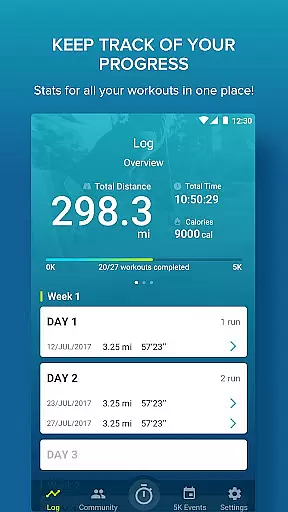
Progress visualization is crucial in fitness apps as it allows users to see their improvements over time, boosting motivation and accountability. Couch to 5K offers robust tools for tracking and visualizing user progress throughout the program.
The app includes graphs that display workout data, enabling users to compare distance and pace across sessions. This feature helps runners understand their performance trends and make necessary adjustments to their training.
Additionally, Couch to 5K supports GPS functionality, allowing users to map their routes and calculate distances and speeds accurately. This data contributes to a comprehensive view of personal achievements.
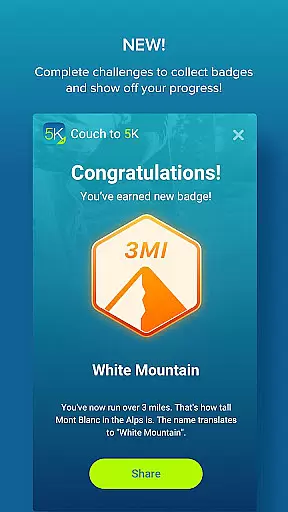
By providing detailed progress visualization, Couch to 5K empowers users to celebrate milestones, maintain momentum, and ultimately succeed in transitioning from couch to competitive running.
User-friendly interface
Comprehensive training plan
Motivating virtual coaches
Integrated music player
Supportive running community
Premium price point
Limited advanced metrics
No video tutorials
Occasional bugs reported
Requires consistent commitment

The Wear OS BeechBand app is designed to alleviate anxiety and other conditions
 4.5
4.5
Relax to calm sounds, white noise, music, guided meditation and bedtime stories
4.40
Meditation app, head space app provides calm music to help you meditate & sleep
5.00
The Sleep Miracle Sound Machine: Soothes baby to sleep with a gentle "Shhh"
3.00
A brain game that moves you
4.70
Make sense of your health data.
3.80
Looking to take control of your health? Our psychology-based programs can help.
4.10
beat yesterday.
4.00
Lazy home workouts with your virtual fitness coach for weight loss.
4.30
Medbridge GO gets you moving - get back to doing what you love, faster!
4.90
Step Counter, track steps when you walk or run
4.70
Your AI pet BFF. Talk, play, and beat anxiety in this calming game.
4.60
The simplest way to track your 21 Day Program containers, exercises, and water.
4.50
Relax. Sleep Better. Feel Better.
4.50
See what's really going on inside your head! Real time EEG graphs from your Muse
4.40
Create powerful subliminal audio with custom affirmations and background music.
4.00
Understand your body’s most meaningful messages and transform your health.
3.90
Live Heart Rate Pro - Real Time Heart & Workout Data For Wear OS & Bluetooth BLE
3.20
Text notifications, button control, heart monitor & more for your Amazfit.
2.40


User Reviews